Manually Update Pocket CowCard on your Android Device
Question: How do I manually update Pocket CowCard if it doesn't auto-update? Why should I update Pocket CowCard?
Answer: The Pocket CowCard app is updated on a regular basis and often includes key enhancements and bug fixes that improve app performance and usability. Most versions of Pocket CowCard have an in-app updater that automatically installs the latest version of Pocket CowCard onto your device. If your version of Pocket CowCard does not automatically download the latest version of Pocket CowCard, manually download the latest version of Pocket CowCard. Before initiating any update, ensure all pending transactions have been delivered to DairyComp. Please note that your Pocket CowCard device must be charged to at least 20% before you can download the latest version of Pocket CowCard.
 How do I know which Android version I have?
You can check which version of Android your device is running from the Pocket CowCard app or directly within the Android operating system if you do not have Pocket CowCard installed.
To check the version number from Pocket CowCard:
-
Open Pocket CowCard and tap the Options button at the top of the screen.
-
Tap the About tab and the scroll down to view the Android version running on the device.
To check the version from the Android operating system:
-
Open the Settings app from the device's home screen.
-
Select About device (or About phone) to view the Android version.
How do I know which Pocket CowCard version I have?
Tap the Options button at the top right corner of the screen and then tap the About tab to check your current version.
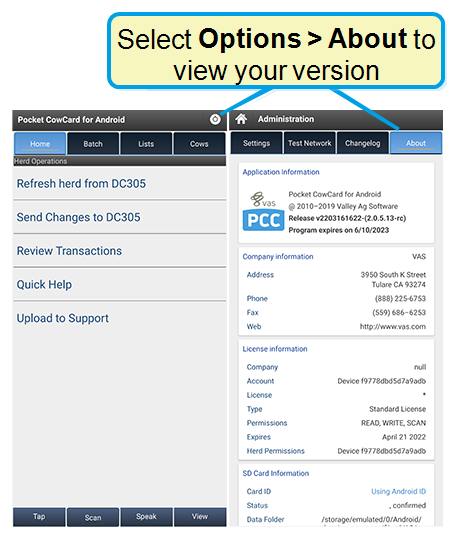
The version number translates to vYYMMDDhhmm (two-digit year, month, day, hour, minute).
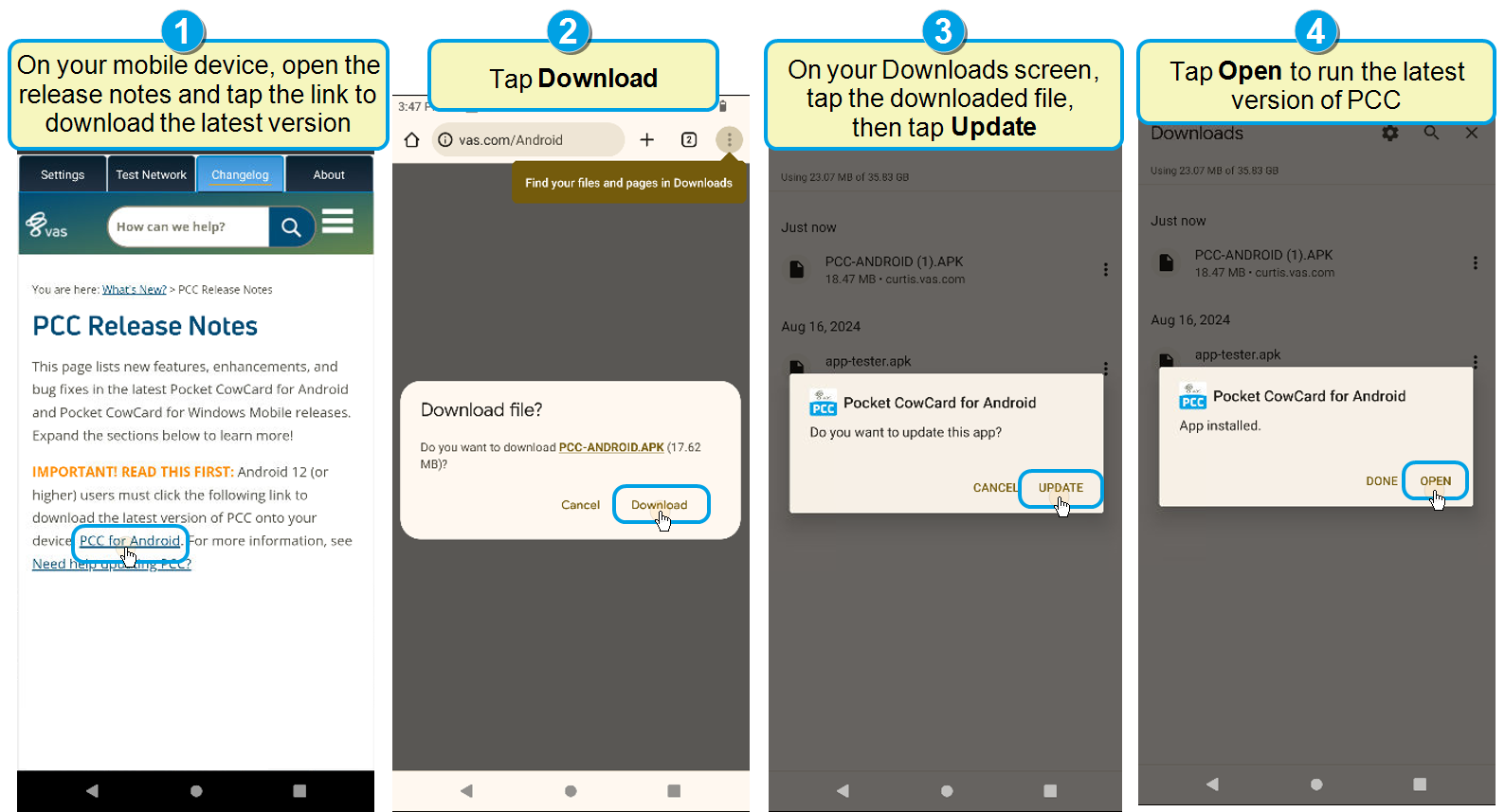
- On your Pocket CowCard device, open a web browser and go to https://www.vas.com/Android.
- Tap Download.
- On your Downloads screen, tap the downloaded file, then tap Update.
- When the download is complete, tap Open to run the latest version of Pocket CowCard.
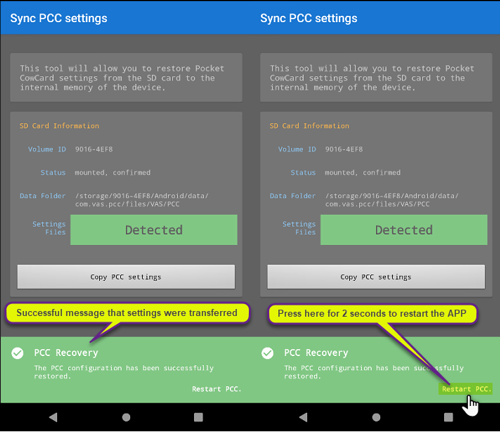
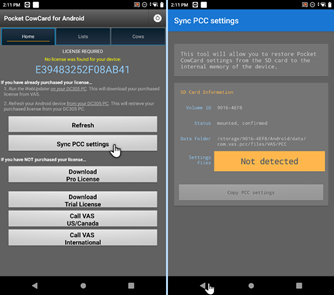
Show me how to Sync Pocket CowCard Settings!One-time Sync Settings option on Android 1+ devices: Pocket CowCard supports a one-time sync of your settings from the SD card when you upgrade the app on your Android 11+ devices. After the one-time sync, the app retains your settings for future updates automatically. Tap the Sync Settings option. Then tap the Copy Settings button and Yes to confirm.
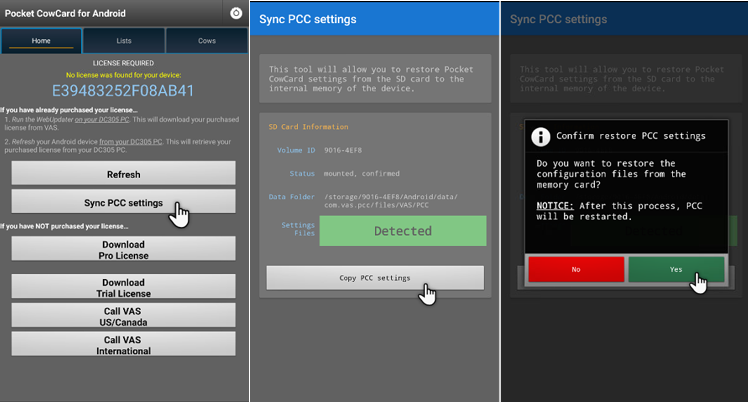
A message displays to confirm the sync was successful. Press and hold the Restart Pocket CowCard option to restart the app.