ALTER12 : FRESH Event Items
The ALTER12 : FRESH Event Items allows you to manage the DairyComp items that are affected when an animal freshens (i.e., starts a new lactation). The FRESH event is one of the most important events in DairyComp because it resets the animal's record, updates key items, and prompts for new information. ALTER12 : FRESH Event Items allows you to customize these actions to fit your dairy's management practices.
FRESH event items are arranged in six separate tables. Each table controls a specific aspect of what happens during the FRESH event—such as zeroing out old data, moving values to previous fields, transferring dam details to the calf, prompting for new entries, or updating lifetime totals.
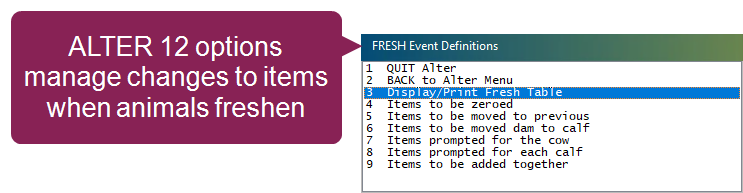
To open the Fresh Event Definitions menu, enter ALTER in the command line, then select [12] Fresh Event Items from the menu. Alternatively, you can enter ALTER\12 in the command line. The menu lets you view all of the items currently configured to be affected by a FRESH event as well as options for changing them:
 Display or Print the Fresh Table
The Display/Print Fresh Table option lets you view all six FRESH event tables in a single screen. This consolidated view is helpful for reviewing your current configuration before making changes.
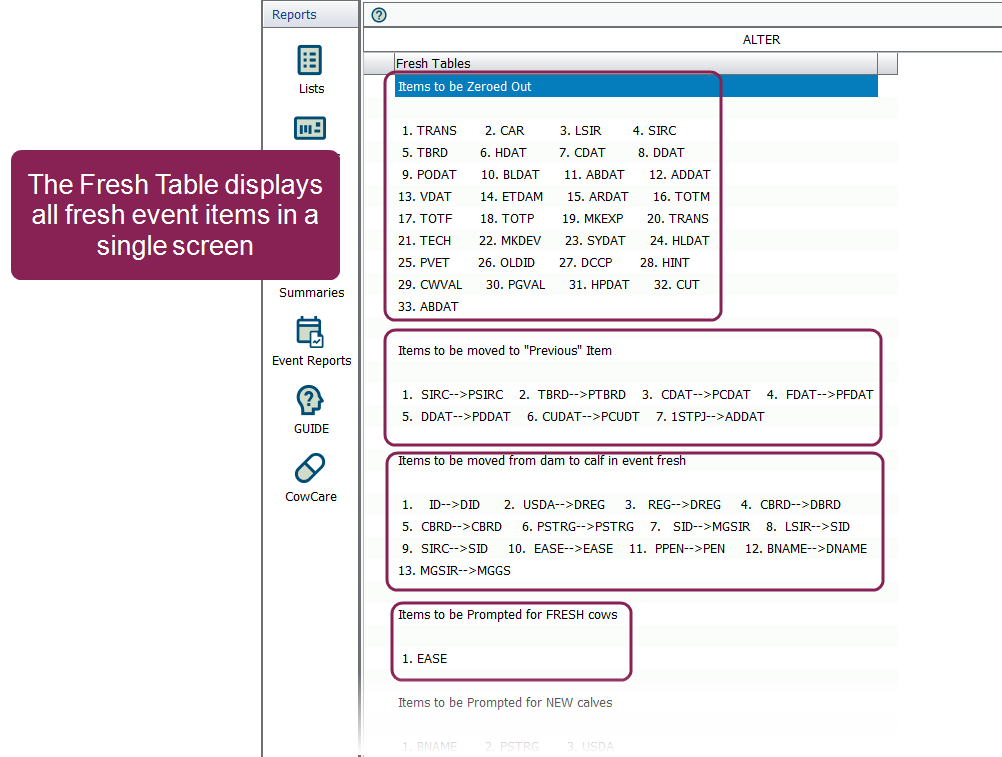
From here, you can confirm which items are set to zero, moved to previous, transferred to the calf, prompted for entry, or added together. If needed, you can also print the table for reference, which is useful when planning updates or troubleshooting issues.
Items to be Zeroed
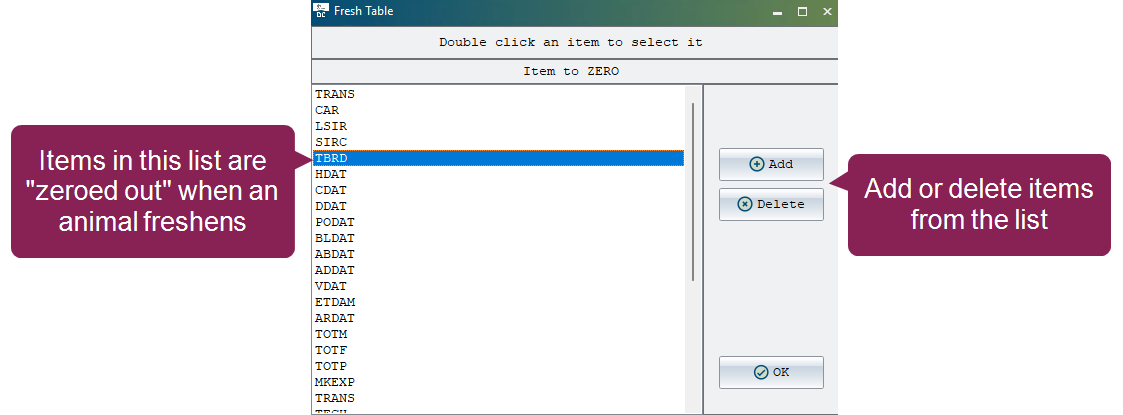
The Items to be Zeroed option lists all items that should reset to zero when an animal freshens. This ensures that data from the previous lactation, such as production totals or breeding counts, does not carry over into the new lactation.
When you open this option, you’ll see a list of items currently set to be zeroed when animals freshen:
-
To add a new item, click Add to open the selection window, choose the item you want, and click OK. The item will then appear in the main list.
-
To remove an item, select it in the main list, click Delete, and confirm the deletion when prompted.
-
To replace an item with a different one, double-click it in the main list to open the selection window and choose a different item; the new item will replace the original in the list.
-
When you're finished making changes, click OK to save.
Items to be Moved to Previous
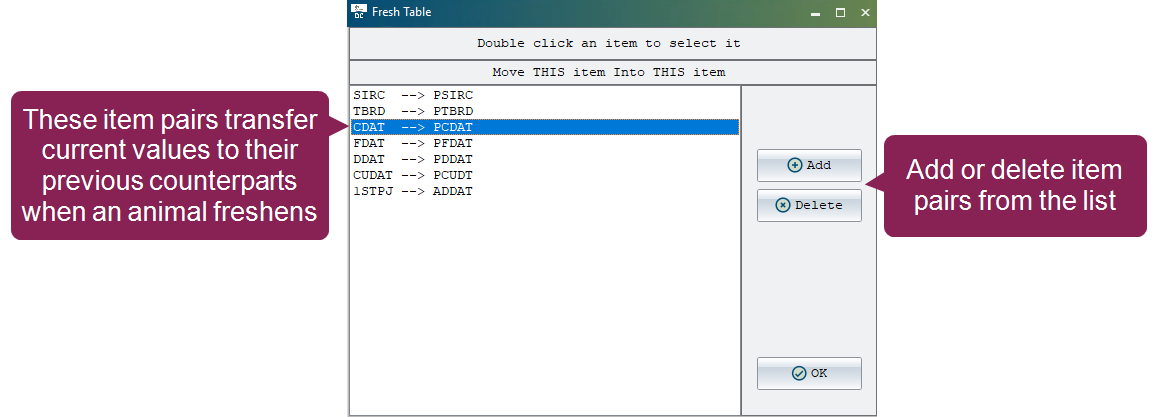
The Items to be Moved to Previous option defines which current values should be transferred to their “previous” counterparts when an animal freshens. This preserves historical data for reporting while clearing current fields for new lactation data.
When you open this option, you’ll see item pairs configured to preserve history. For example, FDAT to PFDAT indicates that the current Fresh Date will be moved to the Previous Fresh Date item, allowing the system to save the old date before it records the new one:
-
To add a new pair, click Add. First, select the item you want to move, then click OK. Next, select the item that will receive the value and click OK again. The pair will appear in the main list.
-
To remove a pair, select it in the list, click Delete, and confirm the deletion when prompted.
-
To change an existing pair, double-click it. When you do, repeat the selection process: choose the new source item, then the new destination item, and click OK.
-
When you're finished making changes, click OK to save.
Items to be Moved Dam to Calf
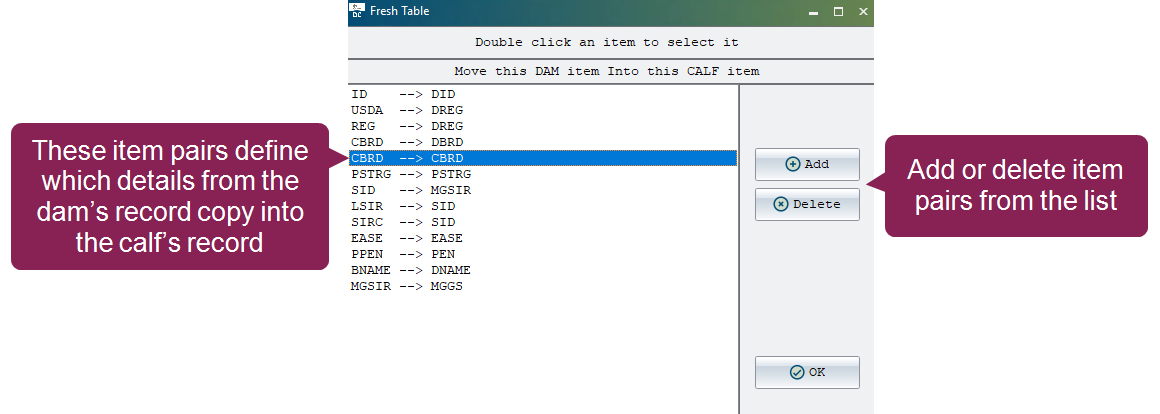
The Items to be Moved Dam to Calf option defines which details from the dam’s record should be copied into the calf’s record during the FRESH event. This ensures that parentage and registration information is transferred automatically, reducing manual entry and maintaining accurate pedigree data.
When you open this option, you’ll see how data moves from the mother to the offspring. For example, ID to DID indicates that the animal's identification number will be moved to the calf’s Dam ID item, automatically linking the calf to its mother:
-
To add a new pair, click Add. First, select the dam item you want to move, then click OK. Next, select the calf item that will receive the value and click OK again. The pair will appear in the main list.
-
To remove a pair, select it in the list, click Delete, and confirm the deletion when prompted.
-
To change an existing pair, double-click it. When you do, repeat the selection process: choose the new dam item, then the new calf item, and click OK.
-
When you're finished making changes, click OK to save.
Items Prompted for the Cow
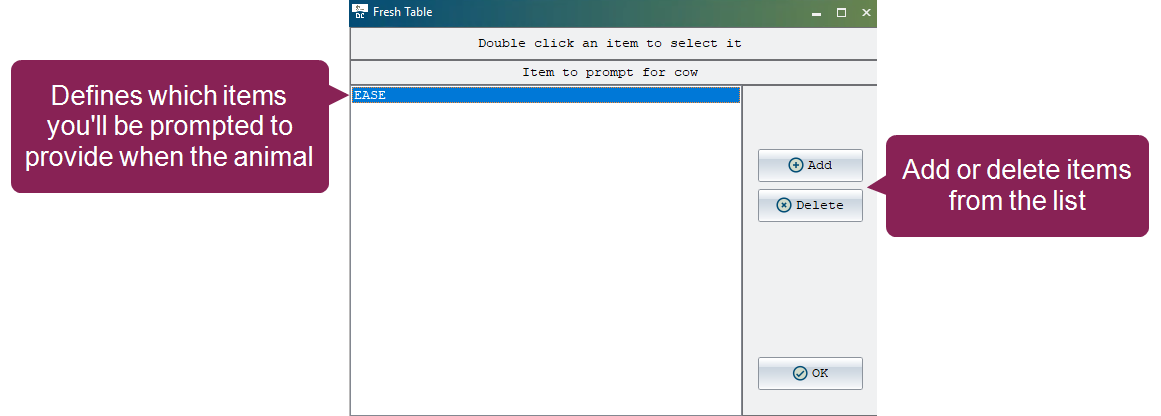
The Items Prompted for the Cow option defines which details you will be asked to enter for the animal during the FRESH event. These prompts ensure critical data is captured immediately. For example, including EASE (Calving Ease) will cause DairyComp to ask you for a score (1–5) for the birth, while PEN (Pen Number) prompts you to record which group the animal is moving into:
-
To add a new item, click Add to open the selection window, choose the item you want, and click OK. The item will then appear in the main list.
-
To remove an item, select it in the list, click Delete, and confirm the deletion when prompted.
-
To change an existing item, double-click it. When you do, select a different item from the list and click OK; the new item will replace the original.
-
When you're finished making changes, click OK to save.
Items Prompted for the Calf
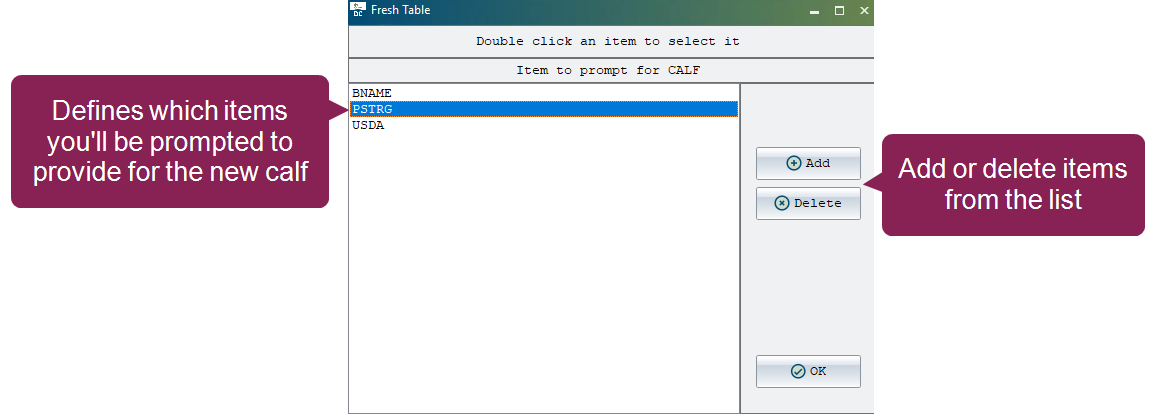
The Items Prompted for the Calf option defines which details you will be asked to enter for the calf during the FRESH event. These prompts help you start the calf's record accurately. For example, prompting for BNAME (Barn Name) or ETAG (Electronic ID) allows you to identify the newborn calf at the exact moment the birth is recorded:
-
To add a new item, click Add to open the selection window, choose the item you want, and click OK. The item will then appear in the main list.
-
To remove an item, select it in the list, click Delete, and confirm the deletion when prompted.
-
To change an item in the list, double-click it. Then select a different item from the list and click OK; the new item will replace the original.
-
When you're finished making changes, click OK to save.
Items to be Added Together
The Items to be Added Together option defines pairs of items whose values should be combined during the FRESH event. This is typically used for cumulative totals, such as adding the number of treatments for the current lactation to a lifetime total.
-
To add a new pair, click Add. First, select the item whose value will be added, then click OK. Next, select the item that will receive the combined total and click OK again. The pair will appear in the main list.
-
To remove a pair, select it in the list, click Delete, and confirm the deletion when prompted.
-
To change an existing pair, double-click it. When you do, repeat the selection process: choose the new first item, then the new second item, and click OK.
-
When you're finished making changes, click OK to save.