Pocket CowCard Release Notes
 This page lists new features, enhancements, and bug fixes in the latest Pocket CowCard for Android and Pocket CowCard for Windows Mobile releases. Expand the sections below to learn more!

 Need help updating Pocket CowCard? Click here for installation instructions for Android devices!
Please note that your Pocket CowCard device must be charged to at least 20% before you can download the latest version of Pocket CowCard. Depending on your Android OS version, expand the instructions below to download the latest version of c onto your device:
Android 12 (or higher) devices
You must manually download the latest version of Pocket CowCard onto your device if you have Android 12 (or higher). Follow the steps below to continue:
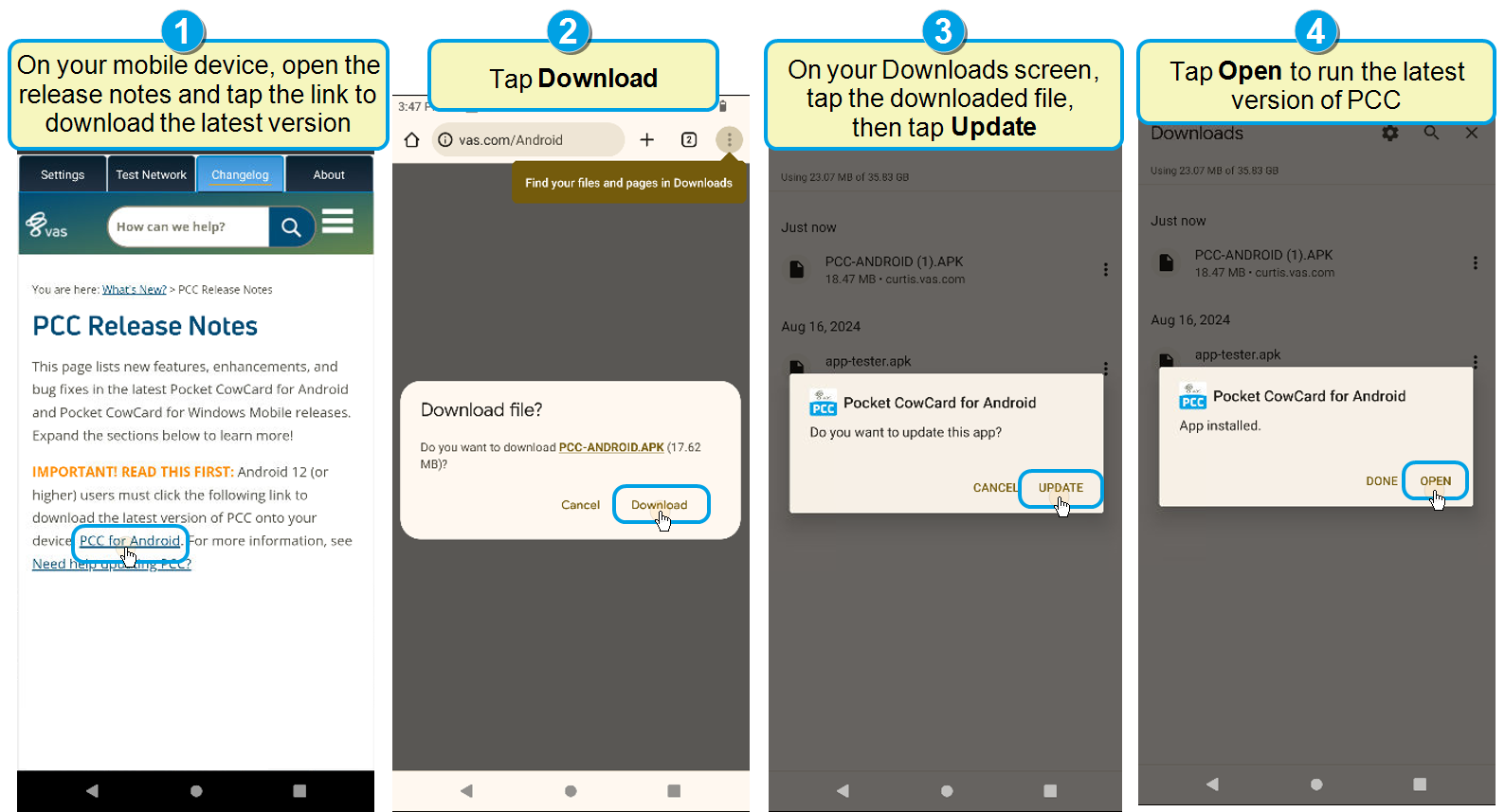
- On your Pocket CowCard device, open the Changelog tab to view the release notes. Tap the Pocket CowCard for Android Download link.
- Tap Download.
- On your Downloads screen, tap the downloaded file, then tap Update.
- When the download is complete, tap Open to run the latest version of Pocket CowCard.
Android 11 (or lower) devices
The in-app updater automatically installs the latest version of Pocket CowCard onto your device. No action is needed.
How do I know which Pocket CowCard version I have?
Tap the Options button at the top right corner of the screen and then tap the About tab to check your current version.
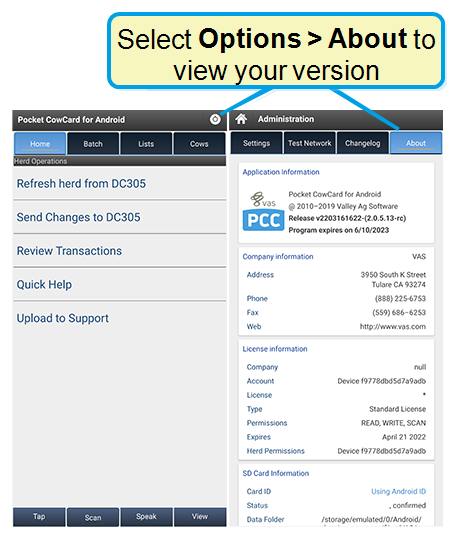
The version number translates to vYYMMDDhhmm (two-digit year, month, day, hour, minute).
IMPORTANT: Pocket CowCard support for Android 10 and 11 devices ends in July 2026
VAS will no longer support Pocket CowCard for Android 11 (or lower) devices, starting on July 15, 2026. For a full list of devices supported by VAS, click here. If you have any questions about your options or if you want to purchase a new compatible device, please contact your Pocket CowCard support representative. (Pocket CowCard-1815, Pocket CowCard-1488, Pocket CowCard-1520)
Pocket CowCard Android - Version v2606151218-(2.0.37.63-rc)
Build Date: June 15, 2026
Release Date: June 17, 2026
This hot fix addresses an issue that caused slow scanning and delayed sound playback for some devices. It improves overall performance and responsiveness during scanning, resulting in faster sound feedback and a smoother experience. Additional improvements are ongoing.
Pocket CowCard Android - Version v2605221208-(2.0.37.62-rc)
Build Date: May 22, 2026
Release Date: May 26, 2026
This release includes a variety of enhancements and bug fixes. Expand the sections below to learn more:
Enhancements
- App branding update: The Pocket CowCard app icon has been refreshed with an updated look. You will notice “CowCard” displayed on the icon instead of “PCC”. The app experience and functionality remain the same.
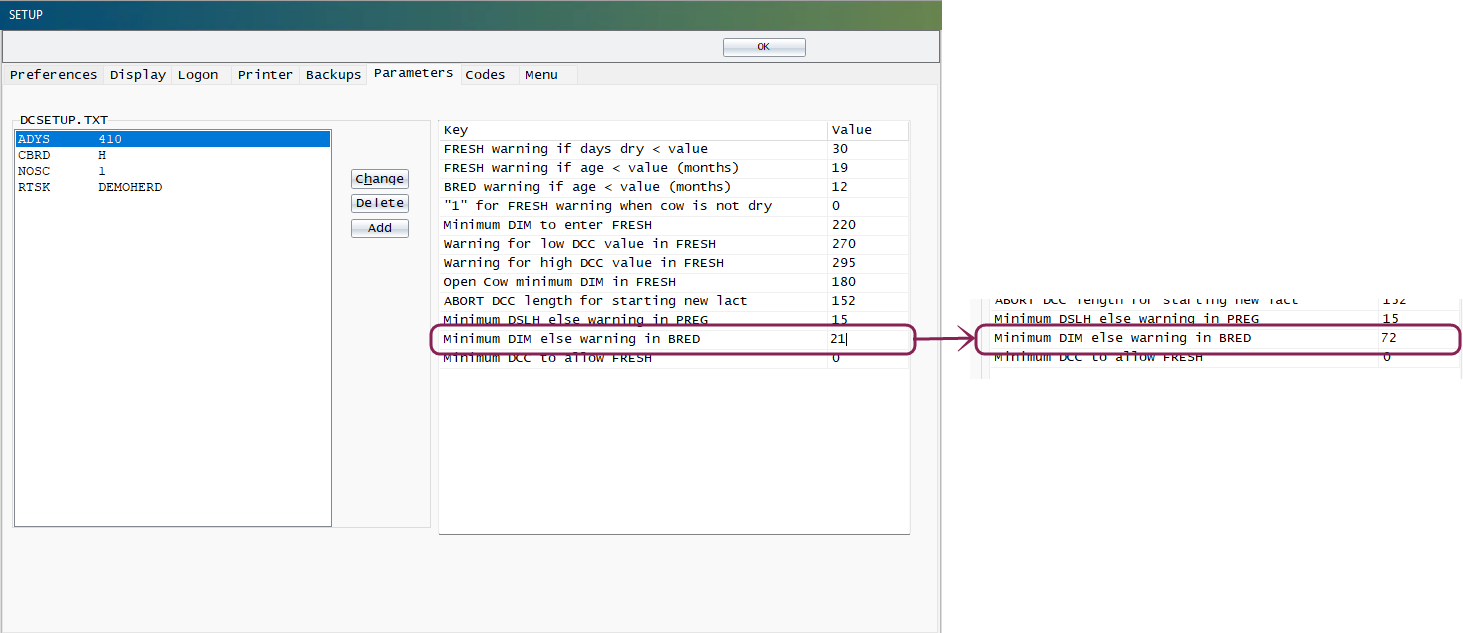
- Days in Milk (DIM) warning for BRED events: The app now displays a warning message if you attempt to breed an animal before they reach the minimum Days in Milk (DIM). If the minimum DIM is set below 40 days, the app warns you if you try to breed an animal before 50 DIM. The default setting for most dairies is set to less than 40 days, but you can check or update this setting in DairyComp: enter SETUP in the command line, open the Parameters tab, and edit the value for Minimum DIM else warning in BRED.
- Improved QUAD picker screen position: Improved the Protocols user interface, so the QUAD picker screen is now below the items during Event Entry. (Pocket CowCard-1604)
- Google certification for side loading: The app is now Google-certified for side loading, improving install reliability. (Pocket CowCard-1725)
- Added support for Item Type #174 (ET data): Pocket CowCard now supports Item Type #174 for embryo transfer data across all 4 operands (Return Y/N if animal is pregnant with ET, Return conception PULSE Embryo ID, Return ET Donor Dam Reg, and Return ET Donor Dam ID). (Pocket CowCard-1809, Pocket CowCard-1860)
- Improved hospital protocol validation: The green Accept button is now disabled until all required protocol data is entered, helping prevent incomplete submissions. (Pocket CowCard-1819)
- FRESH event picklist improvements: We added multiple improvements for FRESH event entry:
- Added validation when a cow has a future MKDAT and a PEN is required.
- Enabled non-picklist Expert Commands for automated entry in Forms 9 and 10.
- Improved handling of quoted values in batch inputs.
(Pocket CowCard-1820, Pocket CowCard-1851, Pocket CowCard-1879)
- Vet list validation improvements: If you create a vet lists in DairyComp, always include VC>0 in the FOR (conditions) to ensure that only animals that need to be checked are included in the list. To learn more about creating vet lists, see Generate Vet Lists.
- Expanded Google Analytics tracking: Improved tracking for Add Batch, NFC, Text-to-Speech, Fresh Event, Simple Batch, and Expert Batch workflows (Pocket CowCard-1840, Pocket CowCard-1841, Pocket CowCard-1842, Pocket CowCard-1843, Pocket CowCard-1887, Pocket CowCard-1888)
- Updated translations: Added and updated translations for new key phrases. (Pocket CowCard-1848)
- Updated Android API level: Raised API level to 35 to improve install compatibility. Previously, newer Android devices may have shown a warning that the app was unsafe to install. (Pocket CowCard-1849, Pocket CowCard-1913)
- Grid view usability fix: Resolved an issue where the blue arrow blocked access to animal records when the list was not scrollable. (Pocket CowCard-1850)
- Improved keypad behavior: Prevented the “Cow Not Found” sound from playing when pressing 0 and Enter in a worklist. (Pocket CowCard-1870)
- Merged lists filter: Added the ability to filter by merged worklists in the Breeding Grid. (Pocket CowCard-1872)
- Mobile sound file management: Added play and delete options in the Test Audio section to simplify sound file management. (Pocket CowCard-1874)
- Technician number display update: Technician numbers above 255 now display correctly on the Events page. (Pocket CowCard-1880)
- Milk withdrawal (MKDAT) warnings: Added warnings when moving animals with an active milk withdrawal into non-hospital milking pens and removed warnings when moving animals between hospital pens. (Pocket CowCard-1889, Pocket CowCard-1881)
(Pocket CowCard-1875)
(Pocket CowCard-1893)
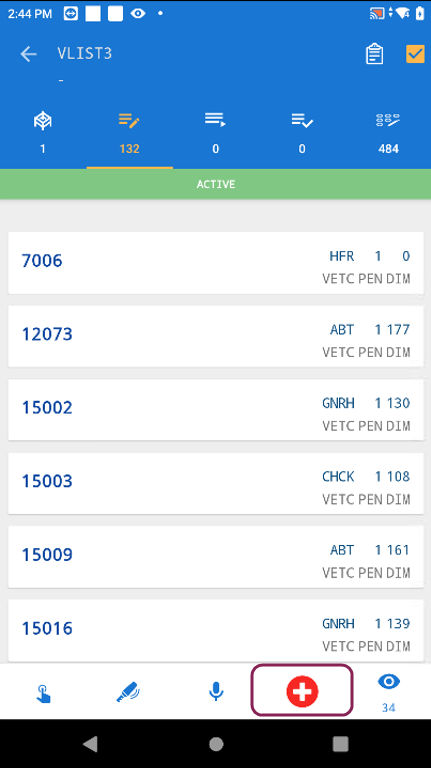
If you see an animal that needs to be added during vet check, you can add an animal to the vet list if they do not have a vet code greater than 0. On any vet list, tap the red + button on the bottom right side to enter animal details:
(Pocket CowCard-1839)
Bugs
- Keyboard behavior improvement: The keyboard now remains open after tapping an ID to view a CowCard. (Pocket CowCard-1806)
- Transaction review stability: Improved performance when reviewing large transaction lists by loading transactions individually to prevent crashes. (Pocket CowCard-1869)
- Animal ID display fix: Resolved an issue where IDs were not visible when editing animals added to a herd from a list. (Pocket CowCard-1871)
- Protocol day detail display: Fixed an issue where only one protocol day detail line displayed instead of all configured lines. (Pocket CowCard-1883)
- Memory optimization for merged lists: Improved memory handling when merging multiple lists to reduce “Out of Memory” errors. (Pocket CowCard-1877)
- Crash fixes from Firebase reports: Addressed multiple crash scenarios related to list processing and Expert Batch workflows. (Pocket CowCard-1854, Pocket CowCard-1855, Pocket CowCard-1857)
Known Issues and Other Considerations
-
2026/02/03 - Include VC>0 in vet lists: When creating vet lists, make sure to include the condition VC>0. This ensures that only animals with valid vet check information are included in the list. If you want to use a single workflow during vet check, be sure to use the Merge option for your To Do lists. Merging keeps all tasks together in one place so you don’t have to switch between multiple lists.
- 2026/01/09 - Avoid taking screenshots of Pocket CowCard on your device: Pocket CowCard may freeze if you take screenshots while using Pocket CowCard.
- 2025/09/18 - View full animal IDs in grid view workaround: If your animal IDs are getting cut off when you view them in grid view, change the font size on your Pocket CowCard device so you can view the full ID. Follow the steps below to update your device's font size:
- Open Settings on your device.
- Go to Display.
- Tap Font size and style, then select the smallest option.
- Return to the Display screen.
- Tap Screen zoom or Display size, then select the smallest option.
- Close and reopen Pocket CowCard. When you switch to grid view, the full animal ID will now be visible.
- 2025/07/01 - Pocket CowCard only plays sounds for tasks with a WAV sound file: When a worklist has multiple task items, Pocket CowCard will not play any sounds if there are no WAV sound files for each individual task item. Make sure you have a WAV sound file for each task item you use if you want to hear a sound for the item. To learn more about adding a sound to a task item, contact VAS Support.
- 2025/08/27 - Enable the navigation buttons for Android devices: Pocket CowCard devices that use Android 14 devices (or higher) no longer show the Back, Home, and Recents/Overview buttons by default. You can enable the navigation buttons on your Pocket CowCard device by opening Settings > Display > Navigation and selecting Buttons (or Button navigation).
- 2025/08/13 - Close and restart Pocket CowCard installer if it freezes during download: If you download the latest version of Pocket CowCard by using Pocket CowCard for Android Download (https://www.vas.com/Android), the installer window may freeze. Simply exit the installer and open the Pocket CowCard app if this happens.
- 2025/05/01 - Fix Pocket CowCard worklist progress percentage bar: In some cases, Pocket CowCard tracks worklist progress correctly, but then it stops updating the progress percentage bar and does not correctly show the completed cows. If you encounter this error, force stop Pocket CowCard and reopen it to see the correct progress percentage.
- 2025/05/01 - Fix inaccurate TODO counts after a rare workflow: The TODO counts may be inaccurate if you activate a vet list using the following steps: open the Cows tab, click on an animal, navigate past Pen Validation, exit the CowCard, click the LISTS tab, and activate a vet list. If the TODO counts do not match, close and reopen the vet list to fix the TODO counts.
- 2025/04/09 - Do not edit transaction log when using an Expert or Simple Batch filtered list: If you use a filtered list in Expert or Simple Batch, do not edit the transaction log. Instead, write down the correction and fix it directly in DC305 or redo the transaction for the animal. We are actively investigating this issue and discovered it has affected has affected all Pocket CowCard versions since July 17, 2024.
- 2025/04/09 - Deliver transactions before you switch herds: If you are refreshing more than one herd on your Pocket CowCard device, you must deliver transactions to DC305 before you switch to another herd. If you do not deliver transactions before switching herds, Pocket CowCard might not send the transactions. Alternatively, you can use different devices for collecting data for different herds if you are unable to deliver transactions before switching herds. We are actively investigating this issue and discovered it has affected all Pocket CowCard versions since July 17, 2024.
- 2025/03/24 - Charge your phone before you update Pocket CowCard: Please note that your Pocket CowCard device must be charged to at least 20% before you can download the latest version of Pocket CowCard.
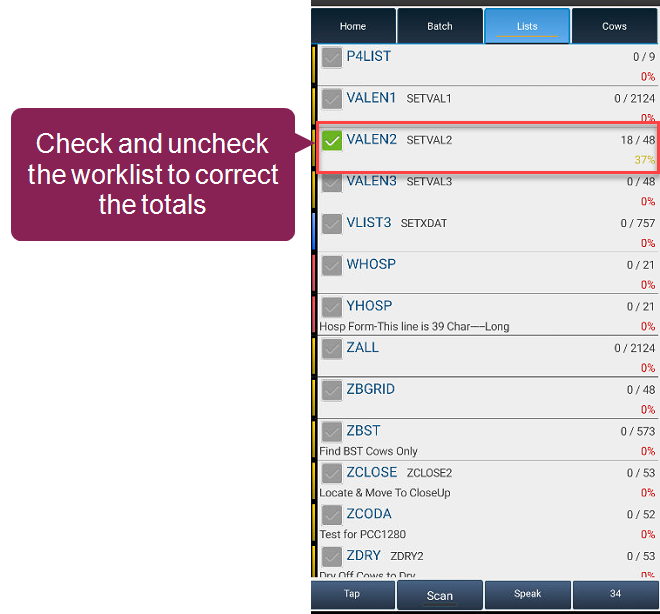
- 2025/01/27 - Pocket CowCard may not show the correct DONE count on the LISTS screen: In testing, VAS identified a bug where the LISTS view did not show the correct DONE count. If you experience this issue, check (long press) and uncheck (long press) the worklist to correct the totals:

VAS has not been able to recreate this issue, and we ask that you contact VAS Support if you encounter this bug. - 2024/10/29 - Pocket CowCard needs more details from devices that fail to make transactions: We have a special debug version to collect more information for certain “edge cases” where transactions are either not getting created or partially getting created. Please reach out to your support specialist if you have a device that is experiencing this issue: VAS Support. "Edge cases" are situations where we cannot replicate the issue for various reasons. These cases might be device-related, OS-related, Cowfile-related, or related to a certain cadence used in the workflow. Videos of cadence workflow are helpful.
- 2024/06/04 - Pocket CowCard may crash if you add a record using VETLIST, then delete it in the transaction log: We found a rare issue where Pocket CowCard may crash if you add a new record to VETLIST, delete the record from Transaction Log, and return to the vet list.
We recommend that you don't delete the transaction from the Transaction Log. Instead, move the animal from the DONE tab back to the TODO tab. If you already deleted the transaction from the Transaction Log, send the updates to DC305 and refresh your device to avoid a crash.
Pocket CowCard for Windows Mobile - Version 20200806 V2
Build Date: 08/06/20
Release Date: 08/10/20
Enhancements
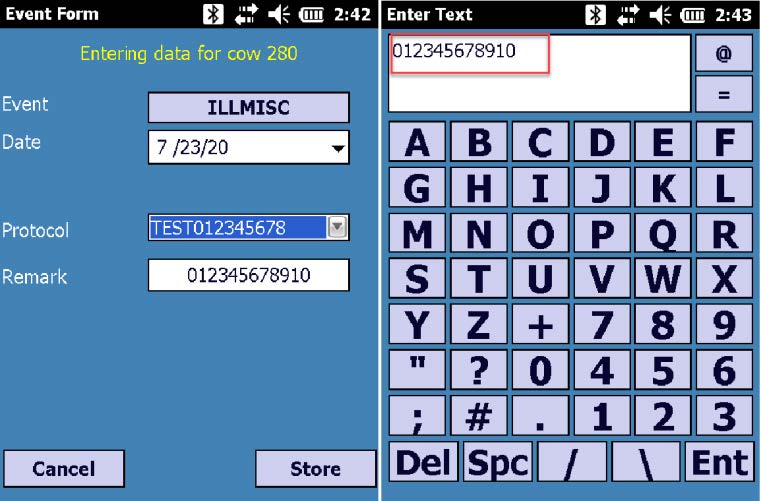
- Protocol Remark Field Update – PCC-792: The Remark field now displays up to 12 characters:
Before:
After:
- Updated Notification – PCC-834: The notification regarding the End User License Agreement/Privacy Policy/Terms and Conditions Agreement was updated in the app.

 Earlier Releases
Pocket CowCard Android - Version v2603111528-(2.0.36.32-rc)
Build Date: March 11, 2026
Release Date: March 24, 2026
Pocket CowCard for Android version v2603111528-(2.0.36.32-rc) includes a variety of enhancements and bug fixes. Expand the sections below to learn more:
Enhancements
- Fixed the worklist error message: In the last release, Pocket CowCard sometimes displayed an inaccurate error message if you opened and closed a hospital or vet list without selecting any animals. Now, Pocket CowCard only displays the message if animals are actually queued on the hospital or vet list. If you receive the error message, review the queued animals, complete the treatment, and mark them as Done. (Pocket CowCard-1859)
- Improved backup file handling: You can now save a backup file directly on your device, so you can easily share the files with Support for troubleshooting. Simply go to Home and select Make Pocket CowCard Folder Backup for Support to save the backup to your Downloads folder. Additionally, backup files now store data for 21 days instead of 45 days to make it easier to transfer files. (Pocket CowCard-1272, Pocket CowCard-1846)
- New reminder to reboot device: If a device has been running for seven days without restarting, Pocket CowCard will now remind you to reboot. Restarting regularly helps make sure data is saved correctly and Pocket CowCard runs at its peak performance level. (Pocket CowCard-1804)
- Better pairing on Zebra devices: Zebra devices should now connect more smoothly, without repeatedly asking for location permissions during pairing. (Pocket CowCard-1714)
- Invalid pen warning: If you try to enter a pen that does not exist in DairyComp during CowCard or Simple Batch entry, Pocket CowCard now displays an "Invalid Pen" warning. (Pocket CowCard-1833, Pocket CowCard-1837)
- Hospital list updates:
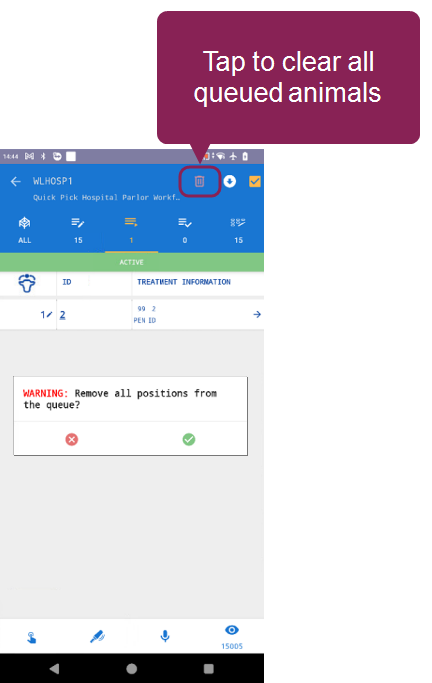
- Clear out queued animals faster. If you end up with a long list of animals you no longer need in the hospital queue, you can now clear them all at once using a trash can button in the upper right corner. (Pocket CowCard-1812)
- Complete events for animals that aren't on the hospital list yet. Now, you can enter an event and mark an animal as Done if it's in the hospital pen, but not on the hospital list. This helps if sick animals are moved overnight and added to the list in the morning so its original pen can be recorded. To enable this, you must go to Administration > Settings and check the boxes next to Show Hospital Form and Add Done Entries to the Done Panel. Use caution if you enable this if any OnDone commands are applied to the hospital list. (Pocket CowCard-1801)
- Multi-site treatment protocols must be applied to hospital pens. If you use a multi-site treatment protocol, you must now select a hospital pen, which makes it harder to send an animal to the wrong pen. (Pocket CowCard-1791)
- Hospital list settings are now listed together. Updated the Settings page, so you can access all the hospital list features in one convenient location without scrolling back and forth. (Pocket CowCard-1801)

- Fixed permissions behavior: Resolved an Android 13 (or higher) permissions issue by removing a deprecated library and consolidating permissions to restore normal notification behavior. (Pocket CowCard-1505)
- Analytics now measure Pocket CowCard feature performance: Added Google Analytics to track the performance of the Breeding Grid. (Pocket CowCard-1771)
 Bugs
Bugs
- PIN refresh fix: Fixed an issue that could prevent transactions from sending if a PIN code was missing or changed between refreshes. (Pocket CowCard-1372)
- Improved app performance: Resolved several crash or memory limitation issues to improve app stability. (Pocket CowCard-1472, Pocket CowCard-1810, Pocket CowCard-1778, Pocket CowCard-1800)
- Dollar display fix: Corrected spacing when displaying dollar values for Item Type #42 (CVAL4). (Pocket CowCard-1723)
- Large herd data transaction fix: We fixed a problem that caused the app to freeze when sending large amounts of herd data. If a data set is too large, Pocket CowCard now sends the data in smaller increments. (Pocket CowCard-1856, Pocket CowCard-1847)
- Improved hospital list performance: Implemented numerous hospital list fixes to improve its reliability. (Pocket CowCard-1516)
- FRESH event date entry fix: We fixed the backdating of FRESH event dates, so you can set a different date than today's date. (Pocket CowCard-1852)
Pocket CowCard Android - Version v2602162155-(2.0.35.25-rc)
Build Date: February 16, 2026
Release Date: February 18, 2026
Pocket CowCard for Android hot fix version v2602162155-(2.0.35.25-rc) resolves the following issues:
- Fixed an issue where the Events list displayed comments or protocols that did not match the associated event.
- Resolved an issue where Pocket CowCard would crash if a v10 cowfile had too many active records, depending on the Android device.
Pocket CowCard Android - Version v2602051550-(2.0.35.23-rc)
Build Date: February 5, 2026
Release Date: February 9, 2026
Pocket CowCard for Android version v2602051550-(2.0.35.23-rc) includes a variety of enhancements and bug fixes. Expand the sections below to learn more:
Enhancements
- Hospital List upgrades: We made several improvements to optimize how you view, queue, and manage animals in a hospital list. Learn more about the new features in Manage Hospital List Queues in Pocket CowCard:
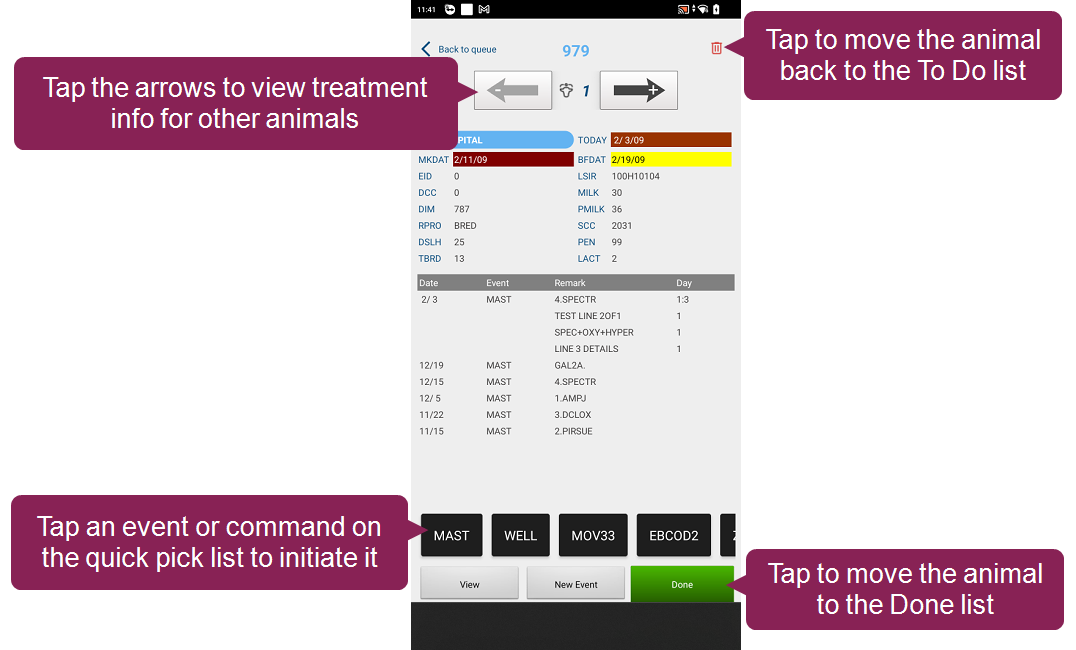
- Position view. When you're checking an animal on the hospital list, use the new Position View to manage the cow in front of you. You can review its treatment information, add an event from the quick pick list, or move it to the Done list. Position View mirrors what you see in real life — use the arrows at the top as you walk to the next animal in the queue. If you move to the animal to the left, tap the left arrow, and Pocket CowCard displays the treatment information for that animal:
- Queue animals automatically. When you queue animals on a hospital list, Pocket CowCard can now assign the animal's position for you, so you don't have to manually assign a position to each animal. To do so, manually assign an animal to the first position in your hospital queue. The animal should also be located in the first stall or hutch in your hospital area. Then, simply tap the subsequent animals and Pocket CowCard automatically queues them in order (i.e. the second tapped animal is assigned to the second position, the third tapped animal is assigned to the third position, etc.).
- Customize more quick pick lists.You can now add quick pick lists for up to 8 hospital lists. Additionally, you can add up to 16 events or expert batch commands on your quick pick list. Using quick pick lists saves you a few extra clicks, so you can quickly add events or commands to an animal without ever leaving the hospital list. See Customize Quick Pick Lists in Pocket CowCard to learn how. (Pocket CowCard-1600, Pocket CowCard-1773, Pocket CowCard-1795)
- FRESH event updates: We made several improvements to FRESH events, including the ability to add and customize quick pick lists so you can easily initiate expert batch commands when you enter new FRESH events. See Add Quick Pick Options for FRESH Events to learn more.
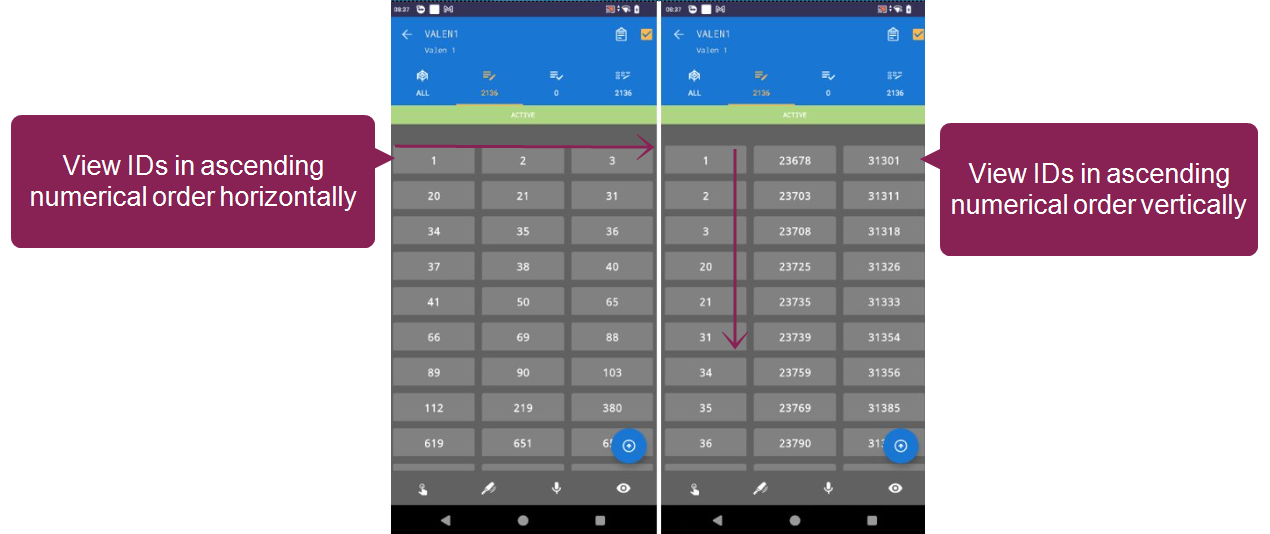
- View animal order vertically or horizontally: When you view a worklist in grid view, you can now choose to view your animals listed in ascending numeric order vertically or horizontally. Open Settings and select your orientation preference next to Worklist IDs in columns:
- No grid: View a list of animal IDs.
- Horizontal: View animal IDs in a grid that ascends horizontally.
- Vertical: View animal IDs in a grid that ascends vertically.
- Review merged lists without unmerging them: On the Lists tab, you can now tap the Review Merge List button to see which lists are merged and check list progress without affecting the merged list. (Pocket CowCard-1674, Pocket CowCard-1795)
- Added support for additional item types: Pocket CowCard now supports two additional item types: Item Type #79 (Event Protocol Number) and Item Type #130 (Date format: mmmYY). (Pocket CowCard-1543, Pocket CowCard-1716)
- Improved messaging when entering ABORT events: We improved the messaging for ABORT events entered for animals that aren't on the vet list (VC=0) and have a conception date (CDAT>0) if the animal's last event was a HEAT ONLY event. Note that most abort dates are an estimate, so using TODAY is not the best practice. (Pocket CowCard-1732, Pocket CowCard-1716)
- Several small enhancements to the code base: Made small refactor improvements to the code base. (Pocket CowCard-18514, Pocket CowCard-1765, Pocket CowCard-1774, Pocket CowCard-1795)
- New Online Help link to Server IP message: When a refresh fails or Pocket CowCard prompts you for the Server IP address, Pocket CowCard now displays a message that includes an Online Help link to Find your DairyComp IP Address. (Pocket CowCard-1712, Pocket CowCard-1716)
- Nonexistent Source Farm warning: During Add Batch entry, Pocket CowCard now displays a warning if you enter a source farm number that isn't defined in DairyComp. (Pocket CowCard-1744, Pocket CowCard-1795)
- Added support for five more languages: Pocket CowCard now supports translations for Brazilian Portuguese, Italian, French Canadian, Polish, and Japanese. (Pocket CowCard-1533, Pocket CowCard-1763, Pocket CowCard-1766, Pocket CowCard-1795)
(Pocket CowCard-1396, Pocket CowCard-1795)
Bugs
- Improved app stability: Fixed several reported issues from our analytic tools, making the app more stable. (Pocket CowCard-1269, Pocket CowCard-1687, Pocket CowCard-1689, Pocket CowCard-1690, Pocket CowCard-1693, Pocket CowCard-1695 toPocket CowCard-1702, Pocket CowCard-1796)
- Keyboard display fix for tablets: Fixed an issue where two keyboards would be shown at the same time if you used Pocket CowCard on a tablet. (Pocket CowCard-1269, Pocket CowCard-1796)
- ID display fix in Grid View: IDs are no longer cut off when you use grid view. (Pocket CowCard-1711, Pocket CowCard-1850, Pocket CowCard-1795)
- TransactionTooLargeException error fix: Pocket CowCard can now handle larger batch transactions for large workflows, so you will no longer receive a TransactionTooLargeException error. (Pocket CowCard-1748, Pocket CowCard-1795)
- Quotation mark fix: Fixed an issue where Pocket CowCard wouldn't send data split correctly if the data was split by quotation marks. (Pocket CowCard-1811)
Pocket CowCard Android - Version v2512011318-(2.0.34.18-rc)
Build Date: December 1, 2025
Release Date: December 1, 2025
Pocket CowCard for Android hot fix version v2512011318-(2.0.34.18-rc) resolves the following issues:
- If an animal is not on a vet list or hospital list, Pocket CowCard no longer includes the animal in the Done section of the vet list or hospital list. (Pocket CowCard-1757, Pocket CowCard-1759)
- When you quick tap a vet list, the Queue section now displays correctly. (Pocket CowCard-1756, Pocket CowCard-1759)
Pocket CowCard Android - Version v2511172141-(2.0.34.15-rc)
Build Date: November 17, 2025
Release Date: November 18, 2025
Pocket CowCard for Android version v2511172141-(2.0.34.15-rc) includes a variety of enhancements and bug fixes. Expand the sections below to learn more:
Enhancements
- Scan NFC tags from your Pocket CowCard device: If you don't have a wand, you can now use the NFC reader on your phone to assign compatible monitoring tags. If you want to use your Android device for tag assignments, you must first create an Expert Batch command, then use the command to start scanning NFC tags:
- Enter ALTER\3 in the command line.
- Click Add [Ins] in the Commands menu on the left side.
- Enter the command details for your monitoring tag's brand:
- Open DC305 and enter SERVER\C in the command line:
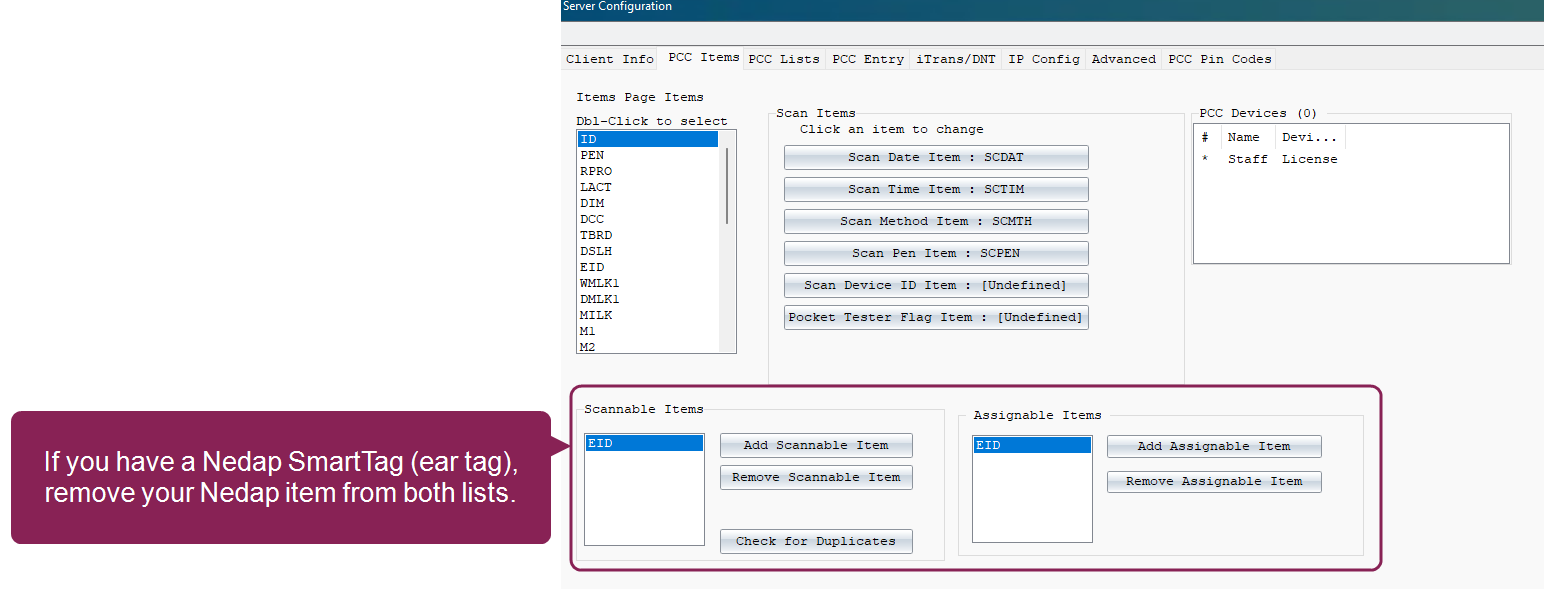
- Highlight the Nedap item in the Scannable Items list.
- Click Remove Scannable Item.
- Highlight the Nedap item in the Assignable Items list.
- Click Remove Assignable Item.
- Click OK in the upper right corner to save your changes.
- Save your changes and proceed to Use an Android NFC Reader to Assign Tags.
- Refresh your Pocket CowCard device and enable the batch command you created in Create a Command to Assign Tags.
- Scan the animal's existing EID or manually enter the animal VISID.
- Scan the NFC monitoring tag with your Android device's NFC reader.
Create a Command to Assign Tags
| Product | Abbreviation | Content | Item Type |
| Nedap | NFCNDAP | ENTER\Z HTTAG=@DEVICE VATAG=HTTAG | 31 |
| Afikim | NFCAFI | ENTER\Z HTTAG=@DEVICE TRANS=HTTAG | 32 |
| Merck | NFCSCR | ENTER\Z HTTAG=@DEVICE | 32 |
|
NOTE: If you are using a Nedap SmartTag (ear tag), you need to remove the Nedap item from the Assignable and Scannable lists in DC305. If you do not, you may scan and assign the wrong items. Follow the steps in Update Nedap Items to learn how.
Update Nedap Items
|
|||
 Use an Android NFC Reader to Assign Tags
(Pocket CowCard-1646, Pocket CowCard-1526, Pocket CowCard-1647, Pocket CowCard-1648, Pocket CowCard-1649, Pocket CowCard-1651, Pocket CowCard-1652, Pocket CowCard-1657, Pocket CowCard-1707, Pocket CowCard-1716)
- Item validation improvements for FRESH events: When you add animal data for FRESH events, Pocket CowCard now validates your item entries with special screen features for Date and Time items. (Pocket CowCard-1525, Pocket CowCard-1716)
- Calculated item support: Pocket CowCard can now support calculated items (Item Type #94), like Previous Dry Date (PDDAT). (Pocket CowCard-1379, Pocket CowCard-1716)
- EULA update: We updated the EULA (End User License Agreement) for Pocket CowCard. (Pocket CowCard-1718, Pocket CowCard-1716)
- Dark Mode readability improvement: When you choose Dark Mode, the text is now more visible. (Pocket CowCard-1543, Pocket CowCard-1716)
- Pocket CowCard filters out nonexistent pens: When you enter items using the Simple Batch command, Pocket CowCard only allows you to select existing pens. (Pocket CowCard-1539, Pocket CowCard-1716)
- Blank values supported in Simple Batch commands: Pocket CowCard now registers a blank value when you enter a Simple Batch command. Previously, you had to enter a question mark to leave the value blank. (Pocket CowCard-1629, Pocket CowCard-1716)
- Improved licensing process: We have improved the yearly licensing process for non-ProScan Pocket CowCard users, so now Pocket CowCard only expires when your DairyComp license expires. (Pocket CowCard-1712, Pocket CowCard-1716)
- Edit animal items from a worklist: You can now edit animal items when you're working in a worklist. Just tap on the animal ID, open its CowCard, edit the items, save your changes, and return to the worklist. (Pocket CowCard-1492, Pocket CowCard-1716)
- Additional Lactation History data: We added two new items to the Lactation History page: Age at Fresh Date (AGE) and Conception Date (CDAT). (Pocket CowCard-1661, Pocket CowCard-1716)
- Use merged worklists as a Batch Command filter: When you enter Expert Batch or Simple Batch commands, you can now select a merged worklist as a filter, so the command only affects animals in the merged worklist. To learn how to merge worklists, see Merge Worklists in Pocket CowCard. (Pocket CowCard-1703, Pocket CowCard-1716)
- Scan DONE animals to edit its details: If an animal is set as DONE using the AUTO SKIP or AUTO PREG feature in a vet list, you can now scan an animal to edit its details. (Pocket CowCard-1685, Pocket CowCard-1716)
- Cow items can now transfer to its calf: Now, items assigned to a cow can be transferred to its calf whenever FRESH events are created in Pocket CowCard. However, if an item that is assigned to move during a Cow to Calf transfer is also assigned to move to Previous, the Cow to Calf value will override the Previous value. To disable this default setting, open Administration > Settings and uncheck the box next to Reverse CowItems Order. (Pocket CowCard-1729, Pocket CowCard-1716)
- Hospital grid display improvement: The hospital worklist grid display has been updated to support an upcoming queuing feature. To support the future update, the Done button is now green and is displayed on the right side of the screen. (Pocket CowCard-1586, Pocket CowCard-1581, Pocket CowCard-1582 , Pocket CowCard-1583 , Pocket CowCard-1584 , Pocket CowCard-1585 , Pocket CowCard-1587 , Pocket CowCard-1589 , Pocket CowCard-1710 , Pocket CowCard-1716 , Pocket CowCard-1719)
Bugs
- Multiple crash fixes: Using our analytics tool, we improved several instances of reported crashes. (Pocket CowCard-1476, Pocket CowCard-1477, Pocket CowCard-1495, Pocket CowCard-1496, Pocket CowCard-1679, Pocket CowCard-1680, Pocket CowCard-1681, Pocket CowCard-1682, Pocket CowCard-1683, Pocket CowCard-1684, Pocket CowCard-1688, Pocket CowCard-1691, Pocket CowCard-1692, Pocket CowCard-1697, Pocket CowCard-1701, Pocket CowCard-1709, Pocket CowCard-1715, Pocket CowCard-1716)
- Quotation mark support fix: Pocket CowCard now correctly recognizes remark entries that use quotation marks. (Pocket CowCard-1321, Pocket CowCard-1716)
- Protocol display additions: Pocket CowCard now displays protocol details above 250 for v10 herds. (Pocket CowCard-1704, Pocket CowCard-1705, Pocket CowCard-1716)
- Herd switching display fix: When you switch herds, the keypad now closes correctly. (Pocket CowCard-1417, Pocket CowCard-1716)
- Russian and Chinese characters fix: Pocket CowCard and DairyComp now correctly display Russian and Chinese characters. (Pocket CowCard-1531, Pocket CowCard-1716)
- EID/REG display fix: When you use Expert and Simple Batch commands, the EID or REG values now display correctly. (Pocket CowCard-1530, Pocket CowCard-1716)
- Hospital worklist data fix: The hospital form now loads correctly when you navigate from hospital worklist to a CowCard. Previously, the hospital form would look empty. We recommend using the Merge Worklist function to combine worklists. (Pocket CowCard-1734)
Pocket CowCard Android - Version v2509081615-(2.0.33.7-rc)
Build Date: September 8, 2025
Release Date: September 9, 2025
Pocket CowCard for Android version v2509081615-(2.0.33.7-rc) includes a variety of enhancements and bug fixes. Expand the sections below to learn more:
Enhancements
- Merge several worklists together! You can now merge a vet list, hospital list, or to-do list with up to 23 simple to-do lists directly in Pocket CowCard. Use a merged worklist to complete several simple tasks at once, which reduces processing time and helps you better manage your dairy. Note that you should only merge worklists that handle simple commands and use sounds. See Merge Worklists in Pocket CowCard to learn more about this feature. (Pocket CowCard-1565, Pocket CowCard-1387, Pocket CowCard-1658)
- DairyComp's Cowfile v10 update is now supported in Pocket CowCard! Pocket CowCard now supports DC305's v10 cowfile features, which means Pocket CowCard can display even more information from DC305. If you have DC305 version 25.7 (or higher) and the latest version of Pocket CowCard, you can now see up to 128 supported events and its calculated items, as well as 1500 stored items in Pocket CowCard. It can also support more detailed history data, protocol details, and more. Please note that refresh times will increase to support all of the new information that is being downloaded and saved. To learn more, see Use v10 Features in Pocket CowCard. (Pocket CowCard-1324, Pocket CowCard-1658)
- Cleaner Pocket CowCard home screen: The new version of Pocket CowCard has an updated, easier-to-understand home screen. The Pocket CowCard home screen now shows the device name, Android OS version, Pocket CowCard version number, and DC305 version number. It also shows the date and time of the last refresh, so you'll know when to refresh again. When you send or receive data from DC305, Pocket CowCard automatically sends the device name, Pocket CowCard version, and Android OS version so you can better log updates and troubleshoot any device issues.
- Backup folder can be set before refresh: During a new installation, you can now set the backup folder under Pocket CowCard settings for Android versions A11 (or later) before refreshing first. We recommend that you still test your backup settings, check for errors in spelling, and review folder selections. (Pocket CowCard-1443, Pocket CowCard-1658)
- Cleaned up unnecessary code: We removed deprecated code for old features that are no longer needed, like the Storage Warning setting. (Pocket CowCard-1556, Pocket CowCard-1658)
- Improved Milk Date item readability: We updated the text display for the Milk Date (MKDAT) item to improve readability. Now, it is shown as white text over a red background. (Pocket CowCard-1637, Pocket CowCard-1658)
- Disabled in-app updater messaging for Android 9.0 devices: If you use an Android 9.0 (API Level 28) device, you will no longer receive in-app updater messages about future upgrades, starting with this release. (Pocket CowCard-1489, Pocket CowCard-1658)
- Pocket CowCard now supports pens that use an H: If you select a protocol that has the pen defined with an H, Pocket CowCard now displays the pen picklist of available hospital pens. (Pocket CowCard-1483, Pocket CowCard-1658)
Bugs
- Localization fix: During Faster Vet Entry, Pocket CowCard now shows "Vet Entry for ID" in the correct language for non-English customers. Previously, it was only shown in English. (Pocket CowCard-1636, Pocket CowCard-1658)
- Critical crash logs are now saved and downloaded: Pocket CowCard can now copy the internal database and debug logs directly to the device’s downloads folder. This makes it easier for support teams to retrieve the database in the event of a critical crash. (Pocket CowCard-1375, Pocket CowCard-1658)
- German localization additions: We updated several German phrases throughout Pocket CowCard. (Pocket CowCard-1640, Pocket CowCard-1632)
Pocket CowCard Android - Version v2507181237-(2.0.32.2-rc)
Build Date: July 18, 2025
Release Date: July 24, 2025
This version of Pocket CowCard for Android includes hot fixes for two issues. It resolves an issue that resulted in unexpected behavior for herds that had undefined Milk and Meat withdrawal items. This hot fix also addresses instances where a Cow Not Found error caused a transaction error and transactions were not delivered to DC305. Download the latest version of Pocket CowCard to avoid these issues.
Pocket CowCard Android - Version v2507101309-(2.0.31.25-rc)
Build Date: July 10, 2025
Release Date: July 10, 2025
Pocket CowCard for Android version v2507101309-(2.0.31.25-rc) includes a hot fix for an unexpected behavior with the back button in the new Expert Batch feature for specific Android OS versions. The back button is now disabled in the app, and you must use the Exit button to close the Expert Batch form. Download the latest version of Pocket CowCard to avoid this issue.
Pocket CowCard Android - Version v2506201056-(2.0.31.21-rc)
Build Date: June 20, 2025
Release Date: June 30, 2025
Pocket CowCard for Android version v2506201056-(2.0.31.21-rc) includes a variety of enhancements and bug fixes. Expand the sections below to learn more:
Enhancements
- New Breeding Grid features in Pocket CowCard! We have combined To Do worklist features with the Breeding Grid, so you can now easily add all animals in a worklist to a breeding grid instead of manually scanning each animal that needs to be bred. Additionally, you can now digitally process several tasks at the same time, as well as easily switch views between the Breeding Grid and the To Do list. See Enable Breeding Grid Filter and Navigation View to learn more. (Pocket CowCard-1462, Pocket CowCard-1561)
- New Batch Command features in Pocket CowCard! We have combined To Do worklist features with the Expert and Simple Batch forms to optimize efficiency and convenience. You can now use filters and digitally process several tasks at the same time, as well as easily switch between the Batch form and the To Do list. See Enable Batch Command Filter and Navigation View to learn more. (Pocket CowCard-1277, Pocket CowCard-1632)
- Batch Form screen improvements: We streamlined and improved the Simple Batch, Expert Batch, and Add Batch screens, as well as increased the counter font size. Long press any icon to learn its function. (Pocket CowCard-1529, Pocket CowCard-1632, Pocket CowCard-1633)
Bugs
- Meat and Milk withdrawal date fix: Pocket CowCard now highlights Milk and Beef withdrawal types based on its item number. Previously, Pocket CowCard highlighted types based on its name. (Pocket CowCard-1601, Pocket CowCard-1632)
- Quad Picker button fix: The Quad Picker buttons no longer overlap the Continue button when entering MAST and LAME events. (Pocket CowCard-1510, Pocket CowCard-1632)
- Breeding Grid Row Limit fix: When you resize Breeding Grid rows, Pocket CowCard now shrinks the row limit of the breeding grid when the grid is empty. (Pocket CowCard-1501, Pocket CowCard-1632)
- Audio Check font fix: The font colors for Audio Check are now visible for A15 devices. (Pocket CowCard-1579, Pocket CowCard-1632)
- CSEX item error fix: A Null Exception error message no longer appears for the CSEX item for some animals. (Pocket CowCard-1596, Pocket CowCard-1632)
- Deleted vetlist transaction fix: Deleting a transaction from a vetlist now works correctly and Pocket CowCard does not send the transaction to DC305. (Pocket CowCard-1598, Pocket CowCard-1632)
- Expert Batch fix: The transaction process now works correctly if you delete a transaction while using Expert Batch. (Pocket CowCard-1576, Pocket CowCard-1632)
- Localization cleanup: We added and improved a list of localizations within Pocket CowCard. (Pocket CowCard-1216, Pocket CowCard-1632)
Pocket CowCard Android - Version v2504091619-(2.0.30.40-rc)
Build Date: April 9, 2025
Release Date: April 29, 2025
Pocket CowCard for Android version v2504091619-(2.0.30.40-rc) includes a variety of enhancements and bug fixes. Expand the sections below to learn more:
Enhancements
- Removed unnecessary storage warning setting: We removed the storage warning from the Settings section because this feature was no longer needed. (Pocket CowCard-1458, Pocket CowCard-1561)
- Added colors to help distinguish some CowCard items: In the Items tab of an animal's CowCard, Pocket CowCard now color codes items that display Milk and Meat withdrawals (MKDAT and BFDAT), as well as the TODAY item if the system date and device date are different. BFDAT is yellow, MKDAT is red, and TODAY is orange. (Pocket CowCard-1462, Pocket CowCard-1561)
- Created a testing feature for checking the WAV files sent by the refresh process: Pocket CowCard has a new tool that tests custom WAV files for various measurements to help improve the user experience. (Pocket CowCard-1521, Pocket CowCard-1561)
- Pocket CowCard now allows VET or HOSP worklists to merge with 3 TODO worklists: We have added the ability to combine a VET or HOSPITAL list with up to three TODO lists to make your workflows more effective and efficient. (Pocket CowCard-1522, Pocket CowCard-1561)
- Set FASTER VETCHECK as the default in the new install: The faster vet check method is now the default for new installations of Pocket CowCard. (Pocket CowCard-1532, Pocket CowCard-1561)
Bugs
- Fixed Item Type #73 (CSEX/FRREM): Previously, Pocket CowCard showed that the CSEX/FRREM item value was FKA for all cows. This item now correctly displays the calf's sex and status information (sold, kept, died, or alive). (Pocket CowCard-1486, Pocket CowCard-1561)
- Ad-hoc breeding entries no longer crash Pocket CowCard: We fixed scenarios where Pocket CowCard would crash if breeding information was entered ad-hoc. (Pocket CowCard-1542, Pocket CowCard-1561)
- Fixed issues related to transactions: We fixed several issues related to transactions that weren't completely or correctly built in Pocket CowCard, but were sent to DC305. Refer to the Known Issues section for some use cases that are still under investigation, such as switching herds and some transaction log edits. (Pocket CowCard-1544, Pocket CowCard-1553, Pocket CowCard-1554, Pocket CowCard-1560, Pocket CowCard-1561)
- Improved the UX with List Filter on Expert and Simple Batch filters lists: We improved the color of the text in dark mode and when you're filtering with a list. (Pocket CowCard-1545, Pocket CowCard-1561)
New Help Topic: Manage PIN Codes for Pocket CowCard Android
Learn more about using and managing PIN codes for Pocket CowCard Android in DC305. Use PIN codes to better control who can refresh the latest dairy data for your herd. See Manage PIN Codes (Pocket CowCard Android) to learn more!
Updated Help Topic: Manually Update Pocket CowCard
Learn more about manually updating Pocket CowCard if the auto-updater is not working as expected. Note that this option is only available for supported versions of Pocket CowCard. See Manually Update Pocket CowCard on your Android Device to learn more!
Pocket CowCard Android - Version v2504101326-(2.0.29.62-rc)
Build Date: April 10, 2025
Release Date: April 10, 2025
Pocket CowCard for Android version v2504101326-(2.0.29.62-rc) includes a hot fix that reverts Pocket CowCard to a previous version. We found an issue in Pocket CowCard for Android version v2503170927-(2.0.29.31-rc) that could result in incomplete transactions. Download the latest version of Pocket CowCard to avoid transaction issues.
IMPORTANT: Pocket CowCard will no longer support Android 9 devices on August 15, 2025
VAS will no longer support Pocket CowCard for Android 9 (or lower) devices after August 15, 2025. For a full list of devices supported by VAS, click here. If you have any questions about your options or if you want to purchase a new compatible device, please contact your Pocket CowCard support representative. (Pocket CowCard-1488, Pocket CowCard-1520)
Pocket CowCard Android - Version v2503170927-(2.0.29.31-rc)
Build Date: March 17, 2025
Release Date: March 25, 2025
Pocket CowCard for Android version v2503170927-(2.0.29.31-rc) includes a variety of enhancements and bug fixes. Expand the sections below to learn more:
Enhancements
- Added the option to cancel PREG events when you add a BRED event: When you add a BRED event to a pregnant animal in Pocket CowCard, you now have the option to Cancel PREG, then Continue from the drop-down list. Previously, you could only select Continue BRED Event or Cancel. This option is now consistent with the options provided in DC305, however, you must update your version of DairyComp to version 25.1 or greater to use this feature. (Pocket CowCard-1292, Pocket CowCard-1520)
- Added a warning if you try to move animals to nonexistent pens: When you enter a MOVE event, Pocket CowCard now displays a warning message if you enter a pen number that does not exist in DairyComp. (Pocket CowCard-1499, Pocket CowCard-1520)
- Added the ability to view and cancel transactions from Pocket CowCard to DC305: When you send transactions from Pocket CowCard to DC305, you can now view the transaction progress and cancel the process instead of completely restarting your Pocket CowCard device. For example, if the transfer is taking longer than usual, you can cancel the transaction without losing any data. You can then diagnose and fix any connection issues before sending the data to DC305. Pocket CowCard-1503, Pocket CowCard-1520)
- Added a notification if a cowfile has pending changes before switching cowfiles: If you are switching between two cowfiles, Pocket CowCard now notifies you if there are pending changes when you switch from one herd to another without delivering transactions. (Pocket CowCard-1481, Pocket CowCard-1520)
- Added Android 15 Support: Pocket CowCard Android is now compatible with Android 15 OS. To get the latest recommended Android specifications for Pocket CowCard, please visit Pocket CowCard for Android Recommended Specifications. (Pocket CowCard-1364, Pocket CowCard-1520)
Bugs
- Fixed several issues related to the FRESH event: We resolved multiple FRESH event-related issues. Previously, in rare instances, you could have incorrectly gotten a held server command if you used the FRESH event to create a calf, used a calf ID that was shorter than the dam's ID, selected twins, or used a FRESH protocol with Day Details in certain cases. (Pocket CowCard-1517, Pocket CowCard-1524, Pocket CowCard-1498, Pocket CowCard-1520)
- Fixed several issues in this release related to crashes and transaction view: We resolved a Cow Not Found crash error, as well as updated the user interface to resolve issues with the Review Transactions window and the Faster Vet Check form. (Pocket CowCard-1291, Pocket CowCard-1466, Pocket CowCard-1430, Pocket CowCard-1520)
Pocket CowCard Android - Version v2501241034-(2.0.28.50-rc)
Build Date: January 24, 2025
Release Date: January 27, 2025
Pocket CowCard for Android version v2501241034-(2.0.28.50-rc) includes a variety of enhancements and bug fixes. Expand the sections below to learn more:
IMPORTANT: Pocket CowCard no longer supports Android 8.1 devices
As we communicated previously, VAS no longer supports Pocket CowCard for Android 8.1 (or lower) devices. For a full list of devices supported by VAS, click here. If you have any questions about your options or if you want to purchase a new compatible device, please contact your Pocket CowCard support representative.
(Pocket CowCard-1355, Pocket CowCard-1361)
Enhancements
- Added new Auto PREG Event option to quickly process some events on a VETFORM worklist: You now have the option to process some events on a VETFORM work list without having to enter multiple details. When you enable and configure the Auto PREG Event feature, you can easily move events with a PREG or CONF vet code to the Done tab just by scanning and tapping the animal in the To Do tab. Enable the PCC: Auto PREG Event option in DC305 and configure the Enable automatic PREG for defined VET Codes setting in Pocket CowCard to use this feature. See Enable Auto PREG Event in Pocket CowCard for detailed setup instructions! Note that this feature requires DC305 version 25.1 or later. (Pocket CowCard-1322, Pocket CowCard-1467)
- Created a Beta update channel for Pocket CowCard versions that log updates: We created a secondary update channel to test new releases and to allow users to auto-download new Pocket CowCard updates if they have a special logging version of Pocket CowCard. (Pocket CowCard-1433, Pocket CowCard-1472, Pocket CowCard-1456, Pocket CowCard-1467)
- Pocket CowCard now logs more device details to better diagnose any app issues: We now record a few more device and status details when transactions are built so we can better diagnose and resolve any device issues or identify older libraries that need to be updated. (Pocket CowCard-1433, Pocket CowCard-1472, Pocket CowCard-1456, Pocket CowCard-1467)
- Added a pen pick list when H is listed as an animal's pen during a protocol: If a protocol designates that an animal's pen is H, Pocket CowCard now displays a pick list for pens. This update supports V8 cowfiles. (Pocket CowCard-1441, Pocket CowCard-1467)
- Improved how scanned animals are listed in an open VETFORM: When VETFORM is open and multiple animals are scanned, Pocket CowCard now lists the animals in order of when they were last scanned. Previously, Pocket CowCard listed the animals by ID number regardless of when they were scanned. (PCC-1281, PCC-1467)
Bugs
- Fixed a worklists display issue: We fixed a display issue where Pocket CowCard showed fewer columns in worklists if grid view was enabled. (Pocket CowCard-1409, Pocket CowCard-1467)
- Removed unnecessary lines from the transactions file: We resolved an issue where multiple repetitive lines of scan meta data were included in the transactions file. (Pocket CowCard-1413, Pocket CowCard-1467)
- Pocket CowCard now correctly shows settings for vet code text-to-speech (TTS) sounds: Previously, we had an issue where Pocket CowCard did not correctly display the setting for vet code TTS sounds. The issue has been resolved. (Pocket CowCard-1471, Pocket CowCard-1467)
- Resolved an issue where Pocket CowCard played two sounds at once: We fixed an issue where Pocket CowCard would play two sounds at the same time for one animal: the BUZZ sound and the VETC custom sound. (Pocket CowCard-1454, Pocket CowCard-1467)
- Disabled the Enter button when entering breeding details: We resolved an issue where you could press Enter on your keyboard to advance to the next step without entering sire details. Now, when you enter breeding details, you can only advance by using the pick list button to select a sire. (Pocket CowCard-1418, Pocket CowCard-1467)
- Fixed an issue where the app would fail during FRESH event entry: We fixed a localization issue for FRESH events that affected German and Russian localizations. (Pocket CowCard-1493, Pocket CowCard-1467)
Pocket CowCard Android - Version v2501311207-(2.0.28.53-rc)
Build Date: January 31, 2025
Release Date: February 3, 2025
Pocket CowCard for Android version v2501311207-(2.0.28.53-rc) includes a hot fix for the previous release v2501241034-(2.0.28.50-rc):
Fixed an issue where Pocket CowCard would not switch pens: In a previous release of Pocket CowCard, an issue occurred if you opened an animal from the Pen list, then tried to switch pens. If both pens only had a single animal, Pocket CowCard would fail to switch pens. Now, Pocket CowCard switches pens correctly. (Pocket CowCard-1512, Pocket CowCard-1513)
Pocket CowCard Android - Version v2501241034-(2.0.28.50-rc)
Build Date: January 24, 2025
Release Date: January 27, 2025
Pocket CowCard for Android version v2501241034-(2.0.28.50-rc) includes a variety of enhancements and bug fixes. Expand the sections below to learn more:
IMPORTANT: Pocket CowCard no longer supports Android 8.1 devices
As we communicated previously, VAS no longer supports Pocket CowCard for Android 8.1 (or lower) devices. For a full list of devices supported by VAS, click here. If you have any questions about your options or if you want to purchase a new compatible device, please contact your Pocket CowCard support representative.
(Pocket CowCard-1355, Pocket CowCard-1361)
Enhancements
- Added new Auto PREG Event option to quickly process some events on a VETFORM worklist: You now have the option to process some events on a VETFORM work list without having to enter multiple details. When you enable and configure the Auto PREG Event feature, you can easily move events with a PREG or CONF vet code to the Done tab just by scanning and tapping the animal in the To Do tab. Enable the PCC: Auto PREG Event option in DC305 and configure the Enable automatic PREG for defined VET Codes setting in Pocket CowCard to use this feature. See Enable Auto PREG Event in Pocket CowCard for detailed setup instructions! Note that this feature requires DC305 version 25.1 or later. (Pocket CowCard-1322, Pocket CowCard-1467)
- Created a Beta update channel for Pocket CowCard versions that log updates: We created a secondary update channel to test new releases and to allow users to auto-download new Pocket CowCard updates if they have a special logging version of Pocket CowCard. (Pocket CowCard-1433, Pocket CowCard-1472, Pocket CowCard-1456, Pocket CowCard-1467)
- Pocket CowCard now logs more device details to better diagnose any app issues: We now record a few more device and status details when transactions are built so we can better diagnose and resolve any device issues or identify older libraries that need to be updated. (Pocket CowCard-1433, Pocket CowCard-1472, Pocket CowCard-1456, Pocket CowCard-1467)
- Added a pen pick list when H is listed as an animal's pen during a protocol: If a protocol designates that an animal's pen is H, Pocket CowCard now displays a pick list for pens. This update supports V8 cowfiles. (Pocket CowCard-1441, Pocket CowCard-1467)
- Improved how scanned animals are listed in an open VETFORM: When VETFORM is open and multiple animals are scanned, Pocket CowCard now lists the animals in order of when they were last scanned. Previously, Pocket CowCard listed the animals by ID number regardless of when they were scanned. (PCC-1281, PCC-1467)
Bugs
- Fixed a worklists display issue: We fixed a display issue where Pocket CowCard showed fewer columns in worklists if grid view was enabled. (Pocket CowCard-1409, Pocket CowCard-1467)
- Removed unnecessary lines from the transactions file: We resolved an issue where multiple repetitive lines of scan meta data were included in the transactions file. (Pocket CowCard-1413, Pocket CowCard-1467)
- Pocket CowCard now correctly shows settings for vet code text-to-speech (TTS) sounds: Previously, we had an issue where Pocket CowCard did not correctly display the setting for vet code TTS sounds. The issue has been resolved. (Pocket CowCard-1471, Pocket CowCard-1467)
- Resolved an issue where Pocket CowCard played two sounds at once: We fixed an issue where Pocket CowCard would play two sounds at the same time for one animal: the BUZZ sound and the VETC custom sound. (Pocket CowCard-1454, Pocket CowCard-1467)
- Disabled the Enter button when entering breeding details: We resolved an issue where you could press Enter on your keyboard to advance to the next step without entering sire details. Now, when you enter breeding details, you can only advance by using the pick list button to select a sire. (Pocket CowCard-1418, Pocket CowCard-1467)
- Fixed an issue where the app would fail during FRESH event entry: We fixed a localization issue for FRESH events that affected German and Russian localizations. (Pocket CowCard-1493, Pocket CowCard-1467)
Pocket CowCard Android - Version v2410251041-(2.0.27.39-rc)
Build Date: October 25, 2024
Release Date: October 29, 2024
Pocket CowCard for Android version v2410251041-(2.0.27.39-rc) includes a variety of enhancements and bug fixes. Expand the sections below to learn more:
IMPORTANT: Pocket CowCard no longer supports Android 8.1 devices
As we communicated previously, VAS no longer supports Pocket CowCard for Android 8.1 (or lower) devices. For a full list of devices supported by VAS, click here. If you have any questions about your options or if you want to purchase a new compatible device, please contact your Pocket CowCard support representative.
(Pocket CowCard-1355, Pocket CowCard-1361)
Enhancements
- Enter a FRESH Event on Pocket CowCard: The FRESH event is now available in Pocket CowCard! You can enter FRESH events for your animals directly on the animal's CowCard in Pocket CowCard. Simply go to the Events tab, tap New Event, and tap FRESH to enter event details and store the new event. See Create a FRESH Event in Pocket CowCard to learn more! (Several tickets)
- Created new ability to add new animals during some Expert Batch routines: Users can now add new animals during an Expert Batch routine using a certain workflow. If you use an ENTER\Z routine and ADD an animal that does not exist in your herd, the system adds the animal. Note that this feature does not support WITH statements for source farms. (Pocket CowCard-1420, Pocket CowCard-1447)
- Regression tested at 100% for test rail cases for Android 14: This Pocket CowCard version was fully tested with Android 14 using a MOTO G24 model and passed all testing. Please avoid using Android 15. (PCC-1434, PCC-1447)
Bugs
- Fixed a missing feature in the Settings tab: We recovered the lost alternative vet check setting where users define which items are shown. (Pocket CowCard-1438, Pocket CowCard-1447)
- Resolved a crash issue when users use the in-app updater: We have fixed the in-app updater issue that affected devices running on Android 12 or higher. Use the instructions here to update your app to the latest version: Need help updating Pocket CowCard? Click here for installation instructions for Android devices!. For future versions, you won't have to manually update Pocket CowCard anymore, as long as you allow all permissions requested by the app to enable the in-app updater. (Pocket CowCard-1436, Pocket CowCard-1447)
Pocket CowCard Android - Version v2408271644-(2.0.26.376-rc)
Build Date: August 27, 2024
Release Date: August 28, 2024
Pocket CowCard for Android version v2408271644-(2.0.26.376-rc) includes a variety of enhancements and bug fixes. Expand the sections below to learn more:
IMPORTANT: Pocket CowCard support for Android 8.1 devices ends on August 31, 2024
As we communicated previously, VAS will no longer support Pocket CowCard for Android 8.1 (or lower) devices on August 31, 2024. For a full list of devices supported by VAS, click here. If you have any questions about your options or if you want to purchase a new compatible device, please contact your Pocket CowCard support representative.
(Pocket CowCard-1355, Pocket CowCard-1361)
Enhancements
- Turned off in-app update messaging and activation for Android 8.1 (or lower) devices: This is the final version for Android 8.1 (or lower) devices. The in-app updater will handle future updates. Future versions of Pocket CowCard will not work with devices running Android 8.1 and lower. (Pocket CowCard-1354, Pocket CowCard-1423)
- Updated VAS address on the About screen: We updated the VAS address on the About screen to the Visalia, California address. (Pocket CowCard-1363, Pocket CowCard-1423)
- Completed full regression test on A14 OS: We did 95% regression testing for the A14 OS version on this release. (Pocket CowCard-1369, Pocket CowCard-1423)
- Preparing FRESH event for field testing: In a future release, the FRESH event will be available to dairies that can test it in the field and provide feedback. If you are interested in testing the FRESH event and meet the listed requirements, contact your VAS support representative for more details:
- Testing is only available for the English version of Pocket CowCard.
- Your devices must be using Android 9 (or higher).
- You can only use items prompted for cows and calves, not source farm IDs.
(Pocket CowCard-1196, Pocket CowCard-1408, Pocket CowCard-1425, Pocket CowCard-1423)
Bugs
- Fixed an issue affecting the OnDone command: We resolved an issue where the OnDone command was applied to animals from active lists that did not have an OnDone command. This occurred if multiple lists were active and one of its active commands had an OnDone command. We recommend that you use a combination of OnDone and PostProcess commands when you apply content that needs sanity checking. (Pocket CowCard-1415, Pocket CowCard-1423)
- Resolved an issue that stalled transaction backups: We added an improvement so the backups are not stalled if devices are not fully connected to the network when Pocket CowCard tries to send transactions to DairyComp. (PCC-1412, PCC-1423)
- Fixed the insemination tech number display: We resolved an issue where the breeding technician's number was not visible on a CowCard. (PCC-1397, PCC-1423)
Pocket CowCard Android - Version v2407171622-(2.0.26.300-rc)
Build Date: July 17, 2024
Release Date: July 17, 2024
Pocket CowCard for Android version 2.0.26.300 includes a variety of enhancements and bug fixes.
IMPORTANT: Pocket CowCard support for Android 8.1 devices ends in August 2024
As we communicated previously, VAS will no longer support Pocket CowCard for Android 8.1 devices on August 31, 2024. For a full list of devices supported by VAS, click here. If you have any questions about your options or if you want to purchase a new compatible device, please contact your Pocket CowCard support representative.
(Pocket CowCard-1355, Pocket CowCard-1361)
Enhancements
- Improved transaction handling: We have created a new method for collecting transactions, which prevents data loss caused by crashes or flow interruptions. We now store transactions in a database system, which is a more reliable method that helps to protect you from data loss. (Pocket CowCard-1265, Pocket CowCard-1361, Pocket CowCard-1373, Pocket CowCard-1374, Pocket CowCard-1376, Pocket CowCard-1382, Pocket CowCard-1383, Pocket CowCard-1384, Pocket CowCard-1385, Pocket CowCard-1388)
- Pocket CowCard now supports an ADD BATCH command for identifying animals: You can now use the ADD BATCH command ID=NUMBER++ on a scanner to identify an animal by its RFID, so you no longer have to manually enter Management ID ear tags. (Pocket CowCard-1306, Pocket CowCard-1361)
- Added ability to remove ADD records from the Transaction Log: If you find an error in the Transaction Log, you can now safely remove any ADD records by using the new edit feature in the Transaction Log. (Pocket CowCard-1331, Pocket CowCard-1361)
Bugs
Fixed an issue affecting the in-app updater: This version resolves an issue where Pocket CowCard repeatedly advertised a new update, but would not install the update properly. (Pocket CowCard-1395)
Added a fix for a worklist crash: This version resolves an issue where Pocket CowCard crashed if you used the Undo feature to move an animal from DONE back to TODO on a worklist. (Pocket CowCard-1353, Pocket CowCard-1361)
Pocket CowCard Android - Version v2403211458-(2.0.25.9-rc)
Build Date: March 21, 2024
Release Date: April 1, 2024
Pocket CowCard for Android version 2.0.25.9 includes a variety of enhancements and bug fixes.
Enhancements
- DC305 can now support any items defined by a Pocket CowCard event entry: If you download Pocket CowCard 2.0.25.9 and DC305 24.3, DC305 can now merge event entries from Pocket CowCard with the existing event commands to support any items defined for that event. This occurs even if the content doesn't include an entry prompt, picklist, or a chain of commands. For example, if your DRY event is EC=11 PEN=5, a DRY event from Pocket CowCard will now support the PEN=5 entry. (Pocket CowCard-1231, Pocket CowCard-1347)
- Implemented multiple improvements for non-English sounds: The Chinese, German, Russian, and Spanish language sounds are now embedded in Pocket CowCard, so you no longer have to manually place the CORE sounds in your AXIM/WAVS folder. We have also converted the files to WAV and increased the speed to improve the efficiency of your workflows. (Pocket CowCard-1315, Pocket CowCard-1347)
- Improved pen validation process for some Pocket CowCard commands sent to DC305: If you initiate an event entry, OnDone, or PostProcess command, Pocket CowCard now sends pen validation pen changes to DC305 before it sends event entry data. This updated process prevents instances where an animal is assigned to the wrong pen because the pen validation process interferes with a MOVE event. (Pocket CowCard-1298, Pocket CowCard-1347)
- Prevented some sounds from playing if certain items are included in a worklist: We now prevent some Text-to-Speech sounds or custom sound files from playing if the worklist includes one of the following items:
- Item Type #21: REM
- Item Type #84: RPRO
- Item Type #85: EVT
- Item Type #19: Sire NAAB/Names
(Pocket CowCard-1299, Pocket CowCard-1347)
Bugs
Added a fix for a certain Firebase crash: This version resolves an issue where Firebase would crash if the system did not properly initialize storage. (Pocket CowCard-1330, Pocket CowCard-1347)
Pocket CowCard Android - Version v2402151852-(2.0.24.05-rc)
Build Date: February 15, 2024
Release Date: February 26, 2024
Pocket CowCard for Android version 2.0.24.05 includes a variety of enhancements, bug fixes, and information related to known issues.
Enhancements
Refactored text-to-speech and custom sounds: We disabled some default English text-to-speech sounds to make Pocket CowCard more user-friendly for non-English users. Previously, when the app recognized a phrase in a worklist, the app would play an English text-to-speech sound if there was no custom sound assigned to the phrase. In the latest version of Pocket CowCard, the system will no longer play the English text-to-speech sounds listed below. Instead, the system will play the CORE sound (NEEDED) if there is no custom sound assigned to the phrase.
Disabled English Text-to-Speech Sounds
- ABT.WAV
- BST.WAV
- CHCK.WAV
- CONF.WAV
- CYST.WAV
- FRSH.WAV
- GBS.WAV
- GNRH.WAV
- HNPG.WAV
- LUT.WAV
- LUT1.WAV
- LUT2.WAV
- LUT3.WAV
- MSHT.WAV
- NOHT.WAV
- PREG.WAV
- PRGH.WAV
- RCON.WAV
- REPG.WAV
- XBRD.WAV
If you want to enable any disabled English text-to-speech sounds, expand the steps below to reinstall the text-to-speech sounds:
Reinstall English Text-to-Speech Sounds
- Download the newest version of DairyComp 305 to get the text-to-speech sounds.
- From Windows Explorer, open your DC305 > AXIM folder.
- Right-click the zip file (ORIGINAL_ENGLISH_CUSTOM_TTS_SOUNDS_PLACE_IN_WAVS_FOLDER.ZIP), then click Extract All to extract the files.
- Copy and paste the unzipped files you want into your DC305 > AXIM > WAVS folder.
(Pocket CowCard-1327, Pocket CowCard-1325)
Bugs
Added fixes for certain Firebase crashes: This version resolves issues where Firebase would crash if the system received a null response for a previous lactation or if the check feature was enabled on Zebra devices. (Pocket CowCard-1327, Pocket CowCard-1309, Pocket CowCard-1312)
Pocket CowCard Android - Version v2401151625-(2.0.23.13-rc)
Build Date: January 15, 2024
Release Date: January 23, 2024
Pocket CowCard for Android version 2.0.23.13 includes a variety of enhancements, bug fixes, and information related to known issues.
Enhancements
- Improved speed and decompression times for core sound files: The latest version of Pocket CowCard improves the playback speed of the core English sounds used in the app. In future updates, we may apply the same updates to sounds in other languages. (PCC-1318, PCC-1308)
- App now includes latest end-user license agreements: The app now contains the updated, combined end-user license agreements. (PCC-1318, PCC-1283)
Bugs
- Fixed Add Batch routines for non-Source Farm herds: Previously, the system would duplicate Add Batch content or cause stuck transactions for some herds. The latest version of Pocket CowCard has now fixed the issue. (PCC-1318, PCC-1317)
- Added a fix for certain Firebase crashes: This version resolves an issue where Firebase would crash if you tried to set Pocket CowCard to night mode and the settings were not properly loaded. (PCC-1318, PCC-1283)
Pocket CowCard Android - Version v2312140949-(2.0.22.21-rc)
Build Date: December 14, 2023
Release Date: December 14, 2023
Pocket CowCard for Android version 2.0.22.21 includes a variety of enhancements, bug fixes, and information related to known issues.
Enhancements
- Removed false error messages from ABORT events: The system incorrectly generated a false error message on every ABORT event. Now, Pocket CowCard only displays the error messages under the correct conditions. (PCC-1310)
- Added new way to display items in VETFORM worklists: In Administration > Settings, you can now enable the Display Items from Vet Worklists option to include more items in your VETFORM worklist. When you enter your command, simply add the items in your worklist command between the SERVER command and any FOR statements.
- Added new warning if you try to add an ABORT date earlier than the conception date: Pocket CowCard will no longer let you enter a Days Carried Calf or ABORT date that is set before the conception date and now displays a warning that you must acknowledge before you can pick a reproduction code. (PCC-1304, PCC-1290)
- Improved process for switching technicians: Previously, if you changed technicians, Pocket CowCard would prompt you to confirm the change. Now, if you have enabled the Use faster workflow for Vet Entry option and switch technicians, Pocket CowCard no longer requires confirmation. (PCC-1304, PCC-1293)
- Added new warning if you enter an ABORT date for an animal with CDAT>0 and VC=6 after a recent breeding: If you try to breed a PREG animal (CDAT>0) that has an ABORT vetcode (VC=6), the app now warns you if you pick an ABORT date that is dated after the most recent breeding. This message reminds you to abort the earlier pregnant breeding and to allow a new breeding for a future PREG check. (PCC-1304, PCC-1295)
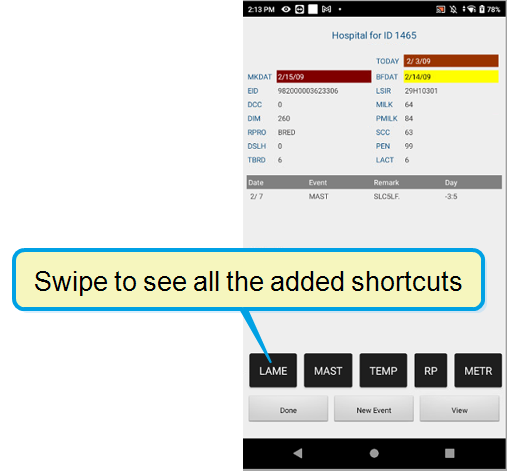
- You can now configure shortcut buttons for hospital forms on Pocket CowCard Android: In Pocket CowCard Android, we added customizable shortcut options so you can quickly add events or expert batch commands when using hospital forms. Enable and configure this feature in your Pocket CowCard settings in DC305, then use the feature in Pocket CowCard:
- In DC305, enter SERVER\3 to open the Server Configuration screen.
- In the PCC Entry tab, navigate to the Select Event or Expert Batch for Quick Pick on Hospital Forms columns at the bottom left side of the screen.
- Form1: \HM1
- Form2: \HM2
- Form3: \HM3
- Form4: \HM4
- To assign an event or expert batch shortcut to the \HM1 switch, go to the Form1 column and double-click <Available> to open the Select screen.
- Select your most-used event and click OK.
- Repeat the steps for each shortcut you want to quick pick in hospital forms and select your shortcuts by most used to least used. You can add up to 8 shortcuts per switch.
- Create hospital worklists that implement the switches (\HM1 to \HM4) you just configured:
- ZLHOSP1: SERVER ID DIM PN NOTE FOR PEN=99\HM1
- ZLHOSP2: SERVER ID DIM PN NOTE FOR PEN=99\HM2
- ZLHOSP3: SERVER ID DIM PN NOTE FOR PEN=99\HM3
- ZLHOSP4: SERVER ID DIM PN NOTE FOR PEN=99\HM4
- In Pocket CowCard, open a hospital worklist to see your new shortcuts at the bottom of the screen. Swipe left to right to see all shortcuts:
For example, if you want the list to include the animal's ID, pen, vetcode (VETC), days in milk (DIM), days calf carried (DCC), andtimes bred (TBRD), enter the following command in the command line:
SERVER ID PEN VETC DIM DCC TBRD FOR VC>0 \V
However, we recommend that you do not include the following items at this time: Item Type #21 (REM), Item Type #60 (Age in Months), Item Type #84 (RPRO), and Item Type #85 (EVT).
(PCC-1304, PCC-1206)
Expand the steps below to enable and configure the shortcut buttons.
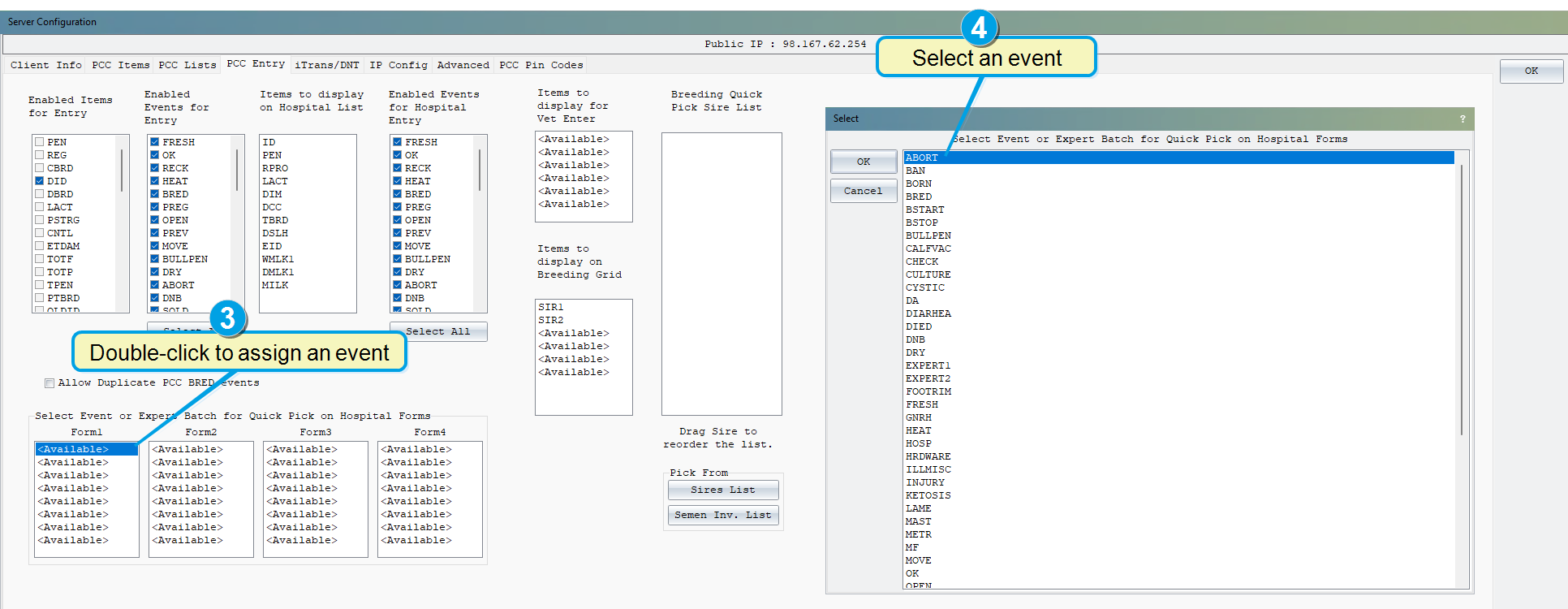
Each column corresponds to a switch that you can use in your worklist command:
(PCC-1304, PCC-1159)
Bugs
Fixed an issue where grid view limited data to five characters: In the latest release, we increased the character limit for worklist data when you view the data in grid view. (PCC-1304, PCC-1266)
Pocket CowCard Android - Version v2311090712-(2.0.21.108-rc)
Build Date: November 9, 2023
Release Date: November 13, 2023
Pocket CowCard for Android version 2.0.21.108 includes a variety of enhancements, bug fixes, and information related to known issues.
IMPORTANT: Pocket CowCard no longer supports Android devices using OS version 8.0 or lower
As we communicated previously, VAS will no longer support Pocket CowCard for Android 7.x or Android 8.0 devices. Now, if you try to install Pocket CowCard on an unsupported device, you will receive an error message.
If you access Pocket CowCard on an Android 7.x or Android 8.0 device and downloaded the September 2023 version of Pocket CowCard, you must upgrade to a newer device by the end of 2024 to continue using Pocket CowCard.
For a full list of devices supported by VAS, click here. If you have any questions about your options or if you want to purchase a new compatible device, please contact your Pocket CowCard support representative.
(PCC-1287, PCC-1214, PCC-1202, PCC-1201)
Enhancements
- Use the new text-to-speech feature to hear the number of days for some vetcode constraints: In Pocket CowCard, you can now enable a text-to-speech (TTS) feature to hear the number of days for some vetcode constraints. For example, you can set up a vetcode (PREG) and enter its primary time constraint (Days Since Last Heat) in DC305. Then, in Pocket CowCard, you can tap on an animal with a PREG vetcode to hear the number of days that have passed since its last heat. Enable this feature in your Pocket CowCard settings in DC305, then use the feature in Pocket CowCard:
Expand the steps below to set up the new TTS feature
- In DC305, enter ALTER\5S to open the VetList Options window.
- Open the vet code you want to edit.
- In the vet code's Vet List Parameters window, check the Play Speech box and enter the primary time constraint in the Cnst 1 field to indicate when the system should play the sound. For example, you can enter DSLH>33 so Pocket CowCard plays a sound to let you know how many days have passed since an animal's last heat.
- Save your changes. In the VetList Options window, the system displays a Y in the Play Speech column to indicate that the system will play a TTS sound for the vetcode.
- In Pocket CowCard, go to the Administration > Settings tab and check the Use "Text to Speech DAYS" sounds with VET CODES box to enable TTS.
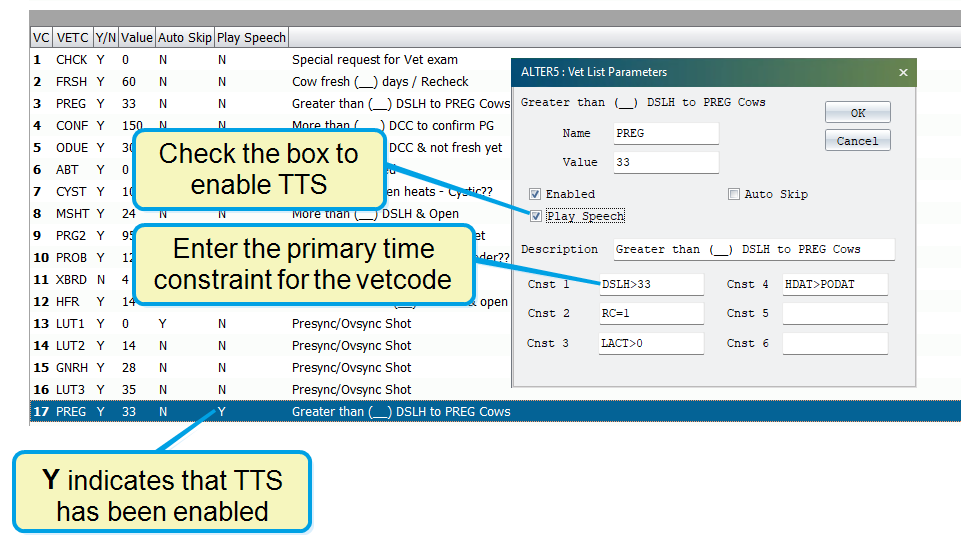
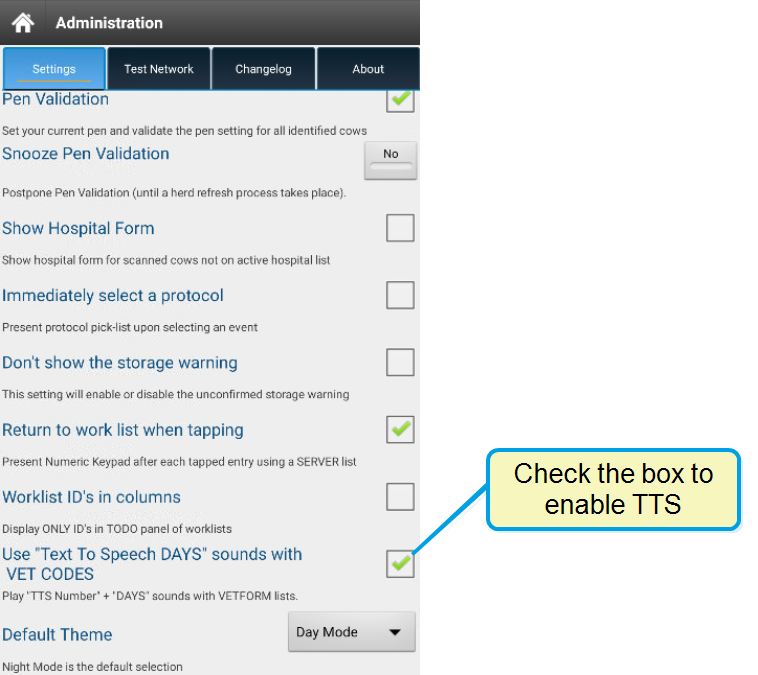
Note the guidelines below when using this TTS feature
- This feature works best with time constraints that are measured in days. When you enable this feature, Pocket CowCard will say the primary time constraint value, then "days."
- Pocket CowCard will say "days" in the supported language you have selected.
(PCC-1287, PCC-1012)
- Improved the display for queued animal IDs: When you use dark mode and open the VETFORM entry screen, the font color for queued animals is now white instead of magenta. (PCC-1287, PCC-1282)
- Removed support for internal RFID reading devices: Pocket CowCard no longer supports internal RFID reading devices or Android devices using OS version 8.0 or lower. See IMPORTANT: Pocket CowCard support for Android 10 and 11 devices ends in July 2026 for more information. (PCC-1287, PCC-1289)
- Added a warning that displays if you enter an ABORT date before the last PREG event: If you try to enter an abortion date that is earlier than the last PREG event entry, Pocket CowCard now displays a warning message. (PCC-1287, PCC-1271)
Bugs
- Fixed the "IsNeeded" sound when the sound is not available: We fixed the core "IsNeeded" sound on worklists when a custom sound is not available. (PCC-1297)
- Removed extra sounds that play during text-to-speech: We fixed an issue where the system would play extra sounds if you used text-to-speech (TTS) for items that consisted of a single letter or a period. We recommend that you do not include periods (.) when you create task sounds e.g. P.1, P.22, P.P, etc. (PCC-1287, PCC-1280)
- Tested and fixed numerous crash scenarios: In the latest release, we implemented additional code to help prevent the app from crashing when no herd is detected or during item entry when pen validation is active. (PCC-1279, PCC-1285)
Pocket CowCard Android - Version v2309190718-(2.0.21.30-rc)
Build Date: September 19, 2023
Release Date: September 26, 2023
Pocket CowCard for Android version 2.0.21.30 includes a variety of enhancements, bug fixes, and information related to known issues.
IMPORTANT: Update Pocket CowCard if you are using an Android device (OS version 8.0 or lower)
If you are accessing Pocket CowCard on an Android 7.x or Android 8.0 device, please update your Pocket CowCard app to the September 2023 version immediately to continue using Pocket CowCard on your device without interruption. The September 2023 release version is expected to be available until October 30, 2023.
As we communicated previously, VAS will no longer support Pocket CowCard for Android 7.x or Android 8.0 devices. As a temporary solution, update your app to the September release version using the in-app updater in Pocket CowCard. However, you must upgrade to a newer device by the end of 2024 to continue using Pocket CowCard.
For a full list of devices supported by VAS, click here. If you have any questions about your options or if you would like to purchase a new compatible device, please contact your Pocket CowCard support representative.
(PCC-1268, PCC-1214)
Enhancements
- Pocket CowCard now supports item entry in CowCards: The app now supports the ability to enter item values directly from the Items tab of an animal's CowCard. First enable item entry from your Pocket CowCard settings in DC305, then use the feature in Pocket CowCard:
- In DC305, enter SERVER\3 to open the Pocket CowCard Server Configuration window.
- Open the PCC Entry tab:
- In the Enabled Items for Entry column, check the boxes next to the items you want to enable.
- Click OK at the top right corner of the screen to save your changes.
- In Pocket CowCard, open an animal's CowCard and tap the Items tab:
- Tap Item Entry at the bottom of the screen.
- In the Select Item window, choose the item you want to edit from the drop-down list:
- In the blank box, enter the item value.
- Click Accept edited command to save your changes.
- DRY events can no longer be applied to animals that aren't cows: The app now warns you if you try to apply a DRY event to youngstock animals. If you need to apply a treatment protocol from a DRY event to a youngstock animal, reach out to your support representative for an alternative treatment protocol option. (PCC-1268, PCC-1241)
Expand the steps below to set up item entry in DC305
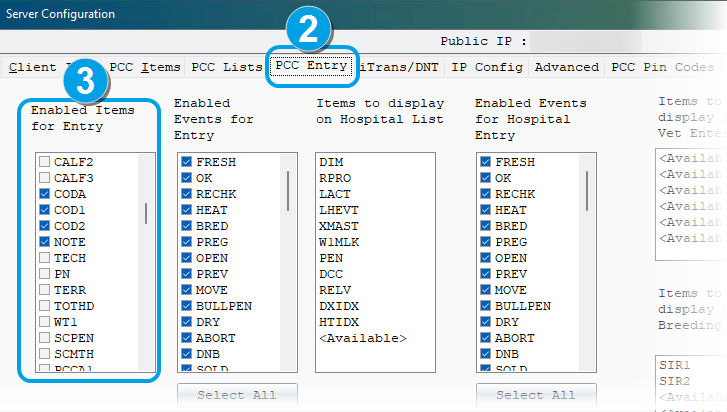
Expand the steps below to use item entry in Pocket CowCard
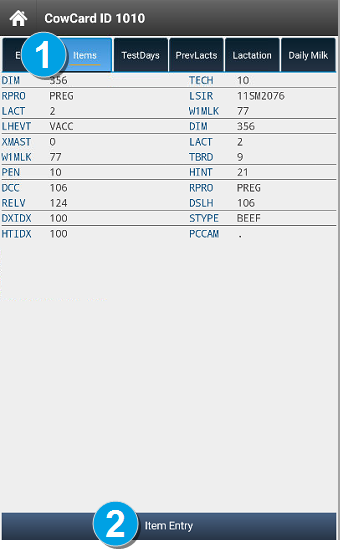
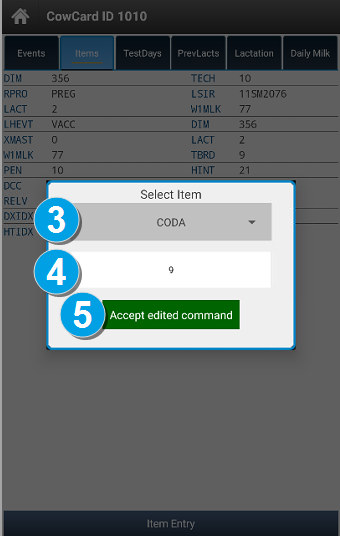
(PCC-1268, PCC-1152)
Bugs
- New Herd TODO page affected tablet user interface: When you open the herd TODO tab on a tablet, the upper section of the worklist controls now works correctly. (PCC-1238, PCC-1268)
- Fixed Out of Bounds error in worklists: We fixed an issue that would result in an Out of Bounds error in worklists. Previously, if an item in a worklist contained the single letter P, the system would confuse the worklist command with the text-to-speech sound used for pen moves (the GOTO item P sound). (PCC-1268, PCC-1274)
- Tested and fixed numerous crash scenarios: In the latest release, we have implemented additional code to help prevent the app from crashing during the following instances: checking List Activity, using the Mark Cow process, or when the Pocket CowCard service is not initialized and the app tries to launch a notification. (PCC-1199, PCC-1256, PCC-1257, PCC-1260, PCC-1261, PCC-1268)
Pocket CowCard Android - Version 2308160910-(2.0.20.25-rc)
Build Date: August 16, 2023
Release Date: August 29, 2023
Pocket CowCard for Android version 2.0.20.25 includes a variety of enhancements, bug fixes, and information related to known issues.
Enhancements
- VETFORM entry screen is now available in Day or Night Mode: You can now choose between two color themes for the VETFORM entry screen: Day Mode or Night Mode. In Pocket CowCard, change your color theme in Administration > Settings.
- Added BRED events to the OTHER event selection screen in VETFORM: On the VETFORM event entry screen, you can select OTHER to see a list of an events to choose from. Now, the list of event includes the BRED event. (PCC-1243, PCC-1225)
- Added text-to-speech sounds for GOTO items: The latest version of Pocket CowCard now plays sounds for GOTO items with values between P1 to P9999. The system will say the number in the language you selected if the translation is supported. The system does not say "pen" in English, German ("grupp"), or Spanish ("corral"). You can also create your own sound files (WAV or MP3) to override the text-to-speech sounds. (PCC-1243, PCC-1218)
- Added the ability to auto-skip vet codes on a VETFORM worklist: We added the ability to automatically Skip (Mark as Done) selected vet codes on a VETFORM worklist. To use this feature, you need to edit the vet code in DairyComp 305 and edit your settings in Pocket CowCard.
- In Pocket CowCard, go to Administration > Settings and check the boxes for Use faster workflow for Vet Entry and Enable Automatic SKIP for defined VET Codes.
- In DC305, enter ALTER\5S to open the list of vet codes.
- Double-click the vet code that you want the system to automatically skip and mark as done.
- In the Vet List Parameters window, check the Auto Skip box.
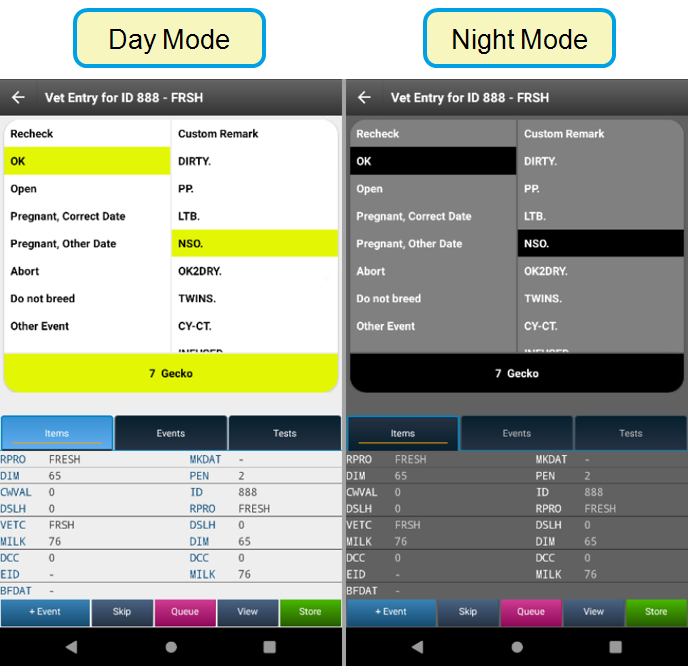
(PCC-1243, PCC-1226)
Expand the steps below to set up auto-skip!
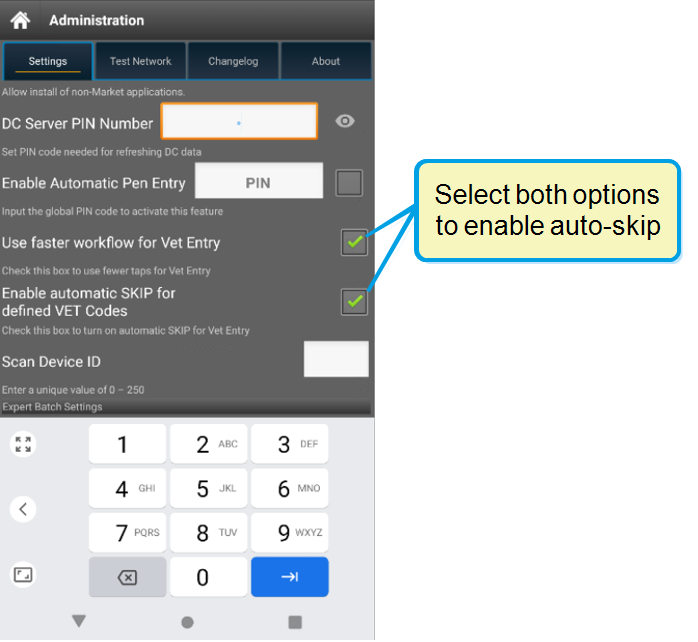
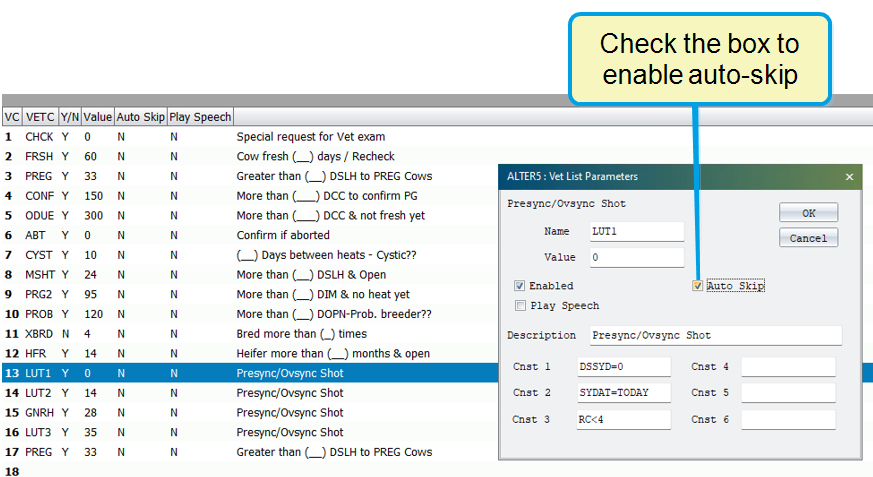
For more information, contact VAS Support. This feature can also be enhanced by using a OnDone or PostProcess command. (PCC-1243, PCC-0855)
Bugs
Fixed the animal order shown in the Vet Queue: Pocket CowCard now lists animals by oldest ID to newest ID in the Vet Queue. Previously, the system incorrectly listed the newest IDs first. (PCC-1243, PCC-1255)
Pocket CowCard Android - Version 2307311846-(2.0.19.11-rc)
Build Date: July 31, 2023
Release Date: August 1, 2023
Pocket CowCard for Android version 2.0.19.11 includes a variety of enhancements, bug fixes, and information related to known issues.
Enhancements
- Added ability to view all animals in the To Do tab: In the To Do tab in worklists, you can now view all animals from all pens. Tap the All Pens button to view all To Do animals in the herd:
- Added ability to view all animals in the Done tab: In the Done tab in worklists, you can now view all animals from all pens. This improvement will make it easier and quicker to make changes for multiple animals in multiple pens at once. To view all the Done animals in the herd, tap the ALL button at the top right:
- In the To Do tab, mark all 100 animals as PREG.
- Go to the Done tab and find the one animal that requires a different status.
- Tap the animal's Recheck button and change the animal's status:
- Added a warning message when duplicate EIDs are detected: If you refresh Pocket CowCard from DairyComp 305 and the system finds duplicate EIDs, Pocket CowCard will now notify you. Click Acknowledge and fix the duplicate EIDs in DC305:
- In DC305, open the Server Configuration screen by entering SERVER/3 in the command line.
- At the bottom of the Server Configuration screen, click Check for Duplicates:
- Check the text file to see the list of duplicate EIDs:
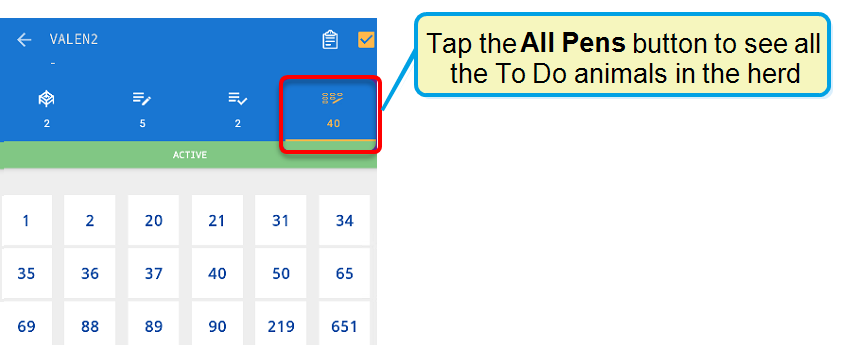
This improvement makes it easier and quicker to complete tasks like pen validation. If an animal is in the wrong pen, you can still check the animal in the To Do tab. (PCC-1232, PCC-1154)
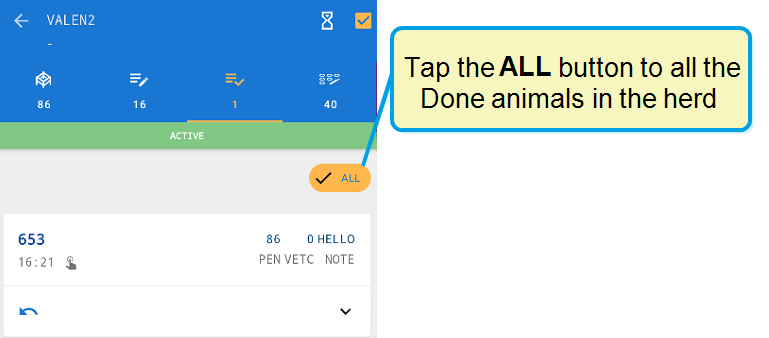
Example: Quickly complete a PREG check for multiple animals across multiple pens!
In this scenario, imagine that you need to complete a PREG check for 100 animals in the herd. Out of the 100 animals, 99 animals need to be marked as PREG and only one animal needs to be marked as OPEN. Follow the steps below to quickly complete the PREG check:
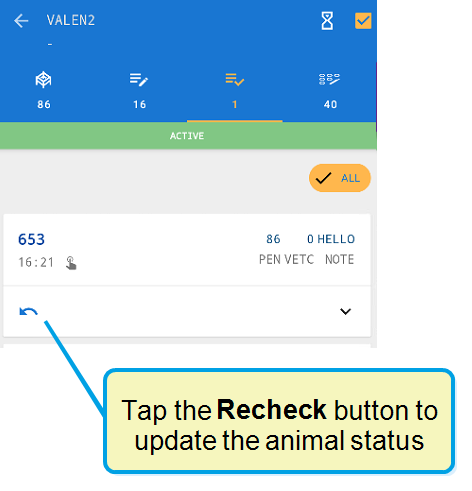
(PCC-1232, PCC-1154)
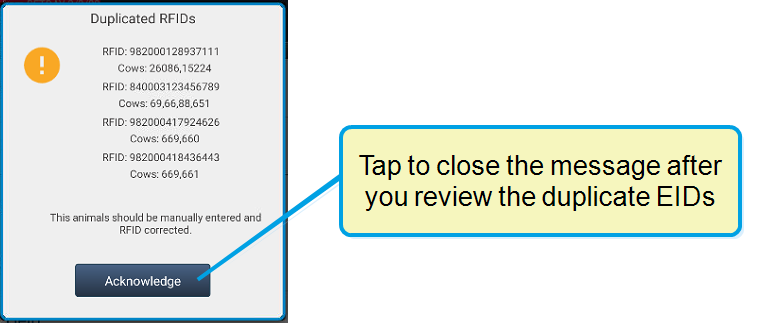
You can also check for duplicate IDs directly in DC305.
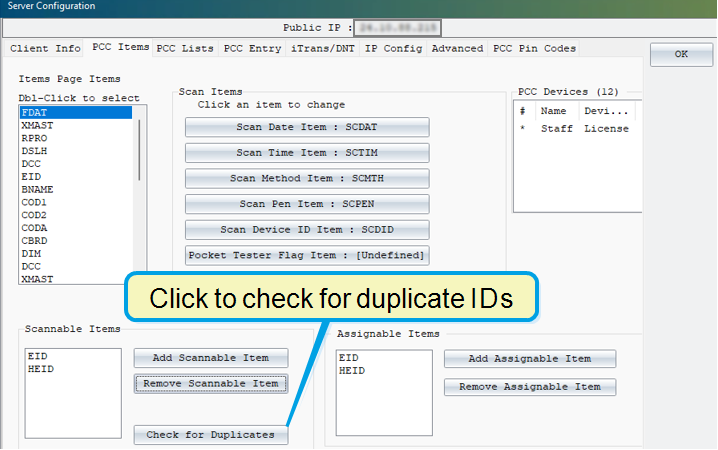
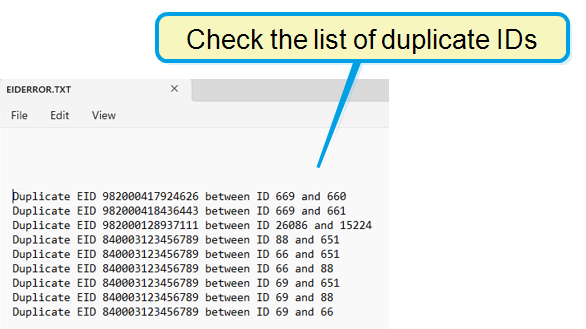
(PCC-1232, PCC-0421)
Bugs
- Fixed an issue where Pocket CowCard did not import Scan Date and Scan Time: When you use an ADD BATCH command with source farm identifiers, the system now imports Scan Date (SCDAT) and Scan Time (SCTIM) values correctly. (PCC-1232, PCC-1234)
- Resolved a crash issue caused by duplicate EIDs: Pocket CowCard no longer crashes if the system finds duplicate EIDs during an ADD BATCH command. (PCC-1232, PCC-1234)
Pocket CowCard Android - Version v2307060017-(2.0.18.63-rc)
Build Date: July 5, 2023
Release Date: July 7, 2023
Pocket CowCard for Android version 2.0.18.63 includes a variety of enhancements, bug fixes, and information related to known issues.
Enhancements
- Added support for Type 190 option 7: Pocket CowCard returns item type 190, option 7 if the semen is sorted as Sexed or Unsexed (conventional) and is a Beef type.
- Added support for SFID.SF with ADD BATCH commands: Like PCC for Windows Mobile, Pocket CowCard for Android now offers full support for the WITH statement in ADD BATCH for source farms based on the Pocket CowCard journal method. Pocket CowCard for Android no longer warns you if a duplicate source farm is entered. Like PCC for Windows Mobile, the duplicate entry is discovered by DCSERVER after the entry.
(PCC-1222, PCC-1150)
(PCC-1222, PCC-1189)
Bugs
- Resolved an EXPERT BATCH crash: Expert Batch no longer crashes when adding a command to a blank Simple Batch command. (PCC-1222, PCC-1200)
- Resolved a duplicate number issue in the Vet Queue: The same animal is no longer displayed multiple times in the Vet Queue. (PCC-1222, PCC-1219)
- Resolved a Sort by Scan filter issue: Animals added and queued to the Vet List are now displayed at the top of the list. (PCC-1222, PCC-1221)
- Resolved a SIMPLE BATCH empty input box issue: An empty box no longer displays after tapping on the Simple Batch command when DC305 has no items defined for input. To fix the issue, Pocket CowCard now requires item definitions in SERVER\3 before Simple Batch can be used. (PCC-1222, PCC-1220)
- Resolved a Pocket CowCard null exception error: We fixed a null pointer exception error that was discovered in the June 21, 2023 release. This error was fixed in the July 7, 2023 hotfix release (2.0.18.63). (PCC-1222, PCC-1227)
Pocket CowCard Android - Version v2305161700-(2.0.17.9-rc)
Build Date: May 16, 2023
Release Date: May 23, 2023
Pocket CowCard for Android version 2.0.17.9 includes a variety of enhancements and bug fixes.
Enhancements
- Added End of Support warning for Android 7 and 8 devices: After each refresh, users will be notified that devices that are running Android version 7 and 8.0 will no longer be supported after the August 2023 release.
- Added the ability to use custom sounds: You can now use custom sounds for the "No, not this animal" (buzz sound) and "Cha-ching" sound files when using ADD, SIMPLE, and EXPERT commands. Your sound files must be named NONOTTHISANIMAL.MP3 or .WAV and CHACHING.MP3 or .WAV (file name must be ALL CAPS). Save the .mp3 or .wav files to the X:\DC305\AXIM\WAV DairyComp folder.
- Enhanced VET FORM entry capabilities: Like Pocket CowCard for Windows Mobile, Pocket CowCard for Android now offers a setting that allows you to quickly enter vet check results. See the information below to enable faster Vet Entry and enter Vet Check results:
- Vet Check Reason: The reason for the vet check is displayed next to the Cow ID.
- Event and Remark: Tap to pick an event and then set a remark. An event must be selected before setting a remark or a tech.
- Store: Tap to store the events and remarks.
- +Event: Tap to add a second or third event to an existing entry.
- Ignore: Tap the Back button to ignore and cancel the entry.
(PCC-1208, PCC-1202)
(PCC-1208, PCC-1184)
In the Pocket CowCard mobile app, open the Settings menu and check the Use faster workflow for Vet Entry box.
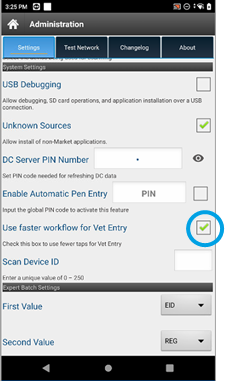
You can then go to your Vet List, tap an animal, and then tap on Events.
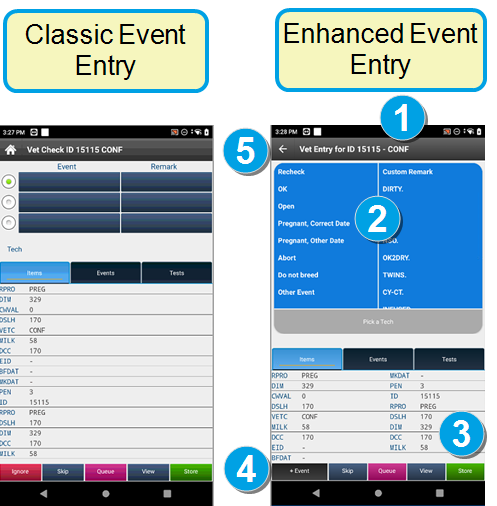
For faster input, Pocket CowCard stores the previous technician used. VAS recommends using the same Event Tech team for the most common Vet Form events.
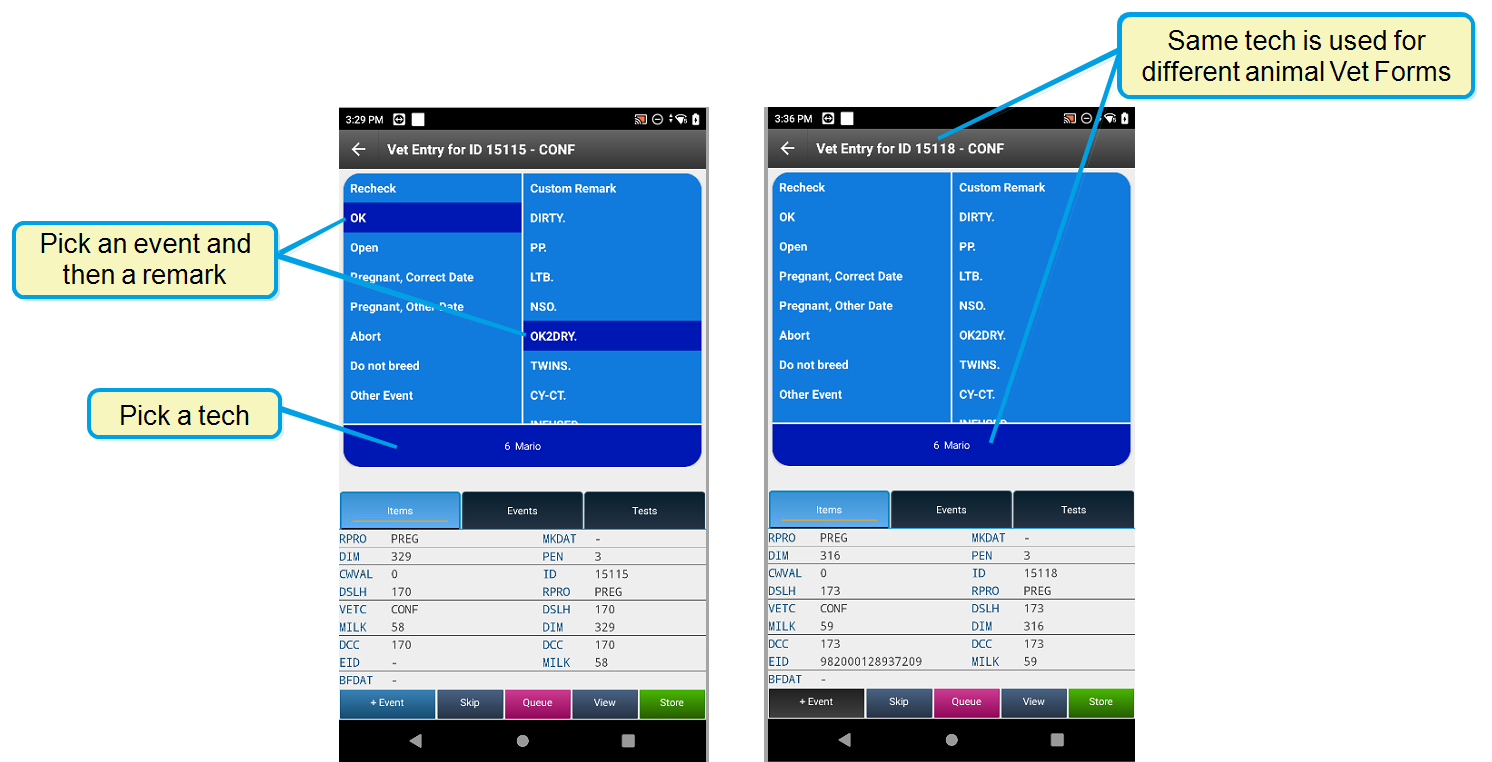
By default, you can add three events to single animal. Tap +Event to add additional events to the same animal.
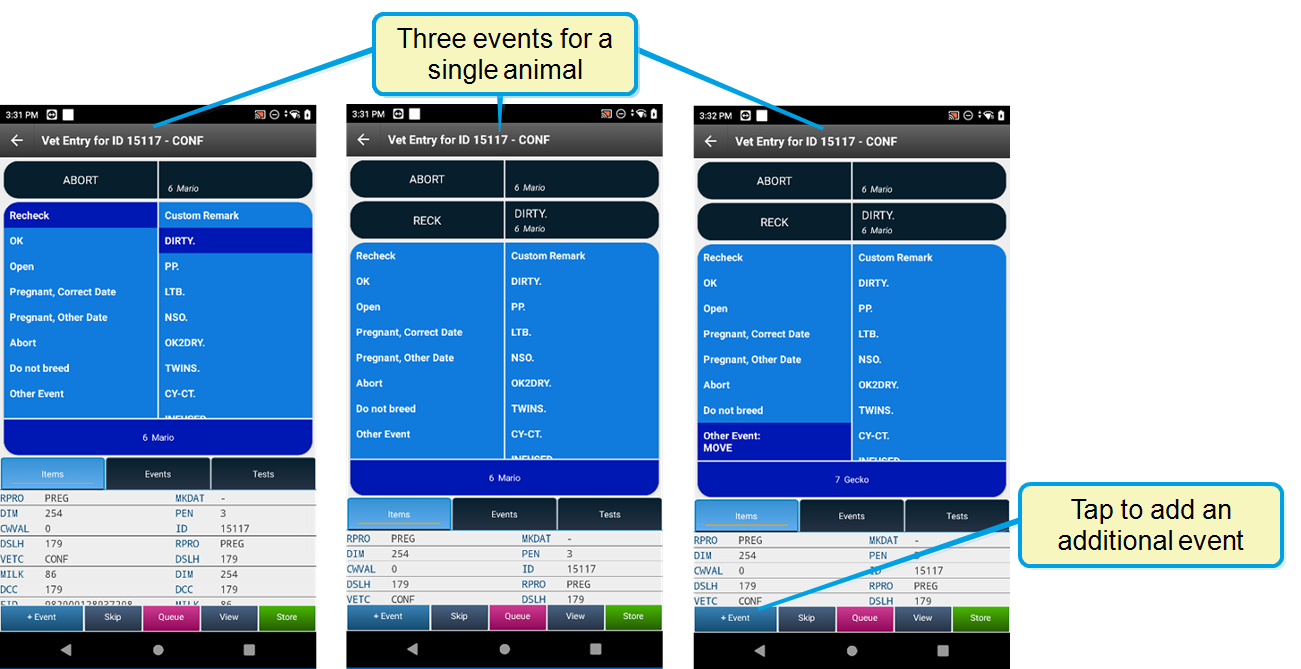
Pocket CowCard now supports all other events. Command abbreviation content is not available, but we do support protocols that move to a given pen.
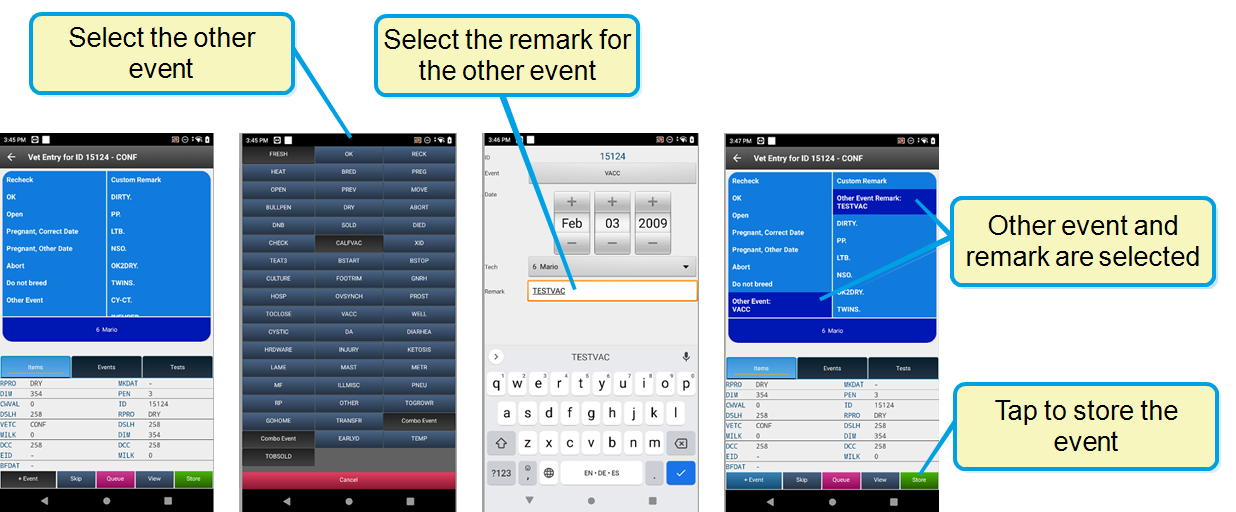
(PCC-1208, PCC-0624)
Bugs
- Resolved a Pen Validation crash for Chinese localizations: We have fixed an issue from the March 22, 2023 release that caused Pen Validation to crash while running Pocket CowCard for Android in the Chinese language. (PCC-1208, PCC-1195)
- Resolved an issue when adding an animal to a Vet List: We fixed an issue where adding an animal to a vet list was not working properly when a new animal was added to the vet form list and then queued. (PCC-1208, PCC-1188)
- Resolved an issue with the Pocket CowCard splash screen: We updated the splash screen date in the About tab to make it clear that you are not running an older version. (PCC-1208, PCC-1210)
Pocket CowCard Android - Version v2304181825-(2.0.16.25-rc)
Build Date: April 18, 2023
Release Date: April 19, 2023
Pocket CowCard for Android version 2.0.16.25 includes one enhancement, various bug fixes, and information related to known issues.
Enhancements
Added the SIMPLE BATCH command feature: Like Pocket CowCard for Windows Mobile, you can now use the Simple Batch feature in PCC for Android. Use the SERVER\3 command in DairyComp to select the items that can be input.
- In DairyComp, enter SERVER\3 in the command line to open the Server Configuration window, and then follow the steps below to select items for entry.
- Select the PCC Entry tab.
- Select the items to enable for batch entry from Pocket CowCard.
- Click OK.
- In the Pocket CowCard mobile app, follow the steps below to select the items to enter in batch from Pocket CowCard.
- On the Batch tab in the Pocket CowCard mobile app, select Simple Batch Command.
- Click the lock icon at the top right to unlock the content.
- Select the items to enable for batch entry.
- Enter the value for the batch item, which is the pen number in the example above, and tap ENTER.
- Tap the lock icon at the top right to confirm the content.
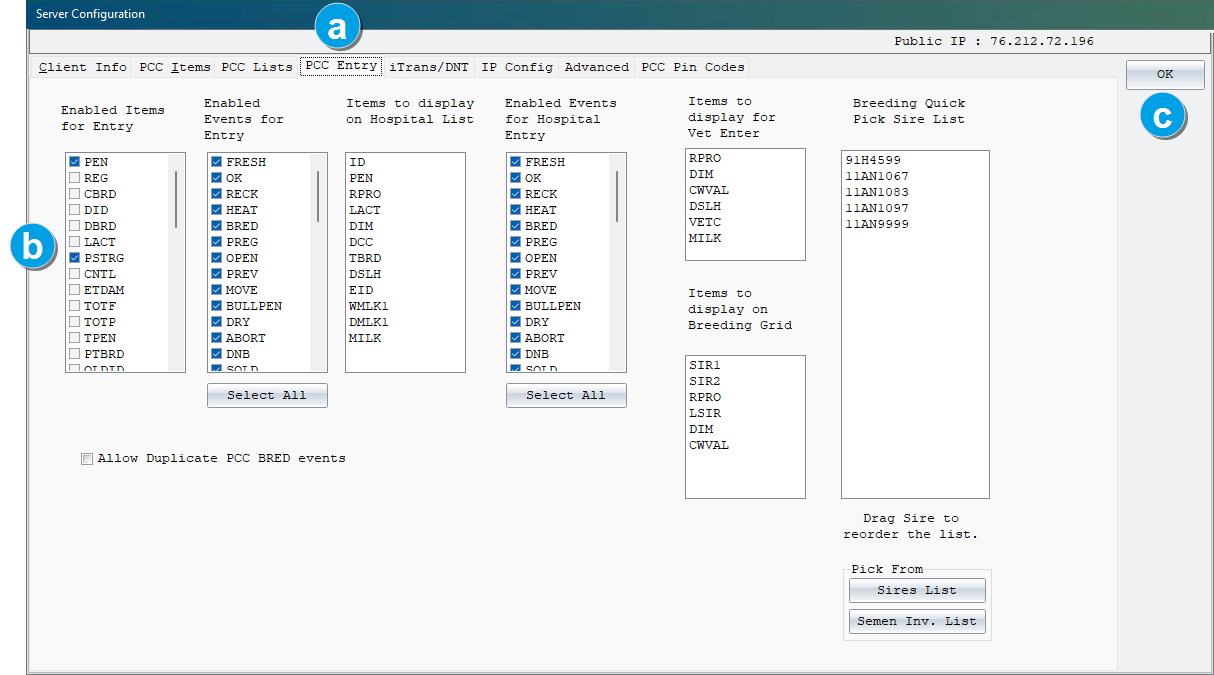
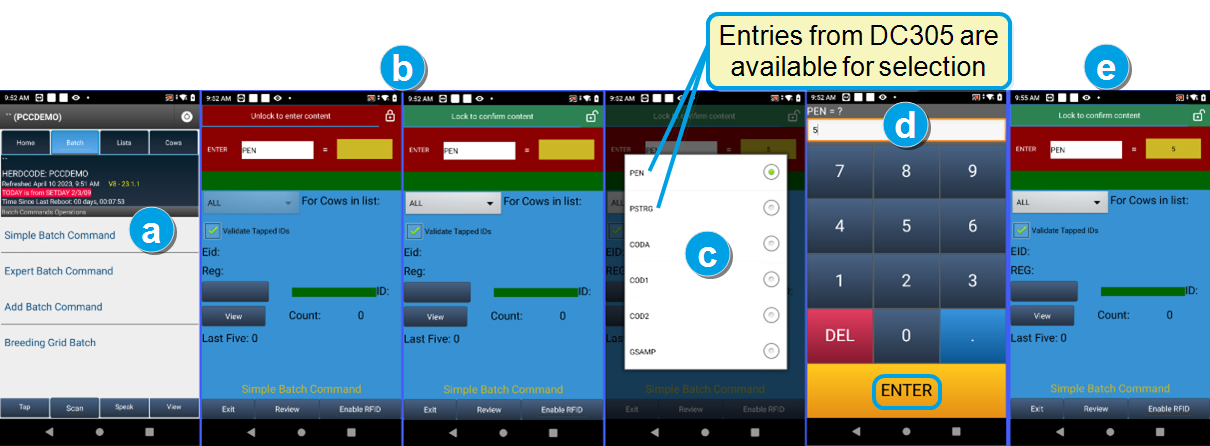
(PCC-1153, PCC-1124)
Bugs
- Resolved an issue when changing an RFID on an existing animal: We have fixed the ability to assign a new RFID change for SFID.SF identification on selected herds. With this fix, the system now accepts the Source Farm DOT.ID selection when you change the RFID on an existing animal. (PCC-1153, PCC-1190)
- New production versions now display the correct expiration dates: We applied two code fixes to ensure that your current version of PCC displays the correct expiration dates as well as the final expiration of the Pocket CowCard application. With this fix, the system should no longer display expiration dates from older releases. (PCC-1153, PCC-1191, PCC-1185)
- Resolved a problem with ADD\Z and ENTER\Z commands not showing in herds using DCLANG Spanish: We applied a code fix for displaying ADD BATCH commands in herds using the DCLANG.SPA (Spanish) file with the command verb named AGREGAR. This was not supported in the Pocket CowCard Android app, so we have requested that DairyComp support both English and localized translations for ADD\Z and ENTER\Z in a future release for Pocket CowCard payload creations. (PCC-1153, PCC-1186)
Pocket CowCard for Android - Version v2303221123-(2.0.15.16-rc)
Build Date: March 22, 2023
Release Date: March 22, 2023
Pocket CowCard for Android version 2.0.15.16 includes various enhancements, bug fixes, and information for a known issue related to Batch menu entries.
Enhancements
- Added the ability to select an unlisted pen on a worklist by choosing OTHER pen: You can now select a pen that isn't listed on the worklist. This feature helps you maintain an organized inventory count of any pen while finding animals you may need. With all pens selected, tap OTHER to select a new pen assignment. The example below displays Pen 4 with no animals.
- Automatic pen entry for worklists: The new Automatic Pen Entry feature makes it easier to move all animals from one pen to a new pen. When enabled, the system displays an option to automatically move all animals. A pin code must be entered to enable this feature. When the feature is not enabled, the system displays a confirmation message for each animal move.
- The system only displays the Automatic Pen Entry option in worklists. It is not available in any other features.
- After you use this feature for a pen, make sure you exit out of the pen and switch to a new pen before using the feature again.
- You will not see this feature if you select All Pens. This feature only works if you only select one pen.
- To reset the pen validation, simply exit the pen.
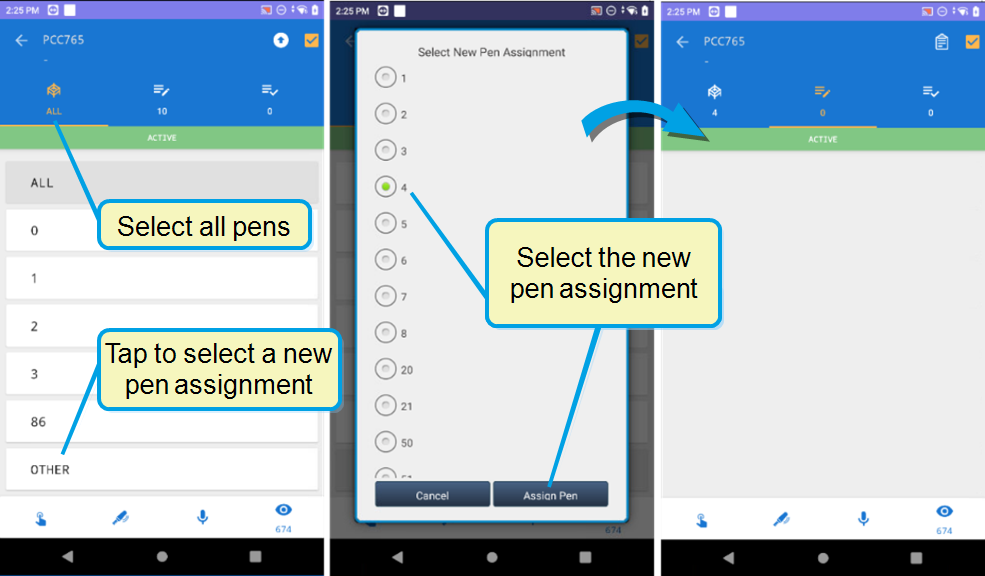
(PCC-0708, PCC-1155)
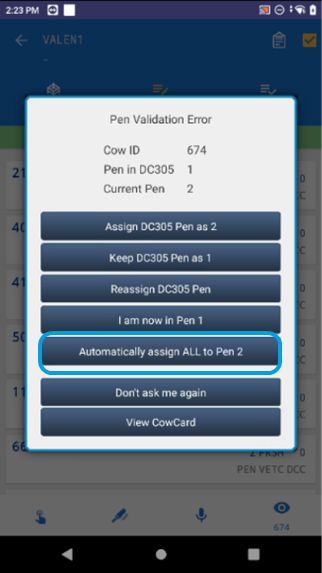
(PCC-1141, PCC-1155)
Expand the topics below to learn more about using this feature:
Enable Automatic Pen Entry
To enable this feature, go to System Settings. In the Enable Automatic Pen Entry field, enter 1983 and check the box to activate this feature.
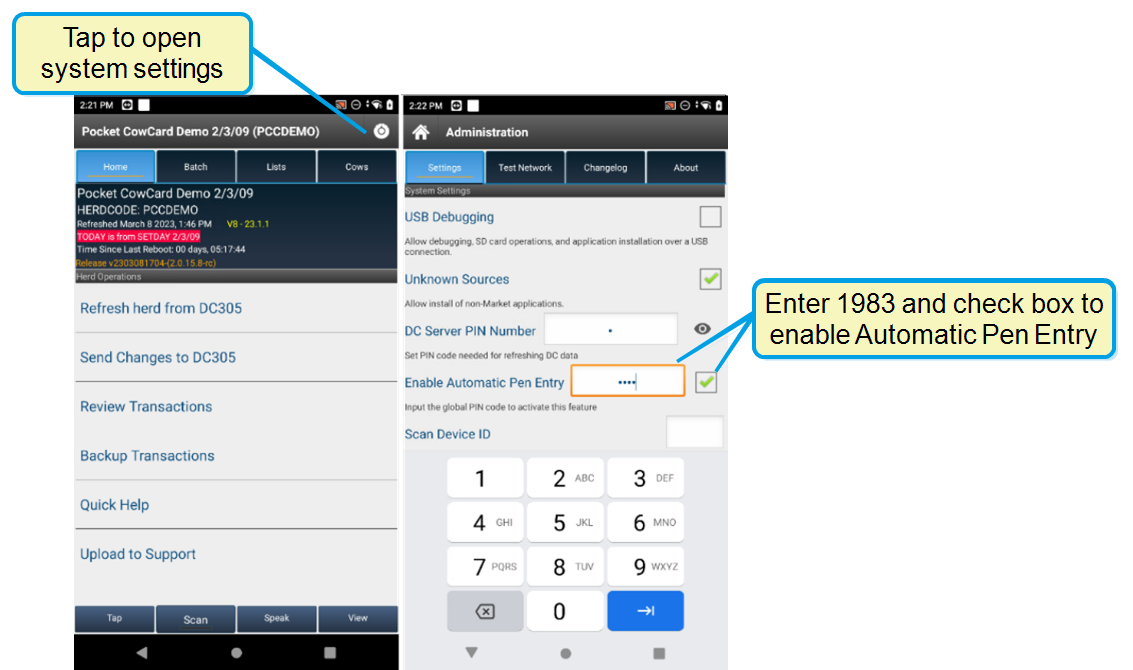
When the feature is enabled, a Read icon is displayed at the top right corner of the worklist.
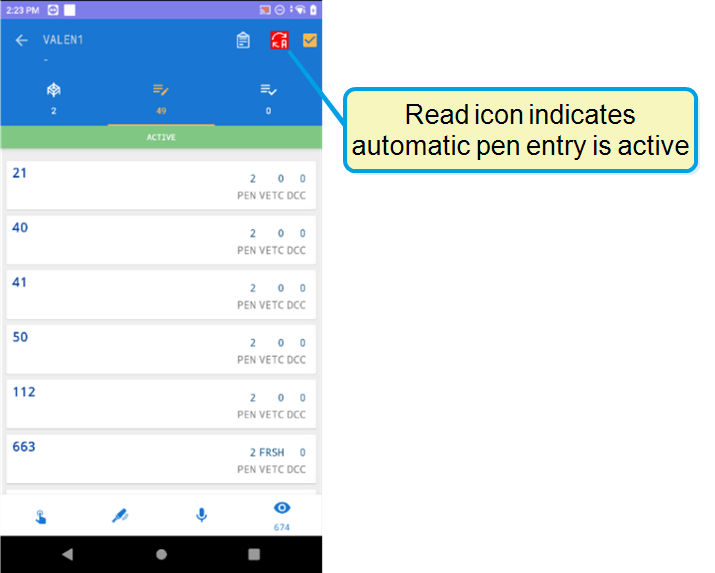
Tips for using Automatic Pen Entry
Bugs
- Resolved an issue that occurred when using Expert Batch command: Previously, the system would prompt you to add new records to DairyComp when Cow IDs were manually entered during the Expert Batch process. We have fixed the issue.(PCC-1149, PCC-1155)
- Investigated and fixed a Firebase crash: We applied a code fix to prevent a Firebase crash that was occurring in Pocket CowCard. (PCC-1143, PCC-1155)
Pocket CowCard for Android - Version v2302101132-(2.0.14.6-rc)
Build Date: February 10, 2023
Release Date: February 22, 2023
Enhancements
- Added the ability to add an animal to the VETFORM worklist: Similar to PCC for Windows Mobile, you can now add an animal to the VETFORM worklist, then mark it as done in PCC for Android. Tap the red + button to add the animal to the VETFORM. The green + button indicates that the animal ID shown under the eye icon is on the list.
- Removed the term "Add" from new records created under the Expert Batch command: You can no longer use the EXPERT BATCH command to add new records. You must now use the ADD BATCH command to add new records automatically to DairyComp. The removal of the ADD verb allows you to enter information like birth weights and genomic sample barcodes after adding records to a FRESH event. Contact VAS Support for more information.
- New QUADRANT picker for protocol events that define the affected quadrant: When entering an event where the protocol requires you to select the affected quadrant(s), such as the teat for MAST or the hoof for LAME, you can select the quadrant(s) in the new graphical image show below. Your selections on this image will then add the quadrant code(s) to the REM field for that event.
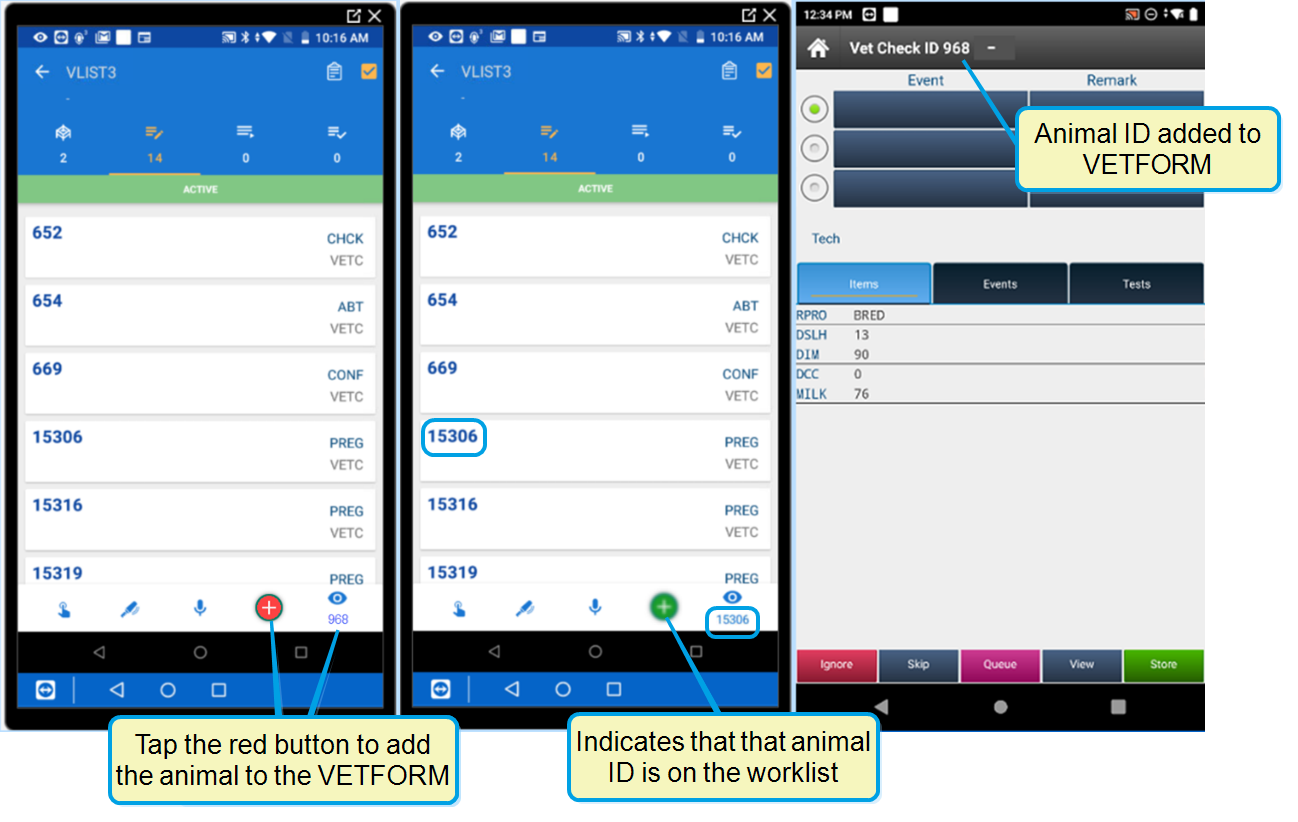
(PCC-1140, PCC-0198)
(PCC-1140, PCC-1121)
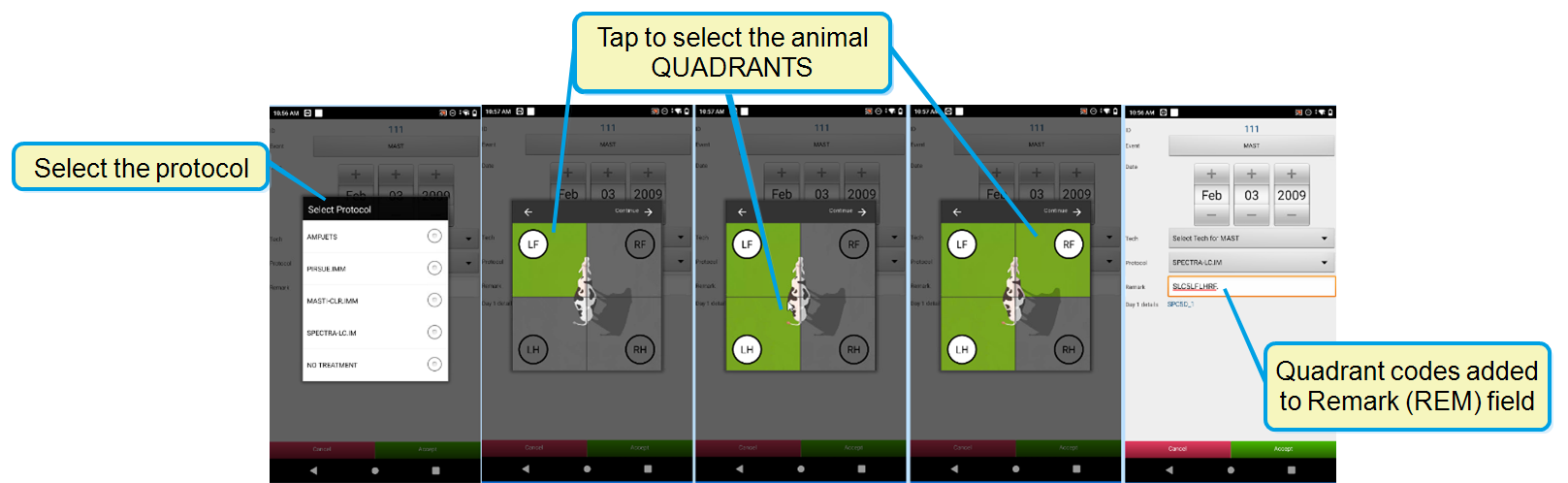
The quadrant codes that are added to the REM field are determined by the abbreviations that are set for your Remark Prompts in DairyComp under the SETUP command found under the Codes tab (see below). The A4 abbreviation is for All Quadrants.
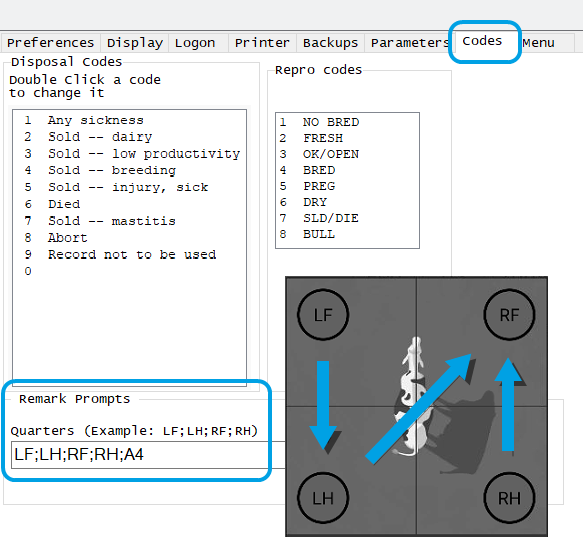
Be aware that the length of the REM item in your cowfile may limit how many quadrants you can select. If the REM field is limited to 8 characters, you may not be able to select more than one or two quadrants. If your cowfile allows the REM item to include 16 characters, you should be able to multi-select quadrants. Tapping on the animal in the center of the image will select all quadrants, which inserts a REM of A4, which works for REM fields that are both 8 or 16 characters long.
(PCC-1140, PCC-0435)
Bugs
- Fixed an issue where new records were being created when scanning from CowCard and worklists: We fixed a regression where DairyComp would automatically add new records when scanning from the CowCard tab and all worklists. These entries will now be held by the DairyComp server for review. (PCC-1140, PCC-1126)
- Investigated and fixed a Firebase crash: We applied a code fix to prevent a Firebase crash that was occurring in Pocket CowCard. (PCC-1140, PCC-1142)
- Corrected an unposted data system notification issue: The system was notifying users that there was unposted data for a new herd when there wasn't any data available to post. We have applied a code fix for this issue. (PCC-1140, PCC-1106)
- Corrected and issue where the list name was not displaying on the Cow tab screen: The list name was not displaying on the Cow tab screen when activating a list from inside of the selected list. We have applied a code fix for this issue. (PCC-1140, PCC-1104)
Pocket CowCard for Android - Version v2301101609-(2.0.13.5-rc)
Build Date: January 10, 2023
Release Date: January 17, 2023
Enhancements
- Added the ability to run the OnDone and PostProcess commands with Vetlists: If you enter a command with an OnDone and PostProcess command, the system lets you automatically enter the same events and remarks for multiple animals. To enable this feature, contact VAS Support to create an OnDone and PostProcess command in DC305.
- Updated button labels on the screening tool of the Breeding Grid: We've changed the phrasing of the button labels to now display Don't Breed instead of Do Not Breed to avoid confusion with the terms used for RPRO, the reproductive code known as DNB (Do Not Breed) in DairyComp. (PCC-1122, PCC-1134)
- Enhanced the pen validation feature so it works every time a cow is scanned: A warning message now displays every time you scan or input an animal's number if the animal is in the wrong pen. Previously, Pocket CowCard would not repeat the wrong pen warning if an animal was already entered in the workflow. (PCC-1073, PCC-1134)
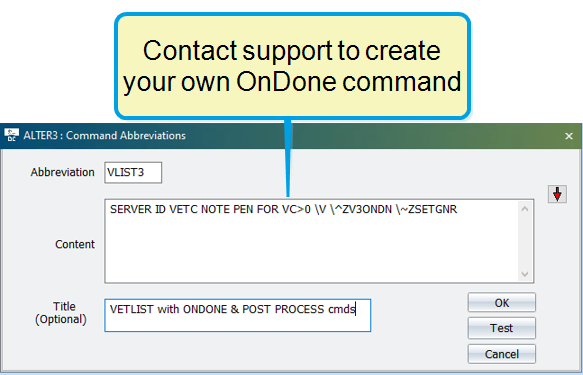
After successfully setting up an OnDone and PostProcess command for an OvSynch task, simply open the vetlist on PCC and tap the Skip button to process the animals.
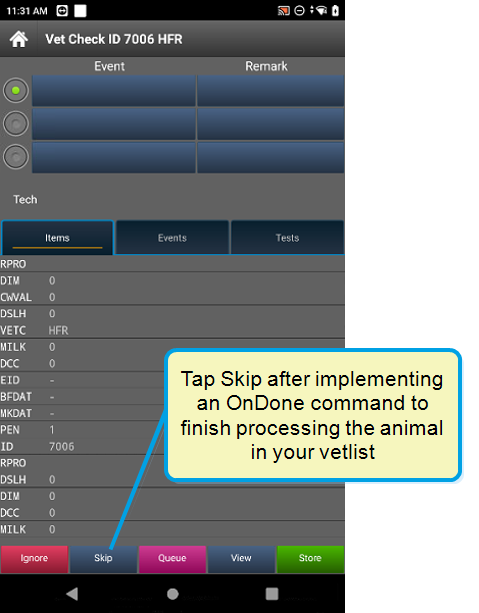
(PCC-1110, PCC-1105)
Pocket CowCard for Android - Version v2211171444-(2.0.12.17-rc)
Build Date: November 17, 2022
Release Date: November 21, 2022
Bugs
- Fixed a SERVER\3 settings issue that affected Events: We fixed an issue where the system would allow Event entry for Events, even after you updated
SERVER\3settings to not allow Event entry for the Event. (PCC-1110, PCC-1105) - Corrected an EID import issue on Android 11+ devices: Electronic IDs (EIDs) now load correctly when using Android 11+ devices. Previously, when Android 11+ devices were used to complete an ADD BATCH routine and a transaction backup folder was defined, EIDs did not import correctly. (PCC-1110, PCC-1103)
- Fixed an issue where using the ADD\Z command would sometimes result in EID loss: Previously, some ADD BATCH routines would fail and EIDs would be lost when using an
ADD\Zcommand. This issue has been fixed. (PCC-1110, PCC-1105) - Pocket CowCard now correctly displays daily and weekly milk totals: We resolved an issue where Pocket CowCard was not correctly showing daily milk totals (Item Type #121) and weekly milk totals Weekly Milk (WMLK1). The issue is now resolved for herds that milk twice a day (2X) or three times a day (3X). The app does not currently support herds that milk four times a day (4X). (PCC-1110, PCC- 1111, PCC-1105)
Pocket CowCard for Android - Version v2210040705-(2.0.11.7-rc)
Build Date: October 4, 2022
Release Date: October 4, 2022
Enhancements
- Added ability to add events higher than 63 on V9 cowfiles: You can now pick events higher than 63 when using the new CowFile 9 database. (PCC-1101, PCC-1089)
- Optimized EXPERT BATCH sounds to play faster: In this release, we optimized the sounds to play faster like previous versions. The sounds included in the September 2022 release were slower than earlier versions. (PCC-1101, PCC-1099)
- Added Time Since Last Reboot to the home screen: The app now displays how long a device has been running since its last reboot on the Home screen and the About screen. We recommend that you reboot your device on a daily basis for the best performance.
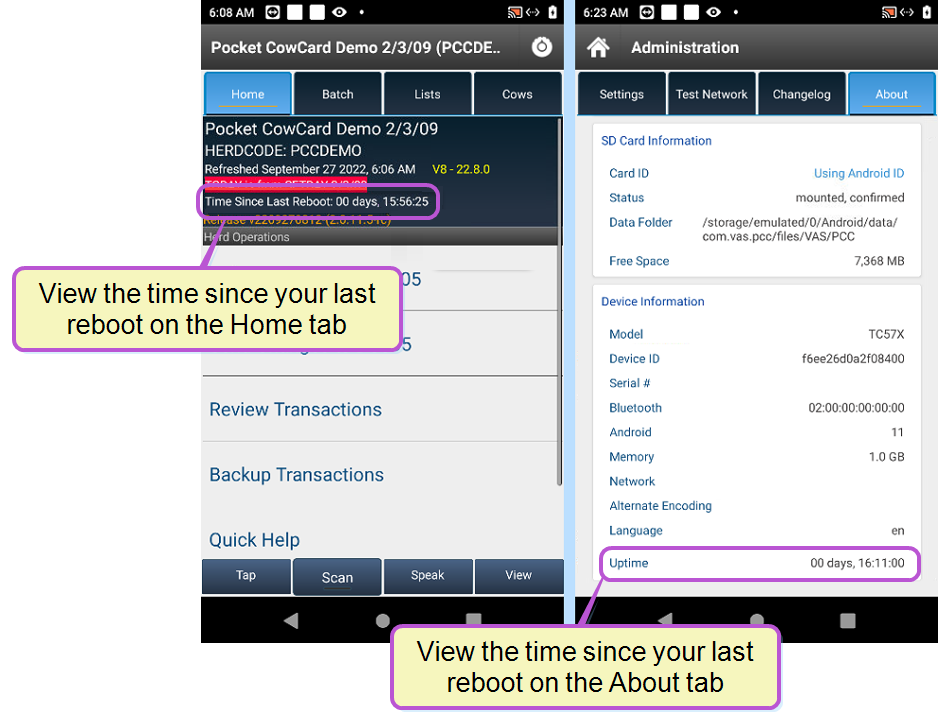
(PCC-1101, PCC-1094, PCC-1088)
Bugs
- Fixed an issue where Animals Not Needed did not buzz when the Cows tab was open: Previously, animals not needed would not buzz correctly if one or more lists was being used and if the Cows tab was opened on one of the lists. This issue has been resolved. (PCC-1101, PCC-1098)
- Fixed Pocket CowCard daily milk totals that didn't match DairyComp 305 daily milk totals: We corrected an issue where daily milk totals (Item Types #120 and #121) shown in Pocket CowCard were very different from the totals shown in DairyComp 305. We updated the rounding method, so now, the values shown in Pocket CowCard will be within 2-3 units from the values shown in DairyComp 305. (PCC-1101, PCC-1071, PCC-970)
- Corrected an issue where the system recognized pending transactions that didn't exist: After all transactions were erased and the app was refreshed, the system would still behave as if there were pending transactions even though none were shown. This issue has been fixed. (PCC-1101, PCC-1096)
- Identified and fixed a potential Transaction Batch data loss scenario: We discovered a scenario where the transaction log would become unstable if there was a communication interruption when transactions were delivered over WiFi or Ethernet. We have fixed this and hope that it resolves intermittent data loss issues that occur from time to time. Please follow the best practices when delivering transactions and do not refresh between deliveries to ensure that no transactions are lost. See Known Issues for workaround instructions. (PCC-1101, PCC-1085)
Pocket CowCard for Android - Version v2209131733-(2.0.10.63-rc)
Build Date: September 13, 2022
Release Date: September 14, 2022
Enhancements
- Support has ended for Android 6.x (or lower) devices: Pocket CowCard no longer supports older Android OS versions (6.x or lower), so please upgrade or replace your device. (PCC-1082, PCC-1004)
- Phase 2 sound improvements (hospital lists and more): Pocket CowCard now includes improvements to phrases/sounds used in the English version of the app, as well as new sounds for the spoken phrases in Chinese, German, Russian, and Spanish. See Change the Language of Pocket CowCard Sounds to see the full list of sound improvements, which include sounds for hospital lists, and to learn how to implement the updates.
- Added ability to immediately select protocols after you enter an event: After you select an event, Pocket CowCard can immediately display a list of protocols for you to choose from. To enable this feature, go to Administration > Settings and check the Immediately select a protocol box.
- Improved numbered keypad screen: On the TAP entry screen, we added more space between the number keys to make it easier to use.
(PCC-1047, PCC-1026)
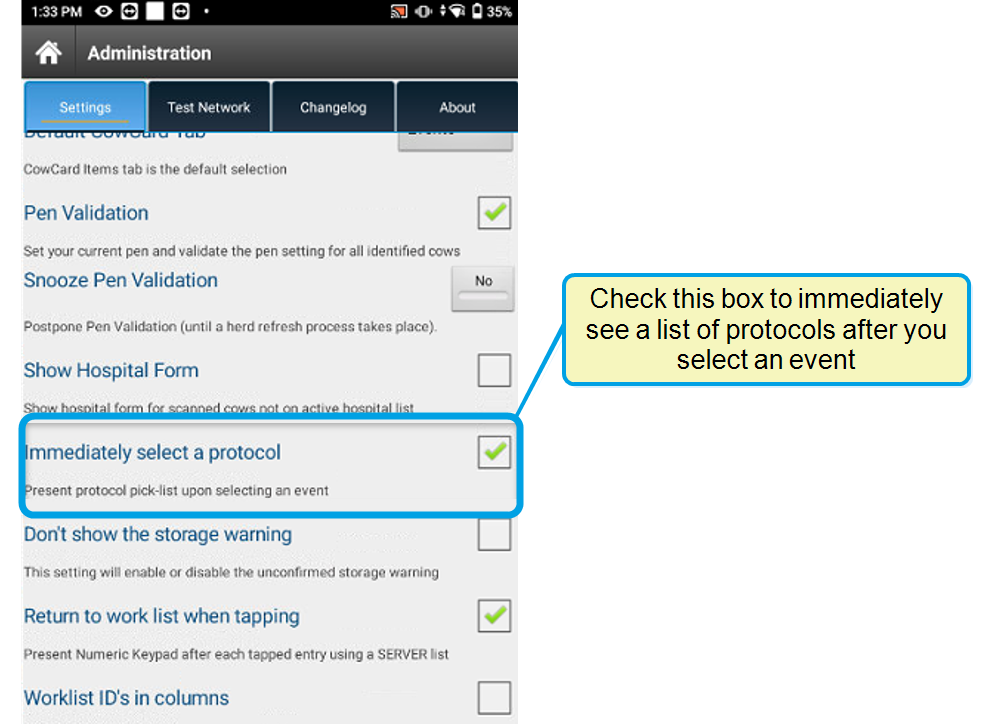
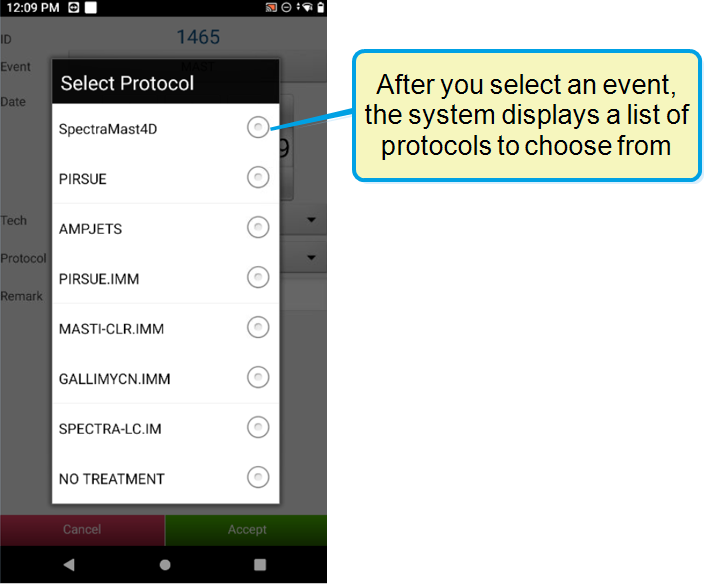
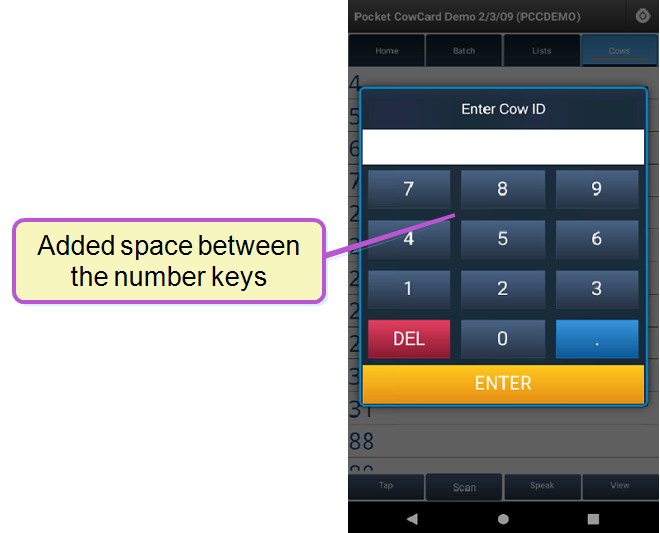
Bugs
- Fixed display error when switching between Day Mode and Night Mode: Previously, the system did not display the refresh status bar correctly whenever you switched between Day Mode and Night Mode. The system now displays the refreshing screen correctly. (PCC-1082, PCC-1054)
- Resolved app crash issue that occurred when viewing a CowCard's Item tab: Previously, the app would crash when users opened a CowCard for an animal with no sire ID, then viewed the Item tab for Item Type #190. This issue has been resolved and the app no longer crashes. (PCC-1082, PCC-1084, PCC-1077)
- Fixed filter error that occurred while using Expert Batch command: We fixed an issue where the Expert Batch command would process any animal even if the animal was on an active filtered list. The error only occurred when a transaction was deleted from the transaction log while you were still using the Expert Batch command. (PCC-1082, PCC-1072)
- Investigated and fixed various Firebase crash reports: Several crash reports were investigated and fixed. (PCC-1082, PCC-1064, PCC-1075, PCC-1080, PCC-1081)
- Fixed instances where Expert Batch incorrectly configured ++ content: We fixed an issue where the order of ++ content affected certain combinations of data input. (PCC-1082, PCC-1086)
Pocket CowCard for Android - Version v2207131730-(2.0.9.29-rc)
Build Date: July 13, 2022
Release Date: July 18, 2022
Enhancements
- Pocket CowCard can now create automatic backups every time you send transactions to DairyComp (Android 11+ devices): With this enhancement, Pocket CowCard creates automatic backups before the system sends the transactions to DairyComp! If you use an Android 11+ device, you can enable the Allow backup of transactions option in the Administration > Settings tab to start using this feature. (PCC-1069, PCC-1061)
- Implemented support for most Item Type #190 options: We have added support for Item Type #190, which displays various types of sire table names (Date Type 19 item). The following options are now supported: Name, Default, Breed, Stud Code, AI, Sexed, and Stud Name. (PCC-1058, PCC-1046)
- Recommended replacements for Item Type #128 and #129: We have determined that Item Type #128 and #129 require a disproportionate amount of mobile support. We recommend that you replace the item types if you use them for mobile processes:
- Item Type #128: Use Item Type #52 (305ME) instead.
- Item Type #129: Use Item Type #49 (RELV) instead.
(PCC-1069, PCC-1051, PCC-1053)
- Events with protocols now include Day 1 details: The system now shows Day 1 details and detail definitions for events. (PCC-1069, PCC-773)
- Added the Pocket CowCard version number to the main home screen: When you view the main home screen, the system now clearly displays the Pocket CowCard version number (in orange text) below the DairyComp version number (in yellow text). (PCC-1069, PCC-1049)
- Updated the Erase Transactions screen to match the rest of app: To improve the consistency of Pocket CowCard's screens and make it easier to use, we updated the Erase Transactions YES/NO screen to match the other YES/NO screens in Pocket CowCard. (PCC-1069, PCC-625)
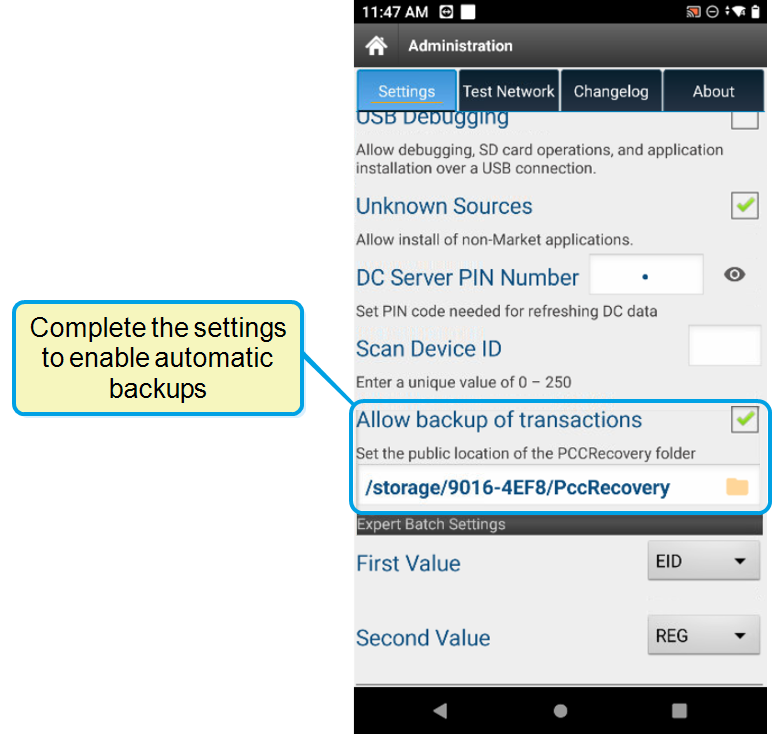
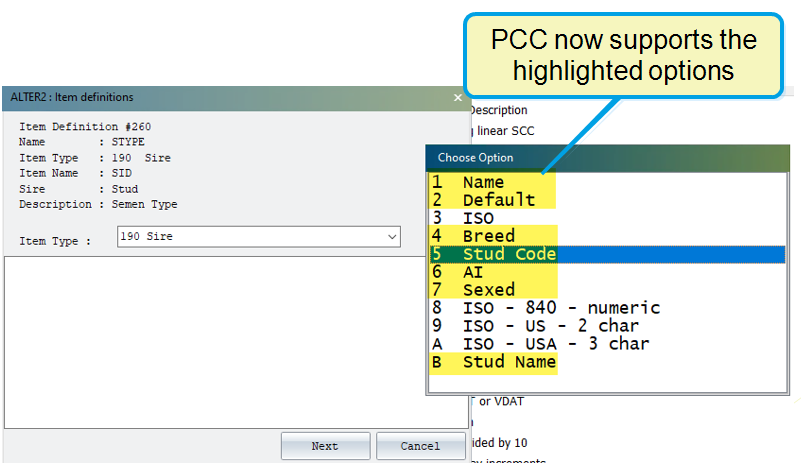

Bugs
- Fixed an error that affected Item Type #91 and LACT=1: Fixed a divide by zero error for the ARELV item (Item Type #91) on the first lactation (LACT=1). (PCC-1069, PCC-467)
- System now counts events correctly even if an event occurs on the FDAT: We fixed an error where the system did not count events correctly if an event occurred on the FRESH date (FDAT). (PCC-1069, PCC-801)
- Resolved Add Batch and Expert Batch journal corruption: We have identified and prevented situations where the app would crash and cause journal corruption after ~200 ADD BATCH or ~1000 EXPERT BATCH transactions. (PCC-1069, PCC-1066)
Pocket CowCard for Android - Version v2206101547-(2.0.8.12-rc)
Build Date: June 10, 2022
Release Date: June 14, 2022
Enhancements
- Added support for multiple DairyComp item types: Pocket CowCard now supports the following item types (PCC-1058):
- Item Type #132: Department of Transportation (DOT) ID values that can be used for source farm identification (PCC-1056)
- Item Type #133: Animal gender, determined by the reproductive codes of both dead and alive records. Pocket CowCard Android stores some sold or dead (RC=7) animals in its payload. (PCC-1046)
- Item Type #144: Tech number (PCC-1045)
- Item Type #145: Tech name (PCC-1050)
- Item Type #173: Protocol description (PCC-687)
- Added support for API level 31 and 32 for Android: The Pocket CowCard app now supports Google API levels 31 and 32. (PCC-1058, PCC-1043)
Pocket CowCard for Android - Version v2205111638-(2.0.7.11-rc)
Build Date: May 11, 2022
Release Date: May 17, 2022
Enhancements
- Added support for item type #54: Pocket CowCard now supports DairyComp item type #54, substring, which is commonly used to capture event remarks.

(PCC-1047, PCC-675)
- Beta Testing Pocket CowCard: We've made beta testing Pocket CowCard more convenient! After you're done testing the app, you can smoothly revert to a production release without having to remove the beta app. (PCC-1047, PCC-1033)
- Phase 1 sound improvements: Pocket CowCard now includes improvements to the four core phrases/sounds used in the English version of the app, as well as new sounds for the spoken phrases in Chinese, German, Russian, and Spanish. See Change the Language of Pocket CowCard Sounds to learn how to implement the sound improvements, including the new spoken phrases. NOTE: If you don't like the new COWFOUND sound included in the updates, you can change it to a ping sound. See Change Pocket CowCard Sounds to learn more.
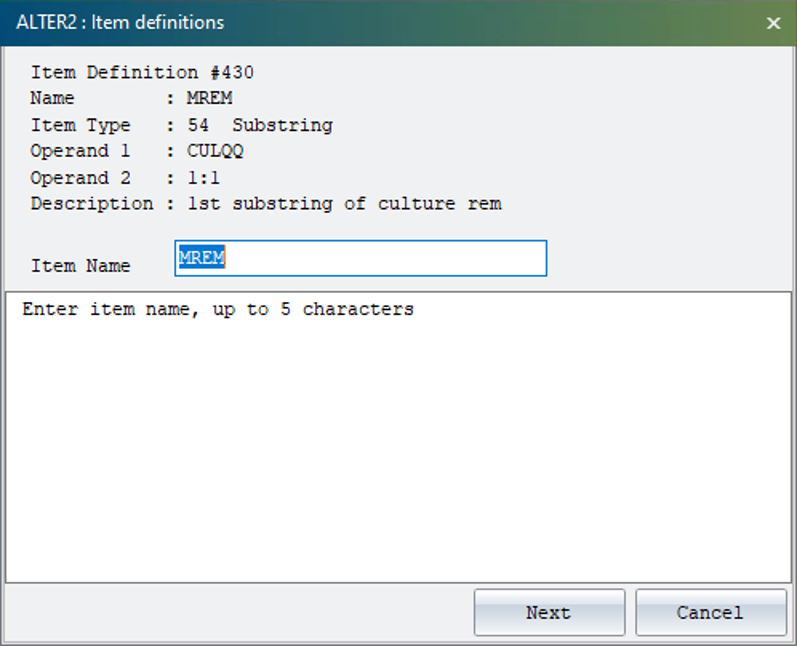
(PCC-1047, PCC-1026)
Bug Fixes
- Add Batch/Expert Batch: An issue that occurred when you used Add Batch followed by Expert Batch has been addressed. The last animal added no longer shows as a transaction. (PCC-1047, PCC-1024)
- Clear Row function in breeding grids: The Clear Row function now works as expected in breeding grids. (PCC-1047, PCC-1025)
- Outdated alert code: We removed older messaging code to prevent an alert that was triggered for some users. (PCC-1047, PCC-1044)
Pocket CowCard for Android - Version v2204111607-(2.0.6.20-rc)
Build Date: April 11, 2022
Release Date: April 12, 2022
Enhancements
- Improved Android 11+ performance: PCC now installs to and runs from device storage on Android 11 or 12 devices. This greatly improves app performance and speed on Android 11+ devices, including faster worklists and RFID scanning. If you are running Android 11+, you will be prompted to allow Pocket CowCard to manage all files on your device. Be sure to update this system setting to Allow access when prompted.

See Manually Update Pocket CowCard on your Android Device to learn more about updating the app. (Pocket CowCard‑999, Pocket CowCard‑1029, Pocket CowCard-1030, Pocket CowCard-1034)
- New backup options on Android 11+ devices: Android 11+ devices are now equipped with backup options to make sure your transactions are saved in case your device fails or is damaged. To set your recovery options, go to Settings and scroll down to the Allow backup of transactions checkbox. Check the box and then tap PCCRecovery location to set the folder.
See Backup Pocket CowCard Transactions to learn more! (Pocket CowCard‑999)
-
One-time Sync Settings option on Android 1+ devices: Pocket CowCard supports a one-time sync of your settings from the SD card when you upgrade the app on your Android 11+ devices. After the one-time sync, the app retains your settings for future updates automatically. Tap the Sync Settings option. Then tap the Copy Settings button and Yes to confirm.
A message displays to confirm the sync was successful. Press and hold the Restart Pocket CowCard option to restart the app.
 NOTE: If you attempt to Sync the Pocket CowCard settings a second time, the app will notify you that settings files were Not detected. This is due to the fact that the files were already transferred from the SD card to device storage.
(Pocket CowCard-1034)

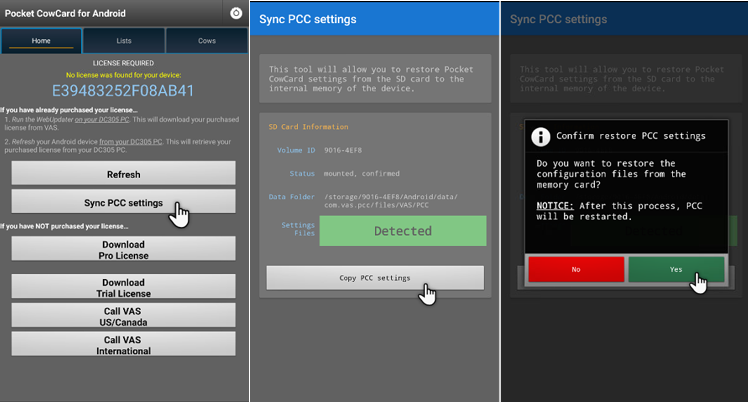
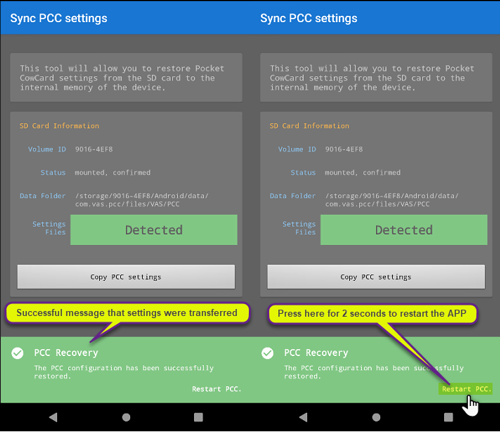
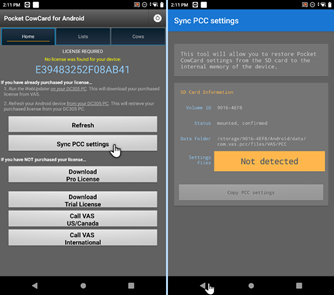 Bug Fixes
- Reboot required after an update: A reboot is no longer required after an app update on most devices. We're continuing to investigate rare cases where a reboot may still be needed. (Pocket CowCard‑1034,Pocket CowCard-1040)
Pocket CowCard for Android - Version v2203161622-(2.0.5.13-rc)
Build Date: March 16, 2022
Release Date: March 22, 2022
Enhancements
- Improved BATCH numeric keypad visibility – Pocket CowCard‑1032, Pocket CowCard‑1027: The numeric keypad used for BATCH entries is now easier to see and use in direct sunlight. The keypad background is dark and the numbers are white for greater contrast.

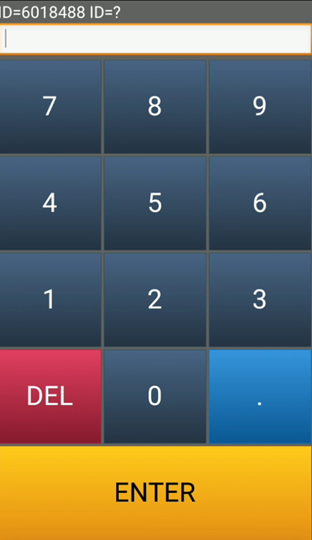 Bug Fixes
- Pop-up message Yes/No button size fix – Pocket CowCard‑1032, Pocket CowCard‑1023, Pocket CowCard‑1018: The Yes/No buttons on pop-up messages now adjust based on the device being used.
- Error on Scan button for internal RFID readers – Pocket CowCard‑1032, Pocket CowCard‑1021: Addressed issues and errors on devices with internal RFID readers, including the PAC-5000 and CopperNic C-One2.
Pocket CowCard for Android - Version v2202151900-(2.0.4.2-rc)
Build Date: February 15, 2022
Release Date: February 22, 2022
Enhancements
- Improved home screen navigation – Pocket CowCard‑1014, Pocket CowCard‑276: Navigating the home screen has been improved. A pop-up message now appears when clicking the back button in the action bar.
- Online release note link improved – Pocket CowCard‑1014, Pocket CowCard‑976: The tab to the Changelog has been changed so that now it links to the online release notes (since the Changelog has been deprecated on the PCC HELPDESK server). You must be connected to the internet to view the online release notes.
- Users now being warned about support ending for Android 6 devices – Pocket CowCard‑1014, Pocket CowCard‑998: We have begun the process of notifying users through the In-App-Updater feature in Pocket CowCard that we will no longer be supporting Android 6 (API level 23 or lower) devices after 8/15/2022 for Pocket CowCard Android. Please upgrade or replace these devices going forward after August 15th, 2022. Contact your support specialist for more information.
Bug Fixes
- The "Prompt for remark Y/N" option in Alter\7 for protocols has been fixed – Pocket CowCard‑1014, Pocket CowCard‑995: The prompt was not working when set to "N" for both cows and heifers. This issue has been fixed so that the remark prompt no longer appears when the Alter\7 setting is set to "N" for cows or heifers.
- Fixed the following error mesage: Fatal Exception: java.lang.NumberFormatException For input string: "118." on KeyPadWidget.java line 183" – Pocket CowCard‑1014, Pocket CowCard‑996: Fixed a situation in which someone would tap in a period (.) after a number on the herd id keypad.
- Fixed sorting of the DONE Panel – Pocket CowCard‑1014, Pocket CowCard‑1017: The DONE Panel was sorting from oldest to newest scan time on worklists, instead of the correct method of sorting from newest to oldest time. This issue has been fixed.
- Smaller YES-NO prompt on Android 11 devices when using the Breeding Grid – Pocket CowCard‑1014, Pocket CowCard‑997: The small box size for this area of the app has been fixed.
- Fixed automatic numeric increment and creation of ADD Batch commands – Pocket CowCard‑1014, Pocket CowCard‑1002, Pocket CowCard‑1002: We fixed an incrementing issue for ITEM TYPES that are integer based in EXPERT BATCH commands and fixed an issue with ADD batch commands not making transactions.
- The In-App Updater reported some crash details – Pocket CowCard‑1014, Pocket CowCard‑1019, Pocket CowCard‑1020: Some issues reported in Firebase from the In-App Updater have been fixed.
Pocket CowCard for Android - Version v2201121734-(2.0.3.38-rc)
Build Date: January 12, 2022
Release Date: January 12, 2022
Enhancements
- The In-App Updater now ensures updates are not installed until unposted transactions are delivered – Pocket CowCard‑991, Pocket CowCard‑989: We have improved the In-App Updater process to check for unposted transactions before announcing any updates are available. Once you have delivered transactions, you will see a notification to apply an update (Picture 1). A message appears when you have no pending transactions to deliver (Picture 2):
Picture 1
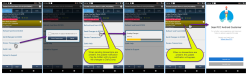
Picture 2
- Show SIRE ID, SHORT NAME, REG, and eventually semen sort when picking a sire for BRED event and Breeding Grid – Pocket CowCard‑991, Pocket CowCard‑307: We have improved the search functionality for selecting sires in the BRED event. When using the Quick Pick Sire selection, you will see four pieces of information (SIRE ID, SHORT NAME, ISO IDENTIFICATION, and SEMEN TYPE) for each service sire. When searching, the filter shows the sire information as it is typed; the beginning part of the sire data item is used for the search. You can search for SIRE ID, SHORTNAME, or ISO IDENTIFICATION. See examples below.
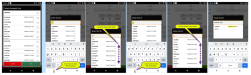
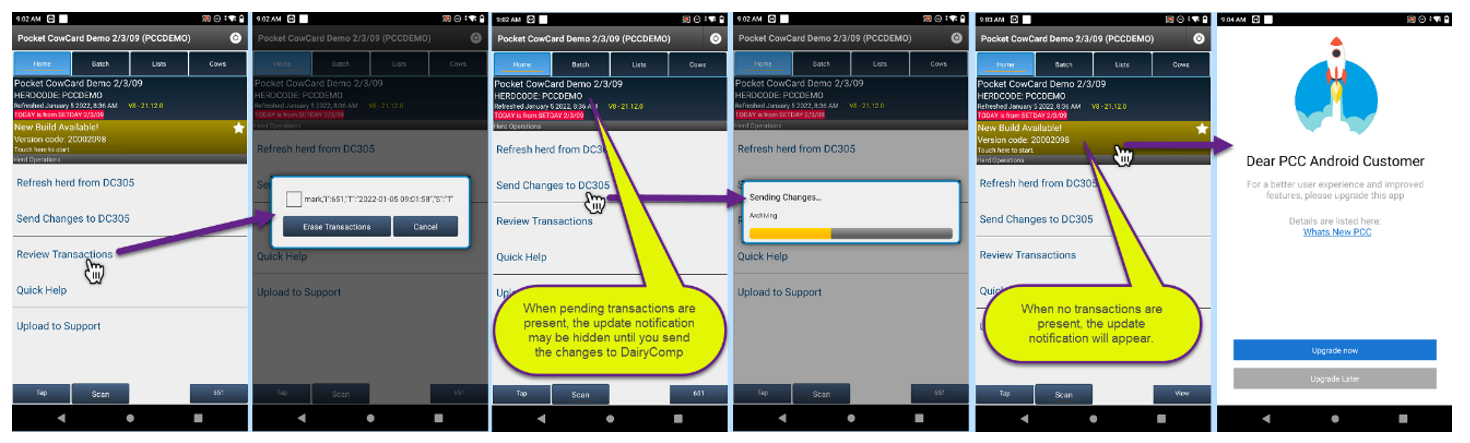
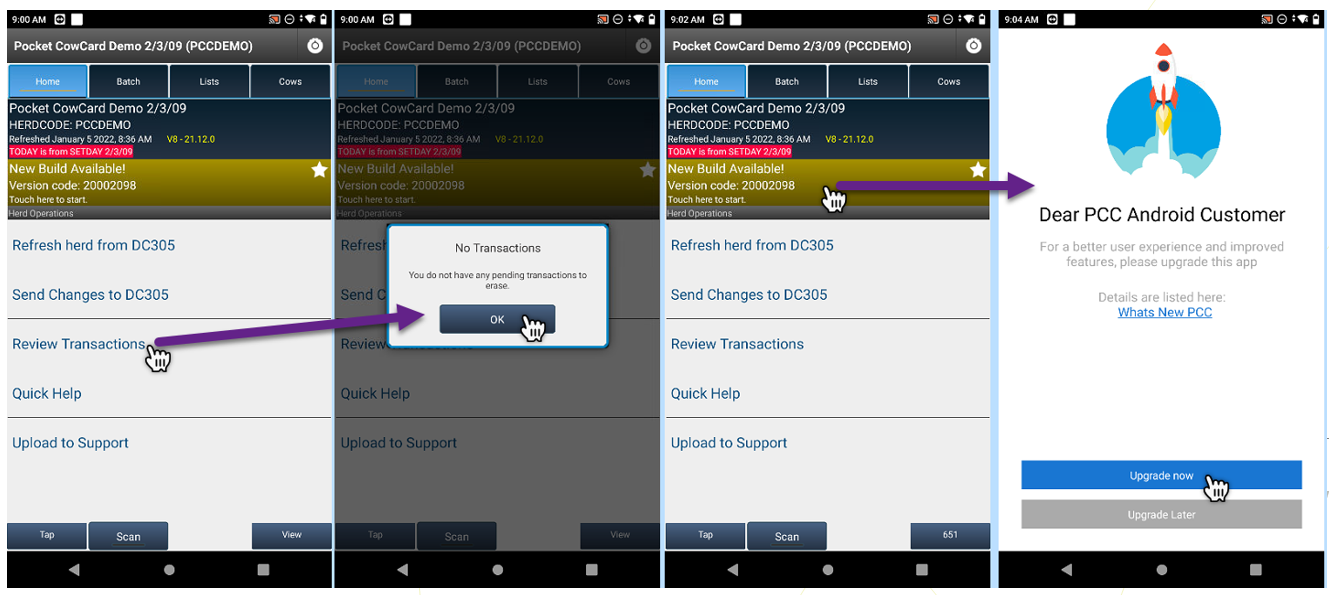
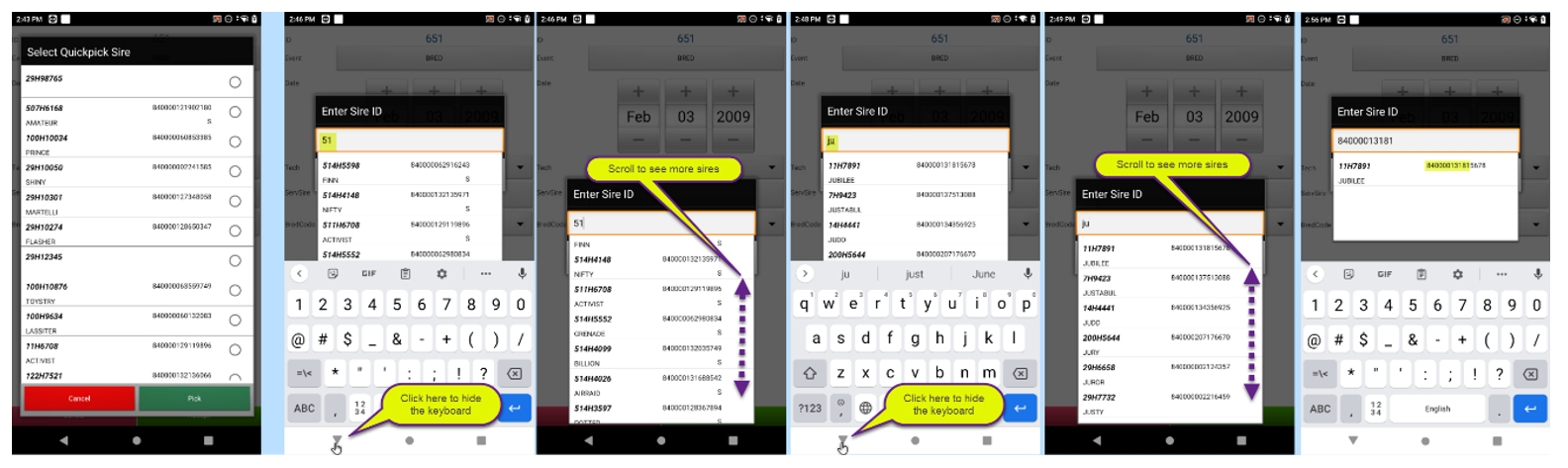 Bug Fixes
- ABORT entry on Pocket CowCard vetlist should show grey "Accept" button until RPRO Status is selected – Pocket CowCard‑991, Pocket CowCard‑986: This issue has been fixed so that you cannot accept an ABORT event until the RPRO STATUS is selected. Once the RPRO STATUS is selected the "Accept" button turns green.
- Wrong Pen unable to pick any pen, only those with animals from the worklist – Pocket CowCard‑991, Pocket CowCard‑971: The pen choice prompt has been fixed so that you can choose any pen defined in the ALTER\4 command in DairyComp (except for pen zero).
- Crash report for "MainActivity.java line 35" – Pocket CowCard‑991, Pocket CowCard‑983: We have fixed some crashes reported recently by Firebase.
- No warning for HOSPITAL events in the future – Pocket CowCard‑991, Pocket CowCard‑948: We have fixed the app so that it now warns when a PROTOCOL EVENT is dated after the SETDAY date used on a refresh. The app now plays the following sound: WARNING. TREATMENT DATE is in the future. Check your systems. Click here to hear what this message sounds like.
- Investigated two crash errors (line 308 and line 1620) – Pocket CowCard‑991, Pocket CowCard‑988: We have fixed some crashes reported recently by Firebase.
- Changed color or Accept/Cancel button font on ABORT event – Pocket CowCard‑991, Pocket CowCard‑658: The font color on the ABORT event has been changed to match the rest of the events.
- Item names for SIR1, SIR2, SIR3, as well as the phrase "Last Sire use the name of item #25" were missing when picking up the breeding sire – Pocket CowCard‑991, Pocket CowCard‑690: We have fixed the labels for some of the sire items on the BRED EVENT FORM.

- Expert Batch Command form for automatic increment of a value was broken in certain syntaxes – Pocket CowCard‑991, Pocket CowCard‑993: We fixed the auto increment issue for items like USDA inputs. Example: 93VAS0001++

Pocket CowCard for Android - Version v2112070820
Build Date: 12/07/21
Release Date: 12/07/21
Enhancements
- New in-app update feature to replace current, non-working process – Pocket CowCard‑978, Pocket CowCard‑932: We've created a new method for being notified about and downloading the latest Pocket CowCard releases, along with a link to the associated release notes. Other download pathways will be deprecated in the future.

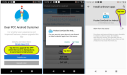
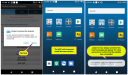
- Parity support for Scan Device ID now available – Pocket CowCard‑978, Pocket CowCard‑686: You can now identify your Android device with a number from 0 to 250 in order to mark tasks for animals by the device used. This new feature allows you to define the Scan Device ID (SCDID) "item name" under the ALTER\2 and SERVER\3 areas of DairyComp. Then, on your Pocket CowCard Android app, set a number of 1 to 250 (zero being the default) under the settings screen, as shown below.IMPORTANT: The ability to use this parity feature requires the upcoming December release of DairyComp, version 21.12.

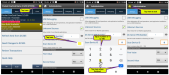
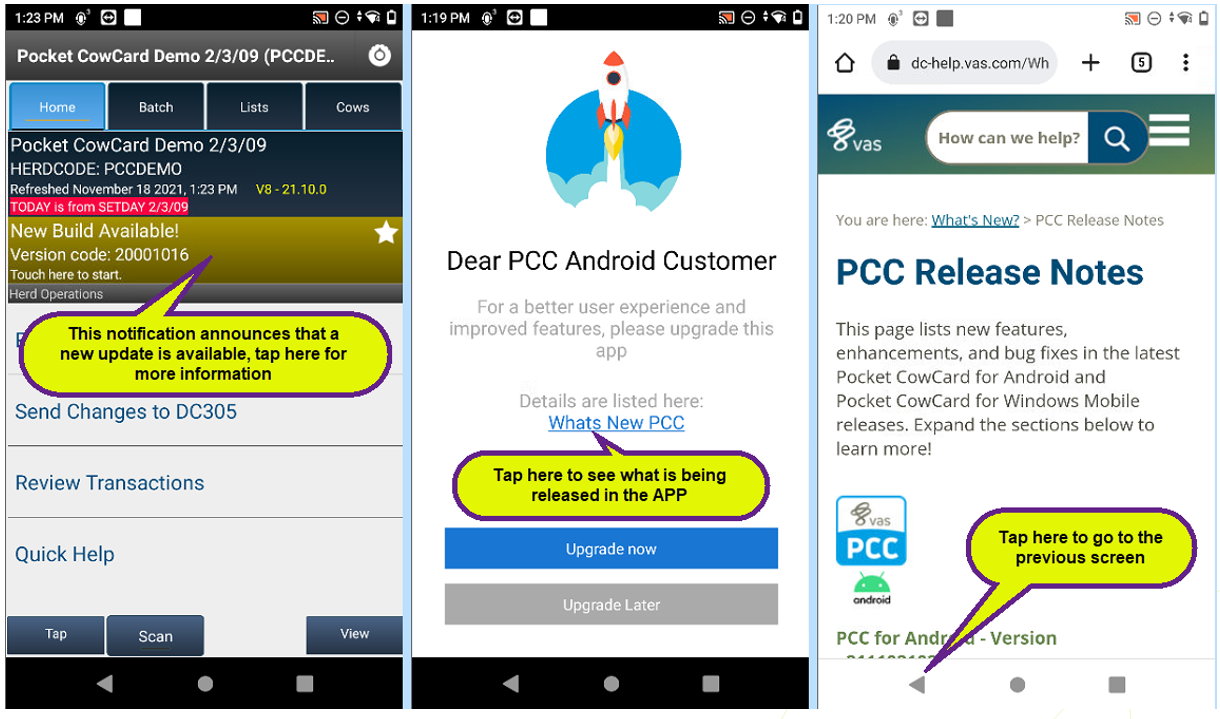
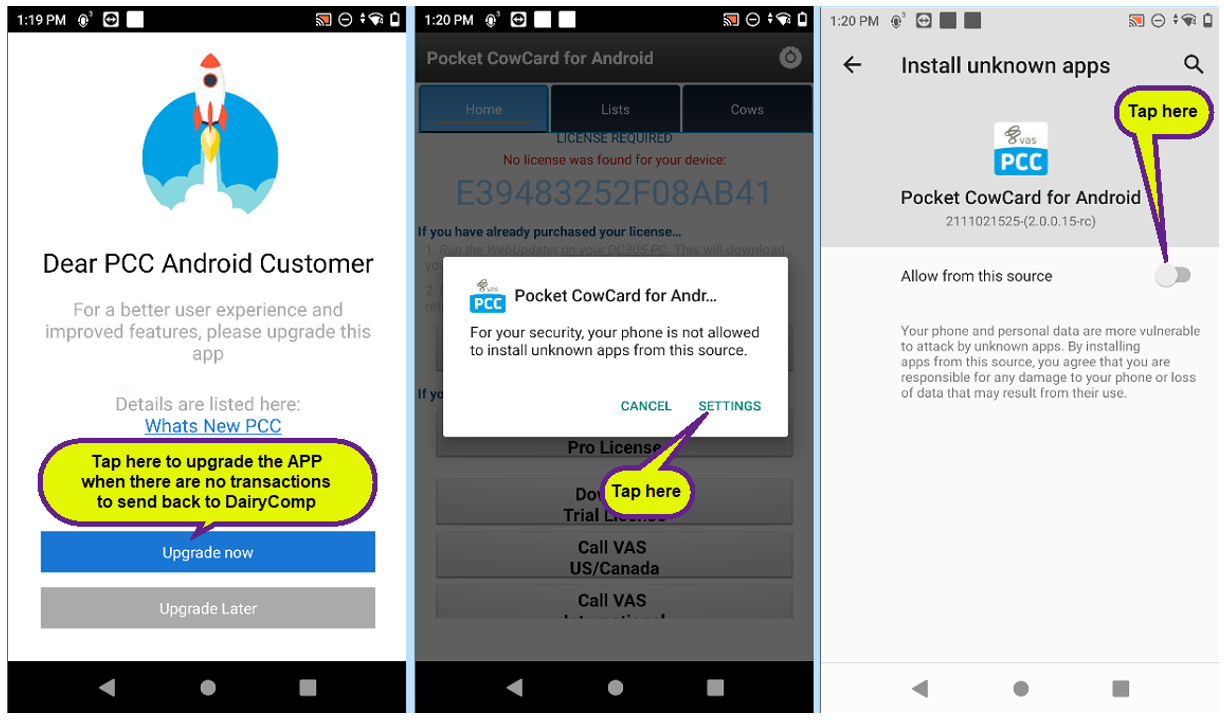
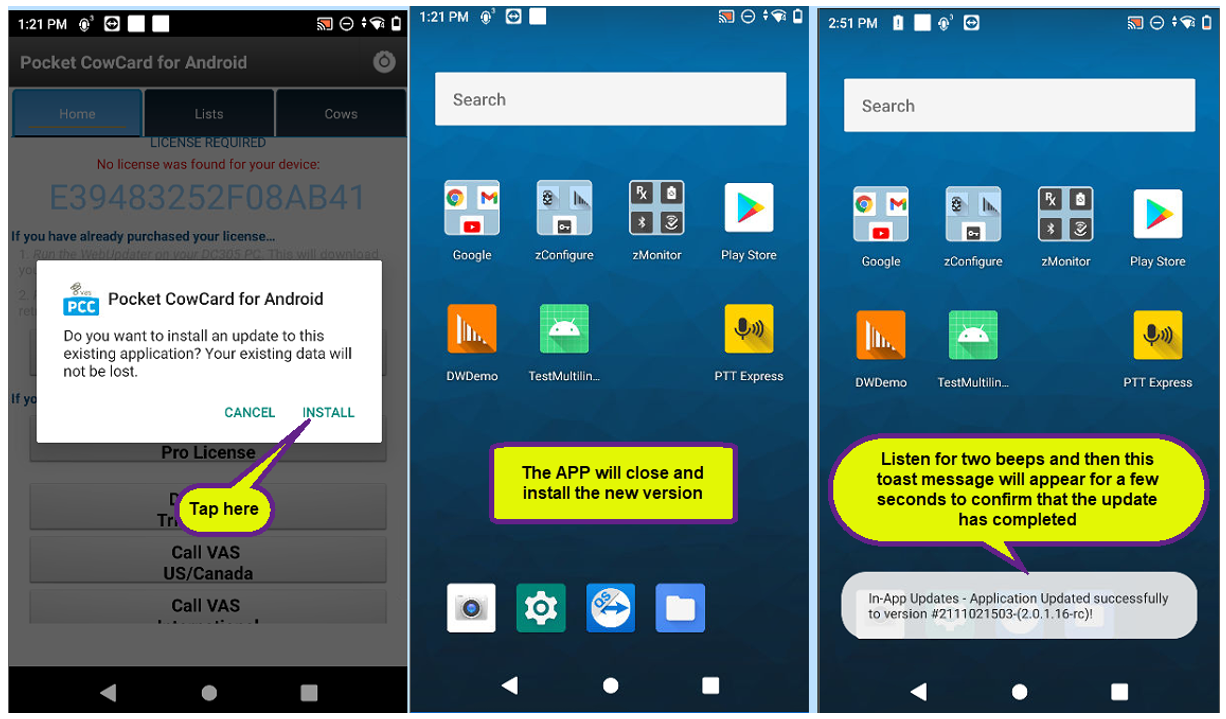
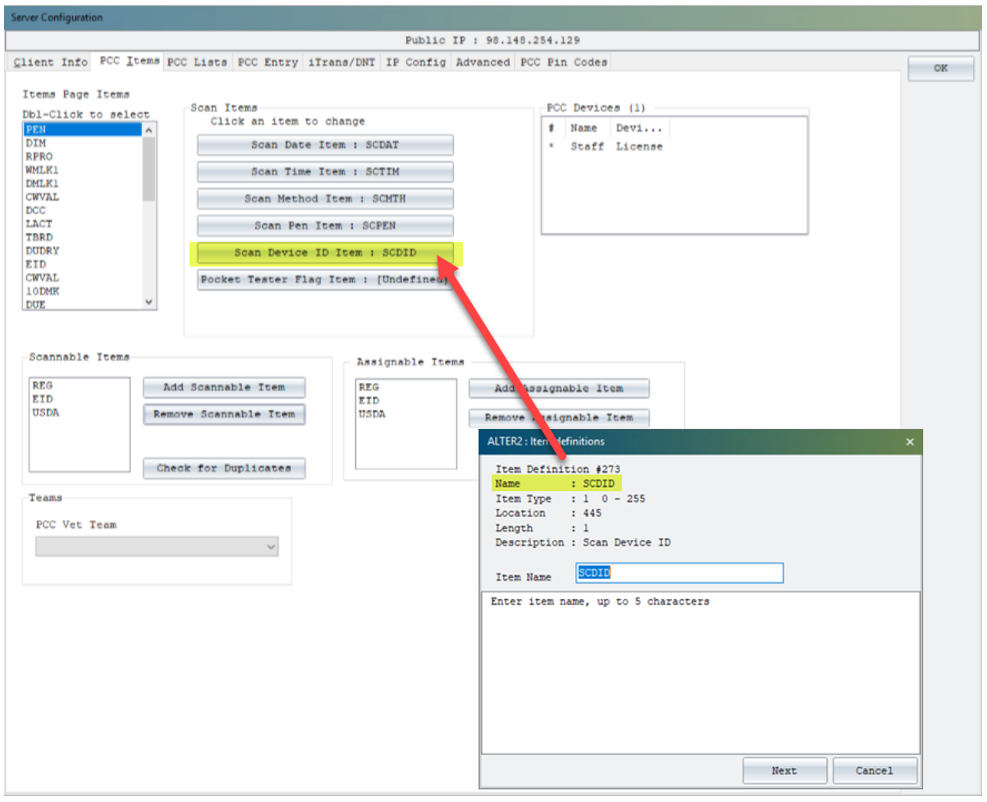
 Bug Fixes
- Entering a BRED event from the CowCard within a vet form caused "wrong" data line in journal file – Pocket CowCard‑978, Pocket CowCard‑847: This issue has been fixed so that herds without defined breeding codes can enter breedings anywhere within the app where breeding entries can take place. The previous release did not allow breeding to occur without a breeding code.
- Tap feature of bottom status bar unavailable on pen tab when four animals shown – Pocket CowCard‑978, Pocket CowCard‑920: This issue has been fixed so that the bottom navigation bar allows you to tap in an animal ID when the list gets down to four animals.
- App crashed when using vet lists – Pocket CowCard‑978, Pocket CowCard‑969: We fixed several lines of code related to the crash details reported in Firebase. Please note that we have no easy way to test or replicate these changes. We need to wait and see if the crash details stop reporting with the changes that have been made.

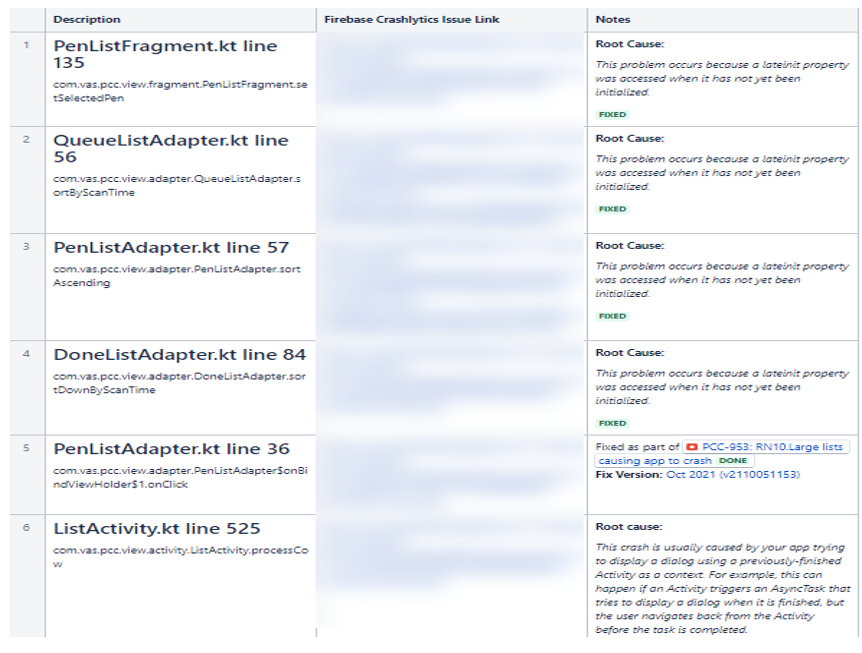
Pocket CowCard for Android - Version v2111021024
Build Date: 11/02/21
Release Date: 11/02/21
Enhancements
- Improved identification process for 15-digit ISOs – Pocket CowCard‑967, Pocket CowCard‑966: The user experience for identifying ISOs that start with 0 (zero) has been enhanced.
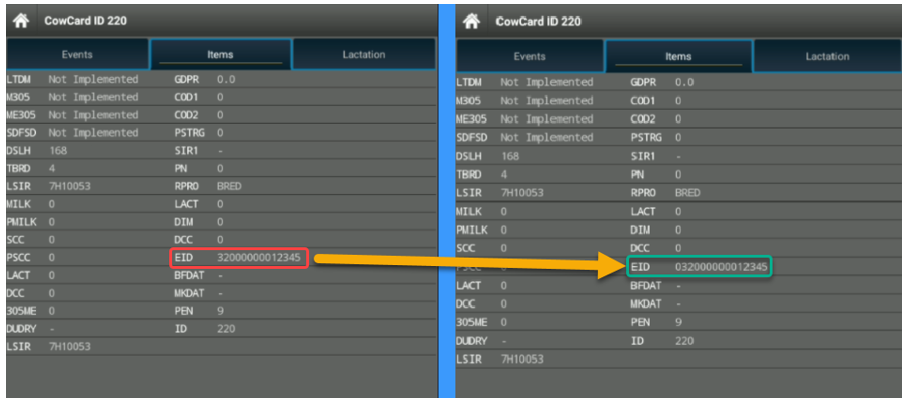 Bug Fixes
- Improved process for marking animals as DIED – Pocket CowCard‑967, Pocket CowCard‑797: The process for marking an animals as DIED when refreshing the herd with a non-current setday has been improved. Now, users can bypass the acknowledge prompt by clicking outside of it or by using the Android back button.
- Entering a Bred event from the CowCard inside of the VETFORM caused a "wrong" data line in the journal file – Pocket CowCard‑967, Pocket CowCard‑847: This issue has been fixed so that herds without defined breeding codes can enter breedings anywhere within the app where breeding entries can take place.
- Russian localization issue on Pen Validation button – Pocket CowCard‑967, Pocket CowCard‑949: A display issue has been fixed that impacted the settings screen for Russian localizations.
- Small YES/NO button for some Android versions – Pocket CowCard‑967, Pocket CowCard‑944: A modal screen issue has been fixed that resulted in small YES/NO buttons on Pocket CowCard APK for Android 11 and some Android 10 units.

- Added support for ITEM TYPE 121 – Pocket CowCard‑967, Pocket CowCard‑944: We fixed the app implementation for showing weekly milk totals (WMLK1) for 4X milking schedules.

- Worklist Column ID view crash issue – Pocket CowCard‑967, Pocket CowCard‑972: An issue caused the app to crash when viewing worklists in the Column ID view. This problem was introduced in version 2110051153 on October 5, 2021 but has now been corrected.
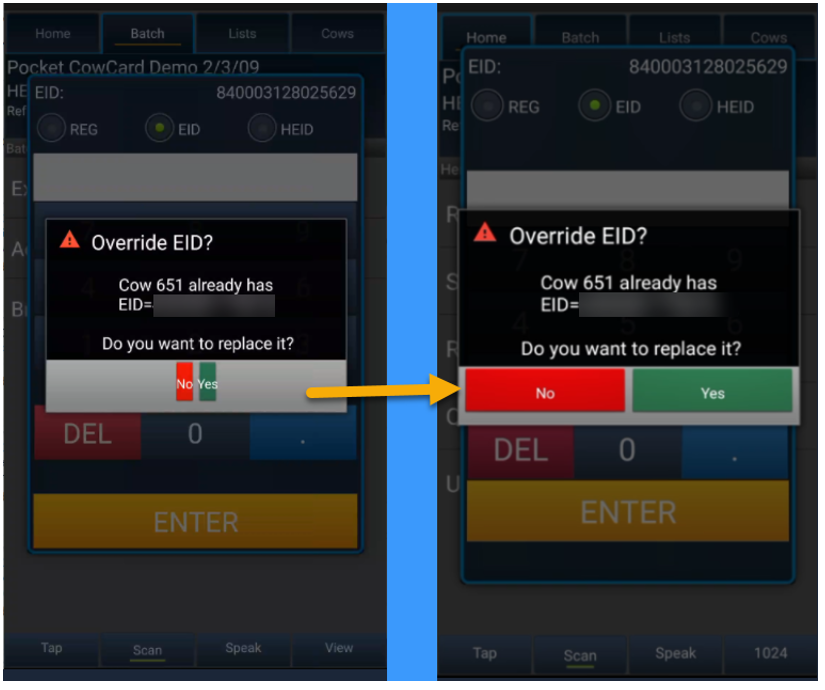
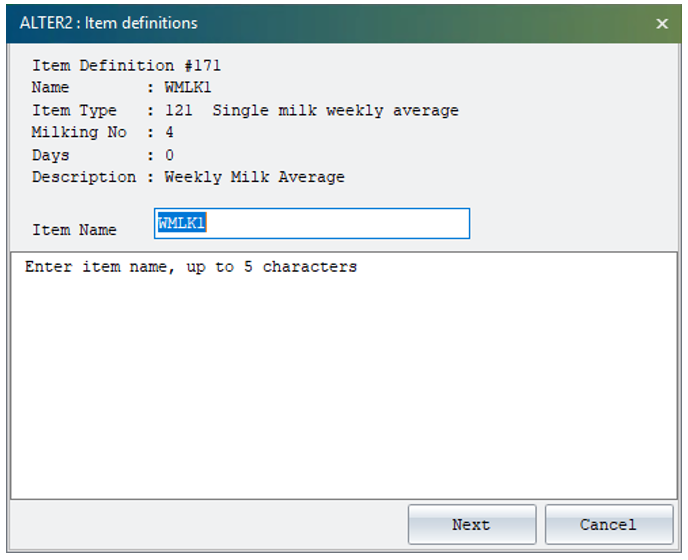
Pocket CowCard for Android - Version v2110051153
Build Date: 10/05/21
Release Date: 10/05/21
Enhancements
- Improvement to new animal records creation procedure – Pocket CowCard‑959, Pocket CowCard‑956: The app has been improved to no longer create records of new animals found while RFID scanning in the LISTS and COWS tabs. These transactions will now be held in the SERVER cache of DairyComp for review, as is done in the BREEDING GRID area. These changes now match more closely how Pocket CowCard Windows Mobile handled these types of entries. We are allowing EXPERT batch to add them to the herd, because many users have not yet migrated to ADD\Z since that parity was added about two years ago.
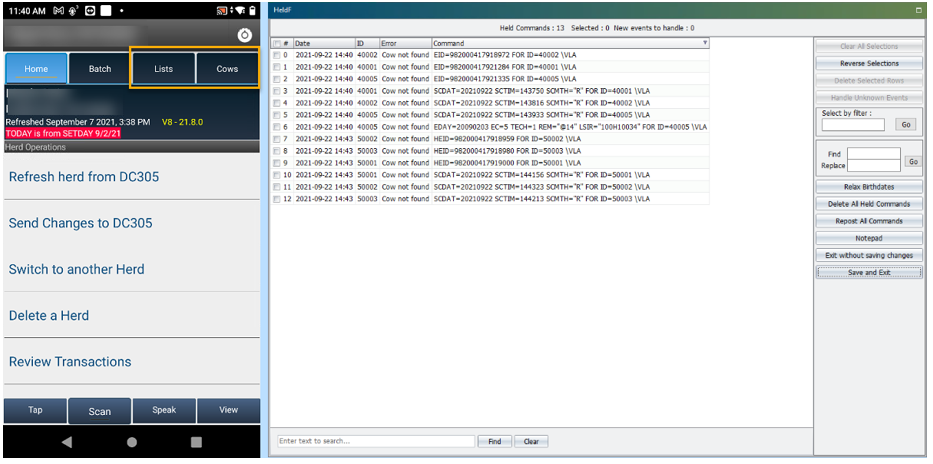 Bug Fixes
- Pocket CowCard scan failed to recognize item #5 when posting data – Pocket CowCard‑959, Pocket CowCard‑955: An issue has been fixed in which the term "EID" was transmitted instead of the RFID item selected (such as "CREG" or REG1") during an ADD/EXPERT batch routine to add new records.
- App crash when selecting "No" button in the "No Read Permission" window – Pocket CowCard‑959, Pocket CowCard‑961: An issue has been fixed related to app startup and the PIN code feature introduced a few months ago that caused the app to crash in some instances.
- App crash in Firebase PCCService.java line 119 – Pocket CowCard‑959, Pocket CowCard‑958: An area of the app related to some crash recently reported by users has been fixed. This area is difficult to test and our hope is that these changes have solved the problem.
- App crash related to large worklists on certain devices running Android 11– Pocket CowCard‑959, Pocket CowCard‑953: The part of this issue that caused the app to crash while waiting for large worklists to synchronize has been fixed. Previously, the delay might have led users to think that the app was not working. A spinner notification now informs users that the app is working while data is being surfaced the first time after a refresh. The speed issue will be addressed in a future release. For now, the app should no longer crash while data is being surfaced.

Pocket CowCard for Android - Version v2108241329
Build Date: 08/24/21
Release Date: 08/24/21
Enhancements
- Changed "PING" sound to "HORN" sound for found animals – Pocket CowCard‑950, Pocket CowCard‑947: The "PING" sound used to announce found animals under the Cows tab or when using Expert Batch has been changed to a "HORN" sound. This was done to make the sound easier to distinguish from sounds made by BT Scanner. The long-term goal is to allow users to place their own sound file preference into the workflow.
 Bug Fixes
- ISO tags beginning with 0 (zero) failed to record properly in DC305 – Pocket CowCard‑950, Pocket CowCard‑925: Fixed the ISO values that look like an integer of 14 digits to include a 0 at the beginning. For example: 032123456789012 would store as 32123456789012 and DC305 would sometimes show it as 320123456789012.
- Scannable RFID items display choices were changed to RFID assignable item choices – Pocket CowCard‑950, Pocket CowCard‑924: Fixed an issue where SCANNABLE ITEMS choice were displayed instead of the ASSIGNABLE ITEMS choice when scanning in the app.IMPORTANT: Users CANNOT exclude ITEM #5 from being scanned, and it is recommended that users DO NOT select ITEM #4 (when it is a TYPE #31) as an ASSIGNABLE or SCANNABLE item in order to maintain genomic import routine mappings and milk meter interfaces. Best practice is to maintain a match of each item on each side for RFID assignments.
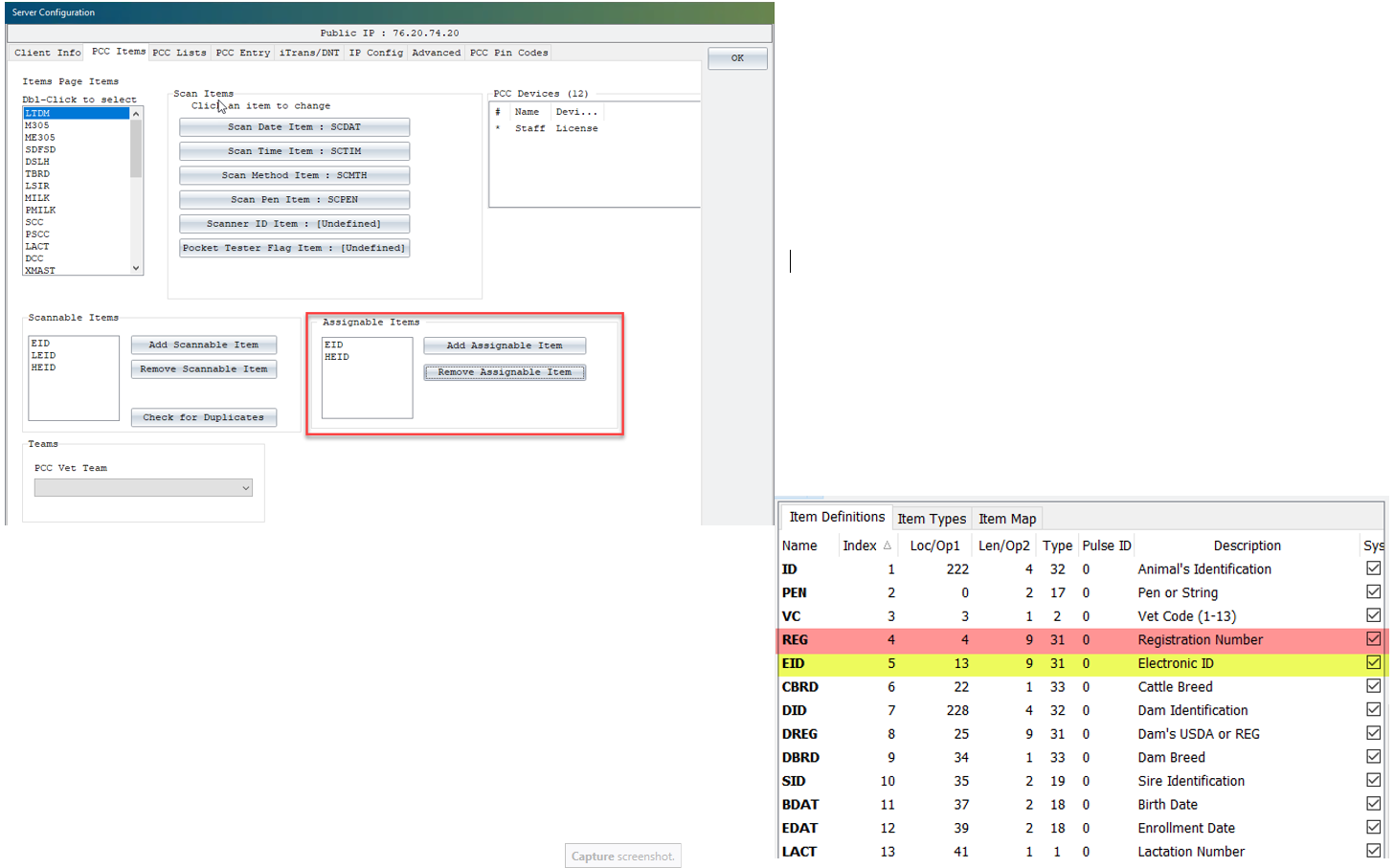
Pocket CowCard for Android - Version v2107201313
Build Date: 07/20/2021
Release Date: 07/20/2021
Enhancements
- Added support for turning back on Pen Validation from the Settings menu – Pocket CowCard‑930, Pocket CowCard‑846: The "Don't ask me again" selection for Pen Validation routines has been changed so that the Pen Validation feature can now be reset from the Settings menu.
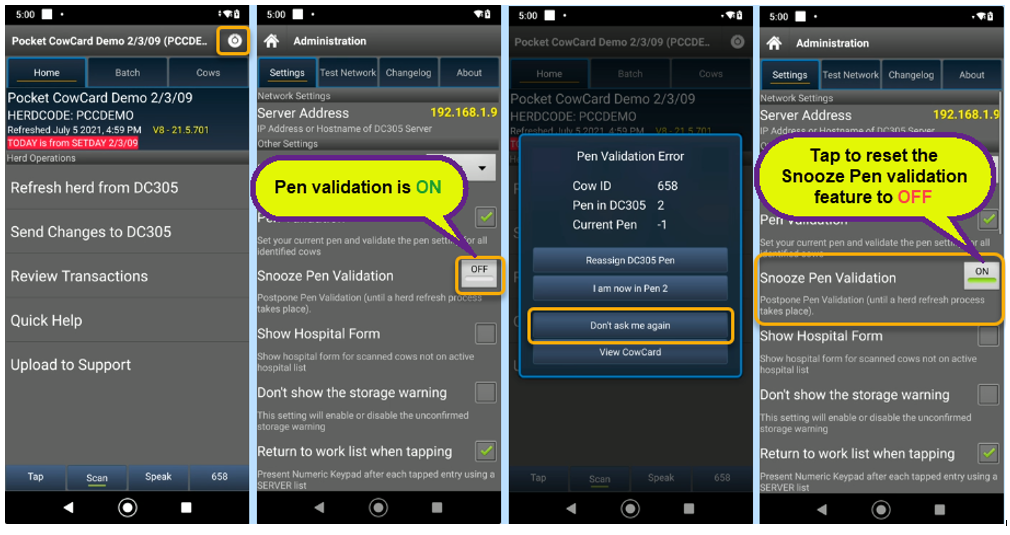 Bug Fixes
- Fixed several issues regarding scan dates, scan times, scan methods, and pen validations when using the EXPERT BATCH feature and filtering it with lists – Pocket CowCard‑930, Pocket CowCard‑916, Pocket CowCard‑664, Pocket CowCard‑765: All animals now receive pen validation prompts and scan item data inputs while scanning or tapping their IDs, whether or not they are on the filtered list.
- Fixed disappearing "Scan" button when DairyComp PIN codes module disabled – Pocket CowCard‑930, Pocket CowCard‑526: An issue has been fixed in which a SCAN license was unable to scan when PIN codes were disabled for the new PIN codes feature in DairyComp.
- Fixed display of next values for EXPERT BATCH command – Pocket CowCard‑930, Pocket CowCard‑549: An issue prevented the next value to display when using ITEM=nnnn++ or ITEM=nnnn-- on the EXPERT BATCH command. This issue has been fixed so that the next value now shows properly.

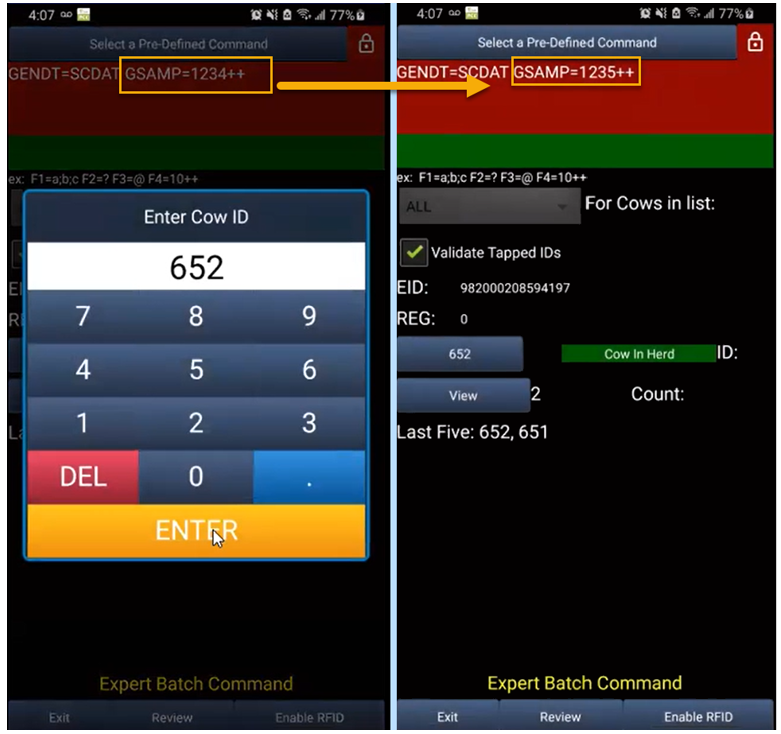
Pocket CowCard for Android - Version v2106081933
Build Date: 06/08/2021
Release Date: 06/09/2021
Enhancements
- Support added for PAC-5000 at higher API levels – Pocket CowCard‑915, Pocket CowCard‑912: With assistance from Allflex, support has been added for their PAC-5000 model at higher API levels. Please note that support for this device and its integrated reader will be deprecated in the next 12 months or so, due to the QA and development time required.
- Show EULA/PP/T&C (aka "DOCS") when updated – Pocket CowCard‑915, Pocket CowCard‑908: Updated versions of the End User License Agreement, Privacy Policy, and Terms and Conditions documents (also known as "DOCS") now display automatically without neededing to reinstall the app when future changes to these documents occur.
- Set up automatic Enter key selection for imager scans – Pocket CowCard‑915, Pocket CowCard‑763: When using devices equipped with a data wedge feature (such as the Zebra TC-52), an improvement has been made to automatically select the Enter key for Export/Add Batch commands after receiving an imager scan into the batch field. For details on how to configure a Zebra device to send an Enter key, contact EQ support. The flowchart below shows how this feature is set up on a Zebra TC-52.
- Sound added to Expert Batch/Add Batch commands – Pocket CowCard‑915, Pocket CowCard‑913: An improvement has been made so that a "PING" sound is now emitted when a batch field is ready for input upon executing Expert/Add Batch commands. This now matches the PCC Windows Mobile experience. This "PING" sound also replaces the "FOUND HER" sound played under the Batch and Cows tabs.

- Support added for DairyComp PIN codes – Pocket CowCard‑915, Pocket CowCard‑907, Pocket CowCard‑906: With the move to support higher versions of Android API levels, the device IDs of Android devices may change. This can cause issues for users that want to control who can refresh their DairyComp at will.
If you are using “Goodwill Certificates” with DairyComp, you do not have to do anything more. With the May 2021 release of DairyComp (version 21.5), Pocket CowCard Android can now be set to use PIN code permissions set in DairyComp. PIN codes will not affect Windows Mobile users; those users still need to be managed as usual.
To locate this feature in DairyComp, enter SERVER\3 in the command line and select the PCC Pin Codes tab. You can set up various users with a numerical PIN code of 1 to 999999. You can be granular to each device or not. DairyComp PRO users that visit your site should be given a PIN code to use across several sites, as PIN codes are saved per device.

Be sure to select the option to Require PIN Codes for using PCC-Android if you want to control which users of Pocket CowCard Android can refresh. More information on setting up PIN codes for Pocket CowCard Android devices is included below in the release notes.
There are three levels of access for Pocket CowCard users (assuming they are on the current releases for both DairyComp and Pocket CowCard Android), as well as a level for blocking access:
- Read/Write: User has full features, can scan with RFID, and enter data.
- Read Only: User can see animal data but cannot enter or send data.
- Pocket Breeder: User is limited to the Breeding Grid under the Batch tab, has no access to lists, and can enter a subset of events.
- Blocked: A way to stop access by a user without deleting their credentials. User will be unable to refresh, and users without a matching PIN code will also be unable to refresh.
For more information on setting PIN codes, see this video.
- Input and store PIN codes on refresh (for DairyComp Unlimited users) – Pocket CowCard‑915, Pocket CowCard‑906,Pocket CowCard‑907 : DairyComp Unlimited users can now control who refreshes from the DairyComp Server, using a PIN code in the Pocket CowCard app that's set up under the Settings menu.

Additional Notes:
- Pocket CowCard PRO Android users that update will need to get permission from a customer that chooses to use this feature.
- Only one PIN code is stored, so users of multiple sites need to coordinate a unique 6-digit PIN code that can be used at each location they visit.
- PIN code activation does not affect users of Pocket CowCard Windows Mobile or older versions of Pocket CowCard Android. Those APK versions will eventually expire.
- By default, the PIN code is set to zero (0). One cannot refresh with a DairyComp Server that has a PIN code activated if the device PIN code is set to zero (0).
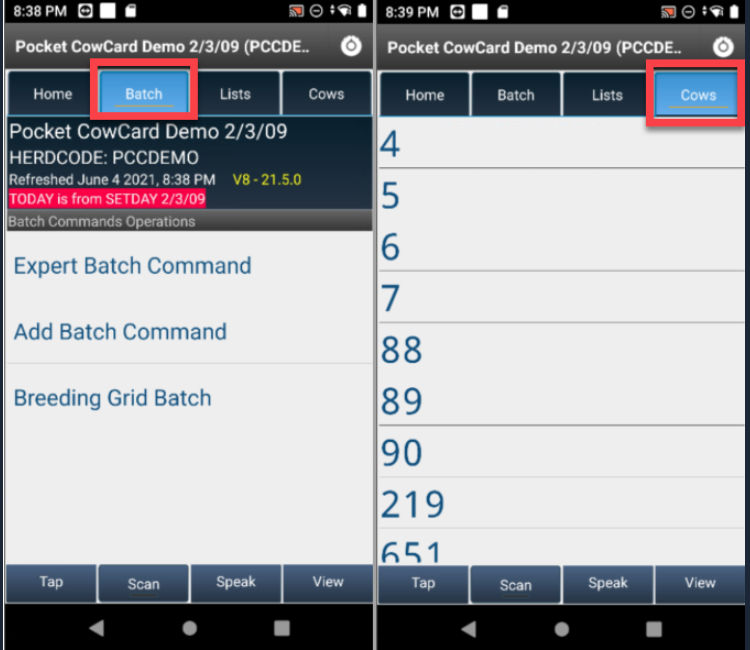

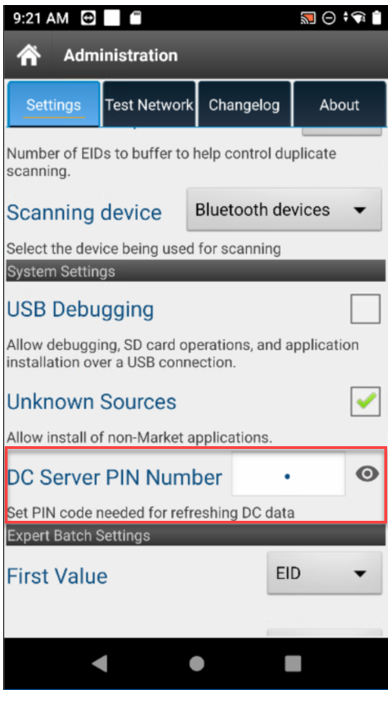 Bug Fixes
- Fixed issue with displaying newly added breeding techs – Pocket CowCard‑915, Pocket CowCard‑910: An issue has been fixed in which newly added breeding technicians failed to display within the Breeding Grid unless the app was deleted and then reinstalled.
- Fixed issue with movement of animals between TODO and DONE tabs – Pocket CowCard‑915, Pocket CowCard‑899: An issue has been fixed in which tapping an animal ID within a worklist failed to move the animal from the TODO tab to the DONE tab.
Pocket CowCard for Android - Version v2105031251
Build Date: 05/03/21
Release Date: 05/03/21
Enhancements
- Warning for Android 5.x users – Pocket CowCard‑905, Pocket CowCard‑874: Users who install the Pocket CowCard app from an unofficial source (i.e., "sideload") onto an Android version 5.x device will receive a "Parse Error" warning message that their device is no longer supported.
- Updated End User License Agreement, Terms and Conditions, and Privacy Policy – Pocket CowCard‑905, Pocket CowCard‑889: When installing the app, please review the latest updates to the legal documentation related to its use.
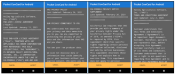
- New PIN code feature coming (for DC Unlimited) – Pocket CowCard‑905, Pocket CowCard‑880, Pocket CowCard‑885: A new PIN code feature is being developed to allow users to control refreshes from their DairyComp server. Additional information about this feature will be provided in the near future. For now, you can view this upcoming feature in the Pocket CowCard Settings menu.

To use this feature with the current version of Pocket CowCard, users must have a goodwill certificate established on the VAS Licensing Server (CURTIS) for their DairyComp Unlimited license.
Additional notes:
- This feature works with the current and future version of Pocket CowCard for Android, but will not function until the upcoming version of DC305 is released (in approximately 4-6 weeks).
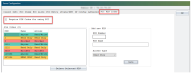
- Windows mobile devices are still supported via the DEMO certificate.
- Pocket CowCard PRO Android users that update will need to get permission from a customer that chooses to use this feature. PIN codes trump Pocket CowCard PRO Android users.
- Only one PIN code is stored, so users of multiple sites need to coordinate a unique 6-digit PIN code that can be used at each location they visit.
- This feature works with the current and future version of Pocket CowCard for Android, but will not function until the upcoming version of DC305 is released (in approximately 4-6 weeks).
- Updated target API level for Android – Pocket CowCard‑905, Pocket CowCard‑873, Pocket CowCard‑898, Pocket CowCard‑881: The API level of the app is being upgraded to support the release of the app in the Google Play Store. In the near future, this method will be used to install and support the app. The previous method will be deprecated due to inefficient notifications and server instability during downloads. This version of the app must be allowed access to the areas shown in the example below.
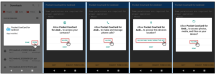
Note that the following screen may be presented after updating the app, showing the permission allowances. In this case, select Continue to proceed.

You can review these permissions under the Settings menu of your device.
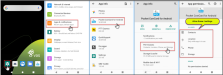
As shown in the example below, these settings can be enabled post-install.
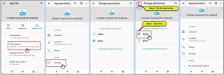 NOTE: During testing, no changes were observed to the device's ID on Android 9 or 10 systems. This may not be the case depending on the model of your device or once the app is live on the Google Play store.
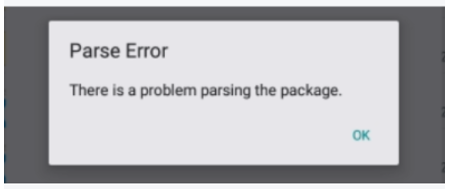
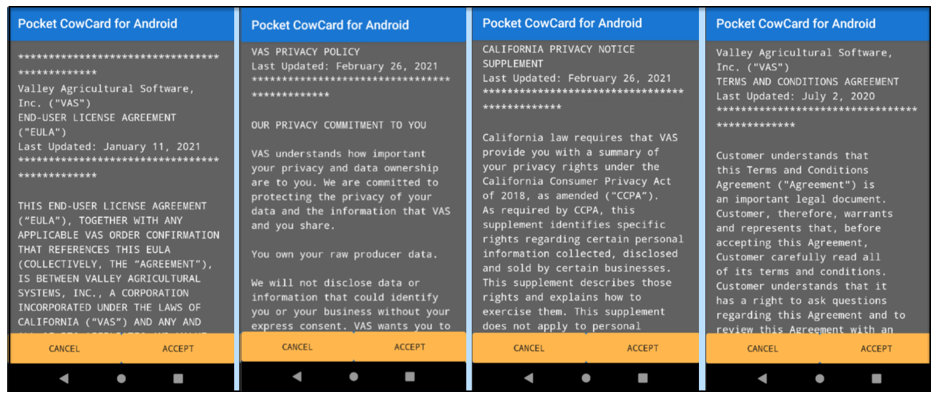
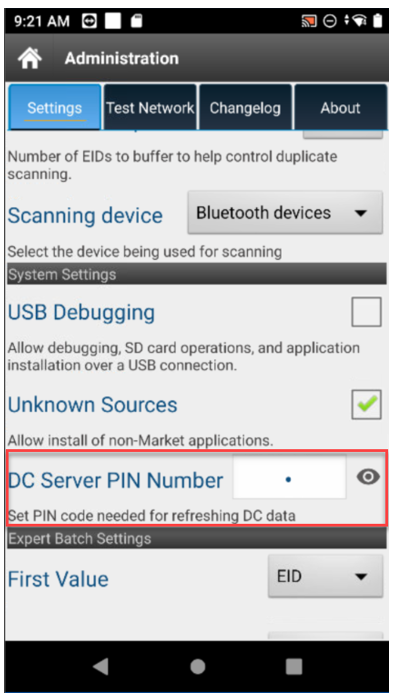
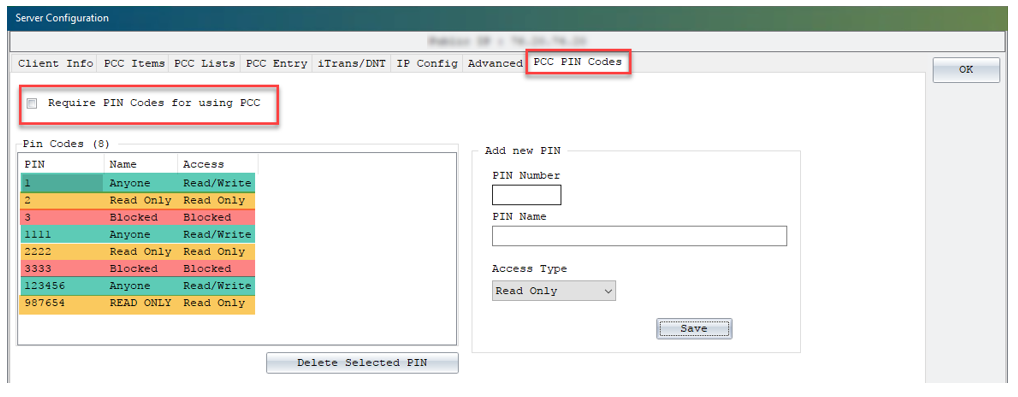
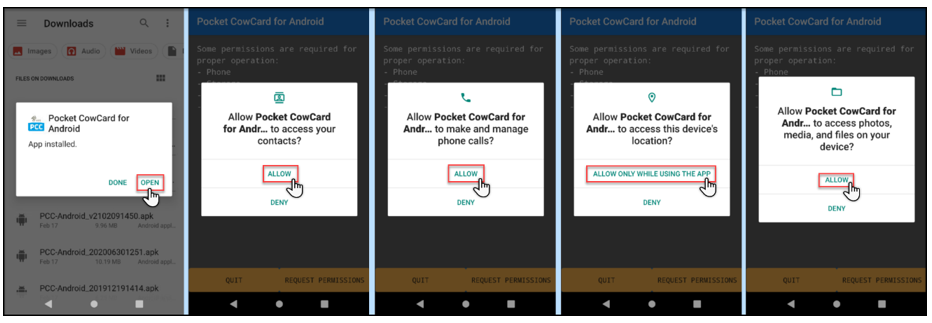
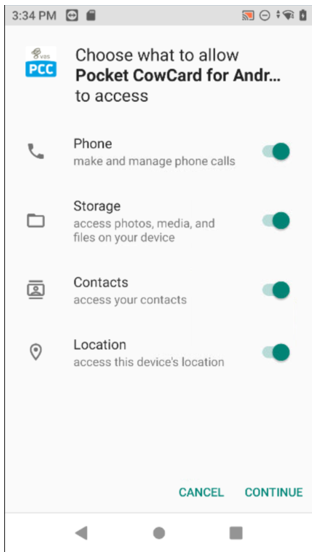
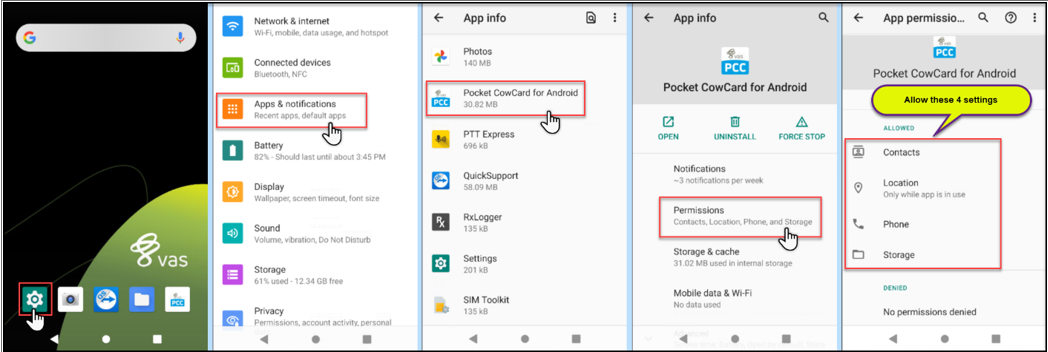
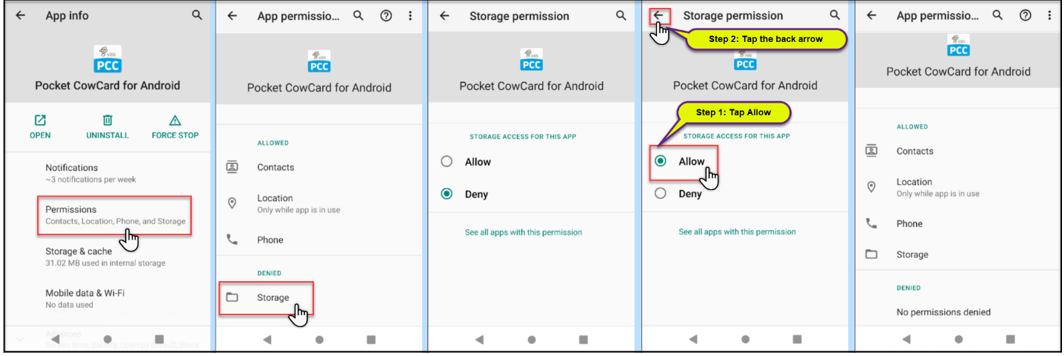 Bug Fixes
- Repaired crashing issue on Administration screen – Pocket CowCard‑905, Pocket CowCard‑898: An issue caused the app to crash when tapping the About tab on the Administration screen. This issue was traced back to the use of PIN codes in the Pocket CowCard settings and has been resolved.
Pocket CowCard for Android - Version v2103191053
Build Date: 03/19/21
Release Date: 03/24/21
Enhancements
- Improved display of protocols on event entry – Pocket CowCard‑887, Pocket CowCard‑541: During event entry, protocols are now shown by display order instead of protocol number order.

- Added support for longer protocol remarks – Pocket CowCard‑887, Pocket CowCard‑873: You can now enter protocol remarks as long as 16 characters. The previous limit was 8 characters.

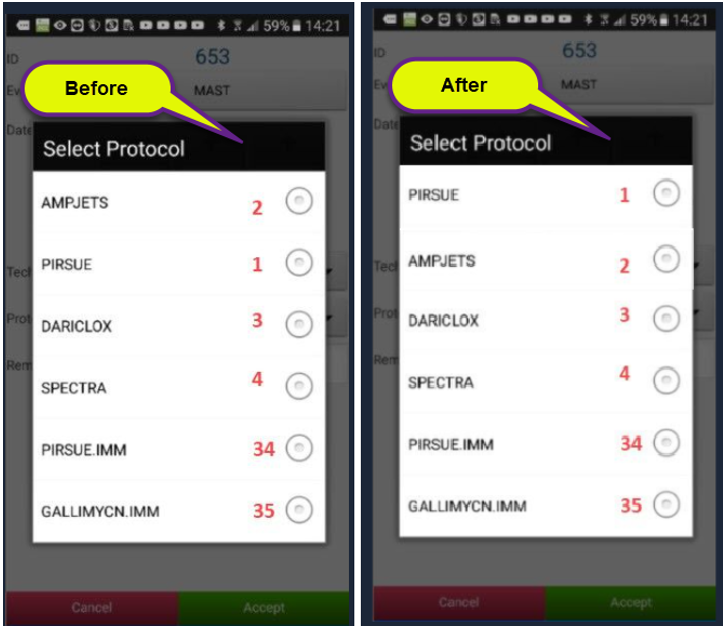
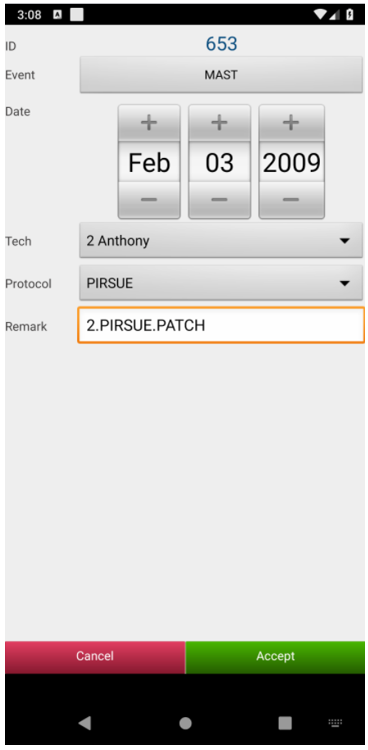 Bug Fixes
- Repaired use of multiple worklists – Pocket CowCard‑887, Pocket CowCard‑541: Users can scan animals across multiple open worklists while not focused on the Cow tab. This provides a "short term" way to combine worklist actions into a single worklist for the long term. Note that this method is considered experimental and may not be sustainable for future versions of the app or for DairyComp mobile.
- Corrected error when scanning with an open prompt – Pocket CowCard‑887, Pocket CowCard‑861: An error occurred within the breeding grid when RFID scanning while a system prompt was open. This issue has been resolved. However, it is still best practice to not scan while a system prompt is open or when inputting data.
Pocket CowCard for Android - Version v2102091450
Build Date: 02/09/21
Release Date: 02/09/21
Enhancements
- Improved animal scanning speed with worklists – Pocket CowCard-878, Pocket CowCard-868: The time it takes to process an animal in a worklist has once again been improved (down from 100 to 35 milliseconds), allowing you to scan more animals in less time with fewer app crashes.

- Updated version of Firebase in the app – Pocket CowCard‑878, Pocket CowCard‑859: The version of Firebase used by the app has been updated from a version previously deprecated by Google.
- Updated End-User License Agreement (EULA) for the app – Pocket CowCard‑878, Pocket CowCard‑866: A revision has been made to the EULA as of January 11th, 2021.

- Show all "day details" on the hospital form – Pocket CowCard‑878, Pocket CowCard‑464: The "Day" field on the hospital form now shows details on event protocols that have designated day details defined after the treatment days of a protocol are complete.
- Pocket CowCard app file available through DC305 Web Updater – Pocket CowCard‑871: Users who are downloading/installing the Pocket CowCard app from an unofficial source (i.e., "sideloading") can find the latest version of the app after performing an update to DC305 from the Web Updater. The file name is ANDROID.APK and is located in the DC305\AXIM or DC\AXIM folder.
See Update DC305 to the Latest Release to learn more.
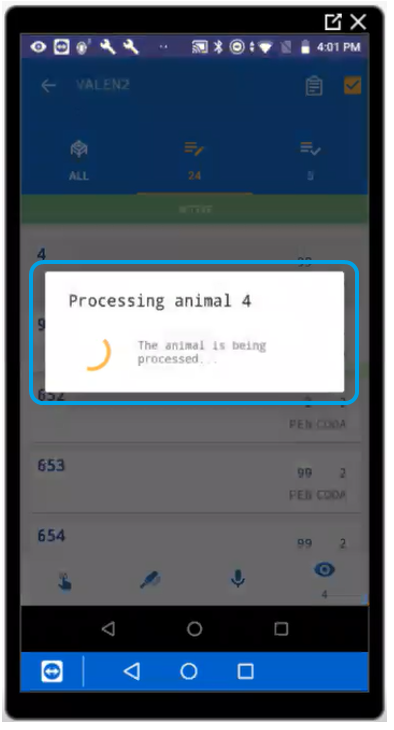
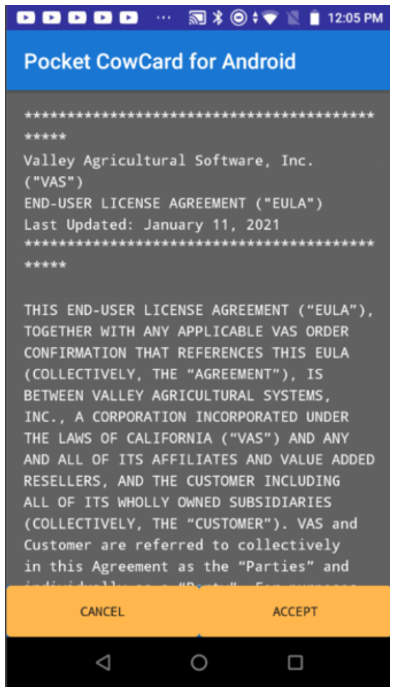
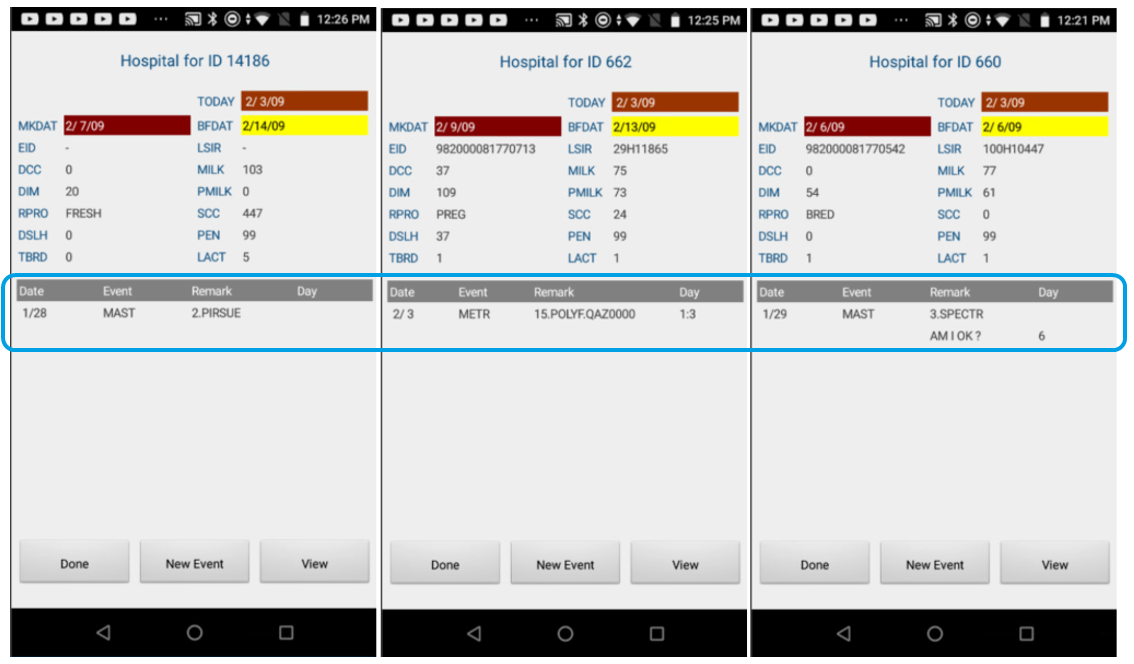
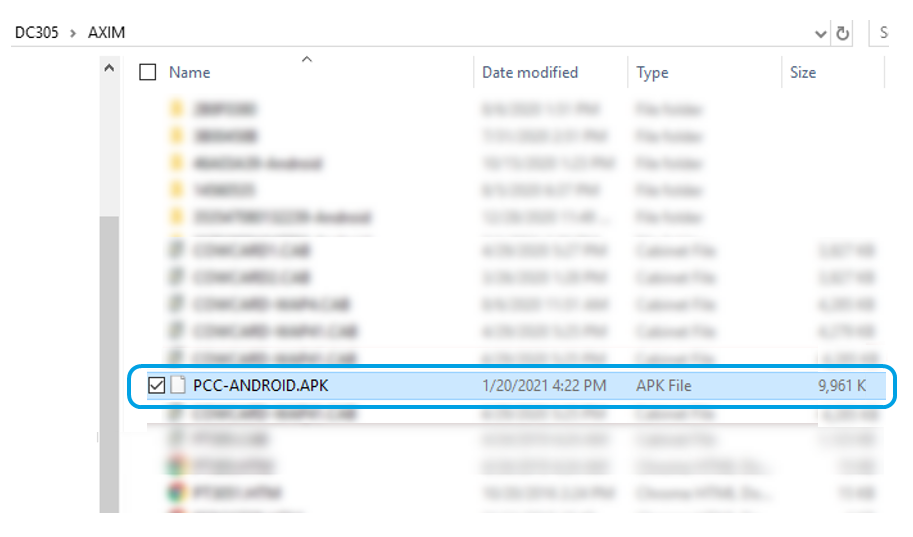
Pocket CowCard for Android - Version 2012231001
Build Date: 12/23/20
Release Date: 01/05/21
Enhancements
- End of Life for Android 5.x devices coming in March! – Pocket CowCard-862, Pocket CowCard-848: Support for Pocket CowCard Android 5.x devices will end on March 19th, 2021, and this release includes a notification that your devices should be running Android operating system 7.x to 11.x before that date. Be sure to upgrade or replace your devices before March 19th!

- Improved scanning speed with worklists – Pocket CowCard‑862, Pocket CowCard‑856: The app now processes scans more quickly (down to 100ms from 300ms), allowing you scan more animals in less time and with fewer app crashes.
- Increased battery life with worklists – Pocket CowCard‑862, Pocket CowCard‑860: The app now requires less battery power while processing worklists. As part of our effort to improve scanning speeds, we also made code enhancements that increase battery life and boost app stability.

 Bug Fixes
- Scanning issues with unanswered PEN validation prompt – Pocket CowCard‑862, Pocket CowCard‑853: Repaired unexpected crashes that occurred when continuing to scan animals while the “Wrong Pen” prompt remained unanswered. VAS recommends responding to any screen prompts before proceeding to the next RFID scan.
Pocket CowCard for Android - Version 2011161600
Build Date: 11/16/20
Release Date: 11/17/20
Enhancements
- Android 11 Support – Pocket CowCard‑845, Pocket CowCard‑852: Pocket CowCard Android now supports devices running the Android 11 operating system.
Bug Fixes
- Scanning Issues in Latest Version – Pocket CowCard‑840, Pocket CowCard‑852: Repaired unexpected crashes that occurred while scanning animals in the previous Pocket CowCard Android app version released on October 6th, 2020 (V2010021354).
For release notes prior to August 2020, please see the Pocket CowCard Release Notes Archive on the VAS website.
Click here for archived known issues for Pocket CowCard for Android
- 2026/03/03 - Remove the refresh error message: Pocket CowCard may display a "No syncable transactions were found" error message when you try to refresh. Expand Pocket CowCard Release Notes to see when this error may occur. This will be fixed in a future release.
- Click on a list without picking an animal
- Activate a list and focus on PEN=0, then exit
To remove the message and refresh Pocket CowCard, follow the steps below:
Error Scenarios
This error may occur if you:
- Click OK to exit the message.
- Tap Review Transactions on the Home screen.
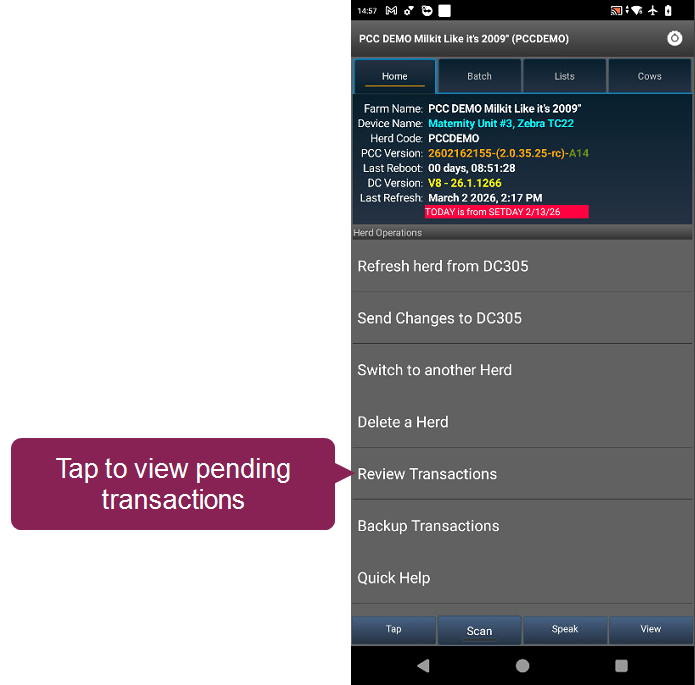
- Follow the guidelines when selecting transactions to erase:
- Check the box next to transactions that aren't related to ID entry or event entry.
- Do not check any boxes next to queued animal transactions. Check why they are not marked as Done in the hospital or vet list.
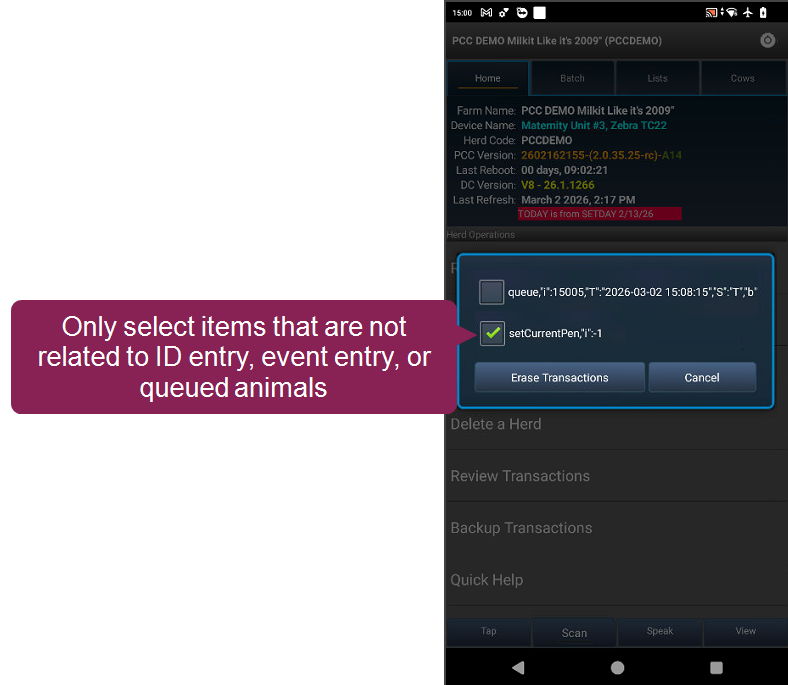
- Tap Erase Transactions, then tap Yes to confirm your choice.
Pocket CowCard should now refresh correctly.
2025/06/18 - Send all records to DC305 before initiating Batch commands: We have successfully identified the root causes for Cow Not Found error messages and subsequent transaction failures. The issue arises when new animals are added through the CowCard tab or worklists. Subsequently, Expert or Simple Batch commands are utilized prior to a full data transmission. This sequence prevents the submission of further transactions. A solution is currently being prioritized for immediate implementation. As a temporary workaround, users should send all newly added records to DC305 before initiating any Batch workflows.
2025/03/24 - Enter Breeding Codes on BRED events from the CowCard tab: If you enabled the setting to force Breeding Codes when you enter a BRED event from the CowCard tab, make sure you enter a Breeding Code when you enter the BRED event. If you do not enter a Breeding Code before accepting your BRED event updates, the app may crash. This does not affect Breeding Grid entries.
2025/03/07 - Rare workflow results in lost data between Pocket CowCard and DairyComp if you switch herds: We found a situation where Pocket CowCard does not send data correctly to DairyComp if you switch herds without sending the herd's data to DairyComp first. If you refresh multiple herds on a Pocket CowCard device, send each herd's data to DairyComp before you switch herds. We are looking into how to resolve this rare issue.
2025/01/21 - Pocket CowCard does not warn you if you enter an undefined pen: We found an issue where Pocket CowCard does not show a warning if you enter a pen that is not defined in DC305 during a MOVE event. Ensure that you do not have any undefined pens by running a summary by pen report in DC305. This will be fixed in the next Pocket CowCard release.
2023/09/20 – Pen validation error in the new Item Entry feature: We found an issue that occurs if you use pen validation during new item entry on a CowCard on an Android device that uses OS version 8.1 or 9.0. If the system asks you about pen validation and you select the Don't ask me again option, the system will automatically send the new item to DairyComp 305. If you must perform pen validations during item entry, use the SIMPLE BATCH command to avoid this error.
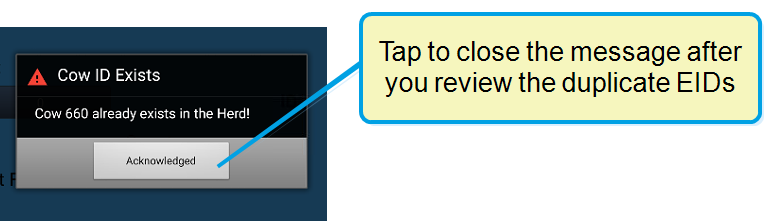
Click here to view our recommended workarounds.
- Consider upgrading Pocket CowCard to the latest version and rebooting your device daily.
- Send collected batch data to DairyComp before you enter a new batch.
- Only edit the expert batch command after you have sent collected data and before you enter a new batch using the new expert batch command.
- We have found that delivering and refreshing the device between batches works best.
- Alternatively, you can create specific Pocket CowCard commands for each new batch entry. For example, if you want to create a SHIP event and collect data for multiple lots in separate transactions, you can create specific commands for each lot:
- To collect data for the first lot, enter the following command in the command line. In this example, we collect data for lot 16: Create ZSHP16:
- To collect data for a new lot, re-enter the command in the command line and replace the existing lot number with the new lot number: Create ZSHP62:
- Repeat this command and replace the lot number for each lot you need to enter.
ENTER\Z EC=32 EDAY=SCDAT PEN=999 LOT=16
ENTER\Z EC=32 EDAY=SCDAT PEN=999 LOT=62
Click here to view our recommended workaround.
When Enhanced VET FORM is enabled, use the steps below to add a BRED event.
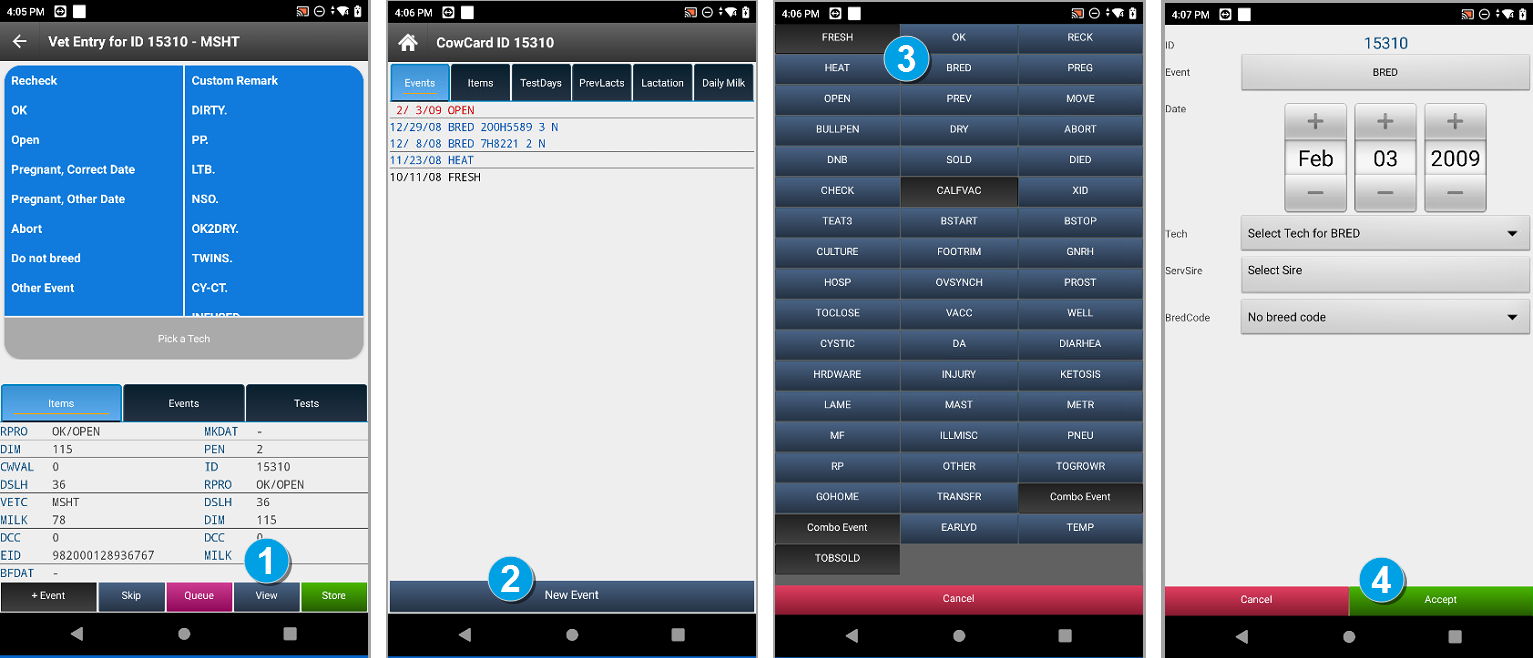
- Tap View from the Vet Entry form to open the CowCard.
- Tap New Event to open a list of events.
- Select the BRED event.
- Enter the BRED event details and tap Accept:
- Consider upgrading Pocket CowCard to the latest version and rebooting your device daily.
- Send collected batch data to DairyComp before you enter a new batch.
- Only edit the expert batch command after you have sent collected data and before you enter a new batch using the new expert batch command.
- Refresh the device before you enter a new batch.
- Alternatively, you can create specific Pocket CowCard commands for each new batch entry. For example, if you want to create a SHIP event and collect data for multiple lots in separate transactions, you can create specific commands for each lot:
- To collect data for the first lot, enter the following command in the command line. In this example, we collect data for lot 16: Create ZSHP16:
- To collect data for a new lot, re-enter the command in the command line and replace the existing lot number with the new lot number: Create ZSHP62:
- Repeat this command and replace the lot number for each lot you need to enter.
ENTER\Z EC=32 EDAY=SCDAT PEN=999 LOT=16
ENTER\Z EC=32 EDAY=SCDAT PEN=999 LOT=62
2022/10/21 - After refreshing a new herd, an error message warns that the new herd has unposted data: The system displays an error message after you refresh a new herd to your existing Pocket CowCard app. Until we can resolve the issue in a future update, follow these steps if the system display the Unposted data error message.
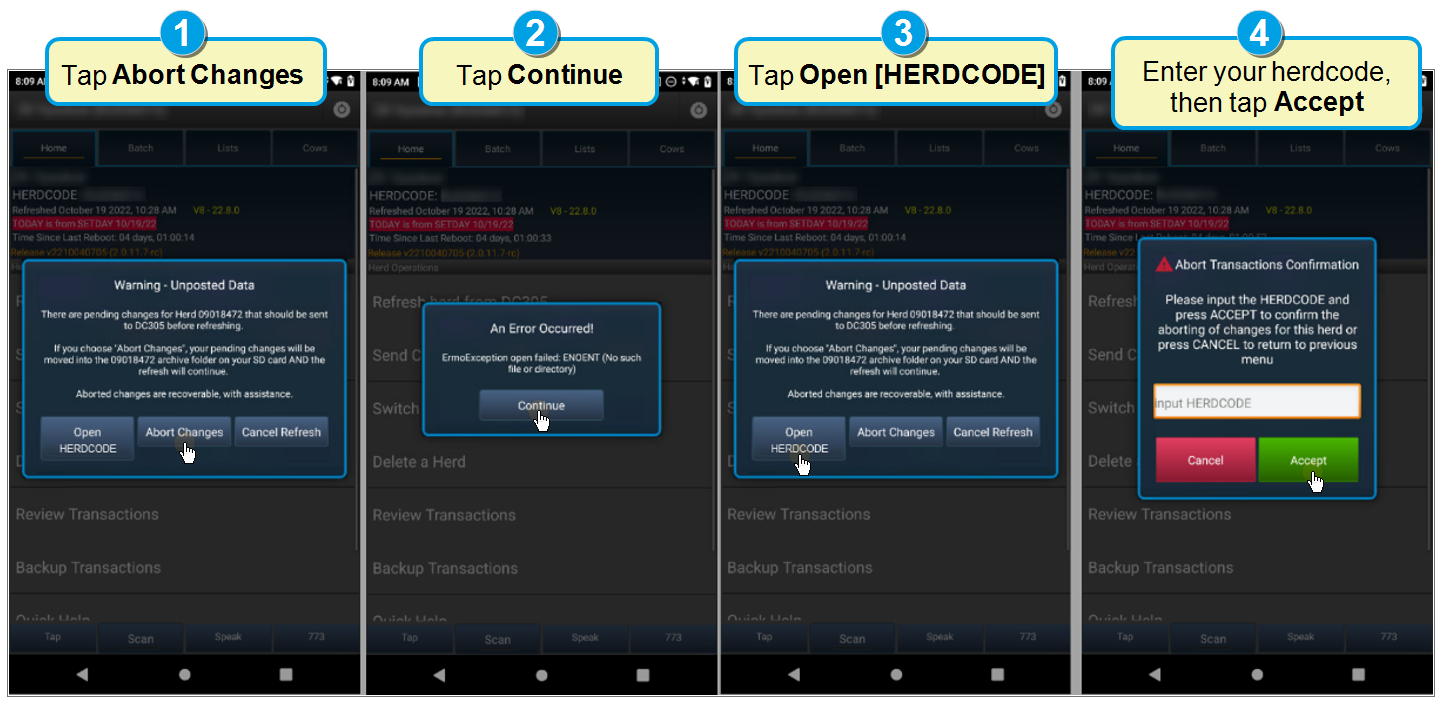
- Tap Open [HERDCODE]. Instead of [HERDCODE], the system displays your actual herdcode.
- Tap Continue.
- Tap Abort Changes.
- Enter the new herd's herdcode, then tap Accept.
After completing the steps, the system should no longer display the error message if you refresh the new herd again unless the app is deleted. If the workaround fails and the system displays the message again, contact VAS Support.